Blog

Mac 적응기 - 커맨드 편 | Mac Adaptation Journey - Command Edition

Mac Pro를 드디어 샀습니다!! 근데, 윈도우랑 너무 다르다 보니까 아무래도 적응하는데 시간이 걸리더군요! 그래서 각종 커맨드 부터 제가 사용하는 tool 커맨드까지 모두 정리하려 합니다Mac Command키보드 키는 기호랑 연결지어서 알면 좋을 것 같습니다 :)command ⌘shift ⇧option ⌥control ⌃윈도우랑 매칭 가능윈도우의 control이 mac의 command와 매칭이 되는 것 같아요! 기본적인 커맨드 입니다.복사 : ⌘ + c붙여넣기 : ⌘ + v잘라내기 : ⌘ + x되돌리기 : ⌘ + z전체선택 : ⌘ + a저장 : ⌘ + s찾기 : ⌘ + f윈도우와 매칭이 어려운 커맨드애플리케이션 닫기 : ⌘ + q탭닫기 : ⌘ + w 파일 삭제 : ⌘ + delete파일 들어가기 &..

Mac 적응기 - 커맨드 편 | Mac Adaptation Journey - Command Edition

728x90

Mac Pro를 드디어 샀습니다!! 근데, 윈도우랑 너무 다르다 보니까 아무래도 적응하는데 시간이 걸리더군요! 
그래서 각종 커맨드 부터 제가 사용하는 tool 커맨드까지 모두 정리하려 합니다

Mac Command

키보드 키는 기호랑 연결지어서 알면 좋을 것 같습니다 :)

command ⌘
shift ⇧
option ⌥
control ⌃

윈도우랑 매칭 가능

윈도우의 control이 mac의 command와 매칭이 되는 것 같아요! 기본적인 커맨드 입니다.

복사 : + c
붙여넣기  :  + v
잘라내기 :  + x
되돌리기 :  + z
전체선택 :  + a
저장 :  + s
찾기 :  + f

윈도우와 매칭이 어려운 커맨드

애플리케이션 닫기 :  + q
탭닫기 :  + w
파일 삭제 : ⌘ + delete
파일 들어가기 & 하위 폴더로 들어가기 : ⌘ + ↓
상위 폴더로 나가기 : ⌘ + ↑

내 HD내 모든 파일 찾기 : ⌘ + space

전체 캡쳐 : + shift+ 3 
부분 캡쳐 : + shift + 4
캡쳐 선택 : + shift + 5

페이지 뒤로가기 : ⌘ + [
페이지 앞으로가기 : ⌘ + ]

창 숨기기 :  + h
창 이동 : ⌃ + 화살표 , 손가락 3개쓸기, ⌘ + tab

텍스트 편집시 유용

한 줄 맨앞 맨뒤 이동 : + 화살표
한 단어 맨앞 맨뒤 이동 : + 화살표
텍스트 선택 : shift + 화살표   // 응용 : shift +  + 화살표 , shift +  + 화살표
이모티콘 및 특수문자 입력 : ⌃ + ⌘ + space

Shell 명령어

shell에서 finder열기 : open .


Intellij Mac Command

preference : ⌘ + ,
전체 파일 검색 : ⌘ + shift + f
action 검색 : ⌘ + shift + a
연결한 server의 task name 검색 : + shift + n

이전에 작업한 커서 위치에서 보기 :  ⌘ + [
이후에 작업한 커서 위치에서 보기 :  ⌘ + ]

이전 탭으로 이동하기 :  ⌘ + shift + [
이후 탭으로 이동하기 :  ⌘ + shift + ]

줄 자동 정렬 : ⌥ + ⌘ + l

I finally bought a Mac Pro!! But since it's so different from Windows, it definitely took some time to get used to! 
So I'm going to organize everything from basic commands to the tool commands I personally use.

Mac Command

It's helpful to associate the keyboard keys with their symbols :)

command ⌘
shift ⇧
option ⌥
control ⌃

Matching with Windows

It seems like Windows' control matches up with Mac's command! These are the basic commands.

Copy : + c
Paste  :  + v
Cut :  + x
Undo :  + z
Select All :  + a
Save :  + s
Find :  + f

Commands Hard to Match with Windows

Quit Application :  + q
Close Tab :  + w
Delete File : ⌘ + delete
Open File & Enter Subfolder : ⌘ + ↓
Go to Parent Folder : ⌘ + ↑

Search All Files on HD : ⌘ + space

Full Screen Capture : + shift+ 3 
Partial Capture : + shift + 4
Capture Selection : + shift + 5

Page Back : ⌘ + [
Page Forward : ⌘ + ]

Hide Window :  + h
Switch Windows : ⌃ + Arrow Keys, Three-Finger Swipe, ⌘ + tab

Useful for Text Editing

Jump to Beginning/End of Line : + Arrow Keys
Jump to Beginning/End of Word : + Arrow Keys
Select Text : shift + Arrow Keys   // Tip : shift +  + Arrow Keys , shift +  + Arrow Keys
Emoji & Special Character Input : ⌃ + ⌘ + space

Shell Commands

Open Finder from Shell : open .


Intellij Mac Command

Preferences : ⌘ + ,
Search All Files : ⌘ + shift + f
Search Actions : ⌘ + shift + a
Search Connected Server Task Name : + shift + n

Navigate to Previous Cursor Position :  ⌘ + [
Navigate to Next Cursor Position :  ⌘ + ]

Move to Previous Tab :  ⌘ + shift + [
Move to Next Tab :  ⌘ + shift + ]

Auto-Format Line : ⌥ + ⌘ + l

댓글

Comments

Blog

티스토리 이미지 업로드 오류 해결법 | How to Fix Tistory Image Upload Errors

티스토리 웹 에디터로 블로깅을 하다보면 ctrl+c ctrl+v를 이용해서 이미지를 업로드 해야하는 경우가 많습니다.근데 이때 생기는 치명적인 오류가 있는데요.구글링으로 얻은 이미지를 ctrl+c 해서 tistory에 ctrl+v를 할 때 간혹붙여넣기 및 이미지 업로드 중입니다이 글이 뜬 창 상태에서 멈추는 경우가 있어요ㅠㅠㅠ 이럴경우 새로 고침을 하면 그동안 쓴 글도 임시저장이 안되있는 상황이라서 날아가면 맘이 찢어집니다이럴때 야매로 안에 있는 글이라도 복사할 수 있게 해결하는 방법을 포스팅 하려합니다.이 상태에서 멈추었을 때 Ctrl + S 를 이용해서 HTML 파일로 저장합니다.저장된 HTML 파일을 여는 동시에 Ctrl+A Ctrl+C 를 이용해서 전체 내용을 복사합니다.이때 이 html 파일을..

티스토리 이미지 업로드 오류 해결법 | How to Fix Tistory Image Upload Errors

728x90

티스토리 웹 에디터로 블로깅을 하다보면 ctrl+c ctrl+v를 이용해서 이미지를 업로드 해야하는 경우가 많습니다.

근데 이때 생기는 치명적인 오류가 있는데요.

구글링으로 얻은 이미지를 ctrl+c 해서 tistory에 ctrl+v를 할 때 간혹

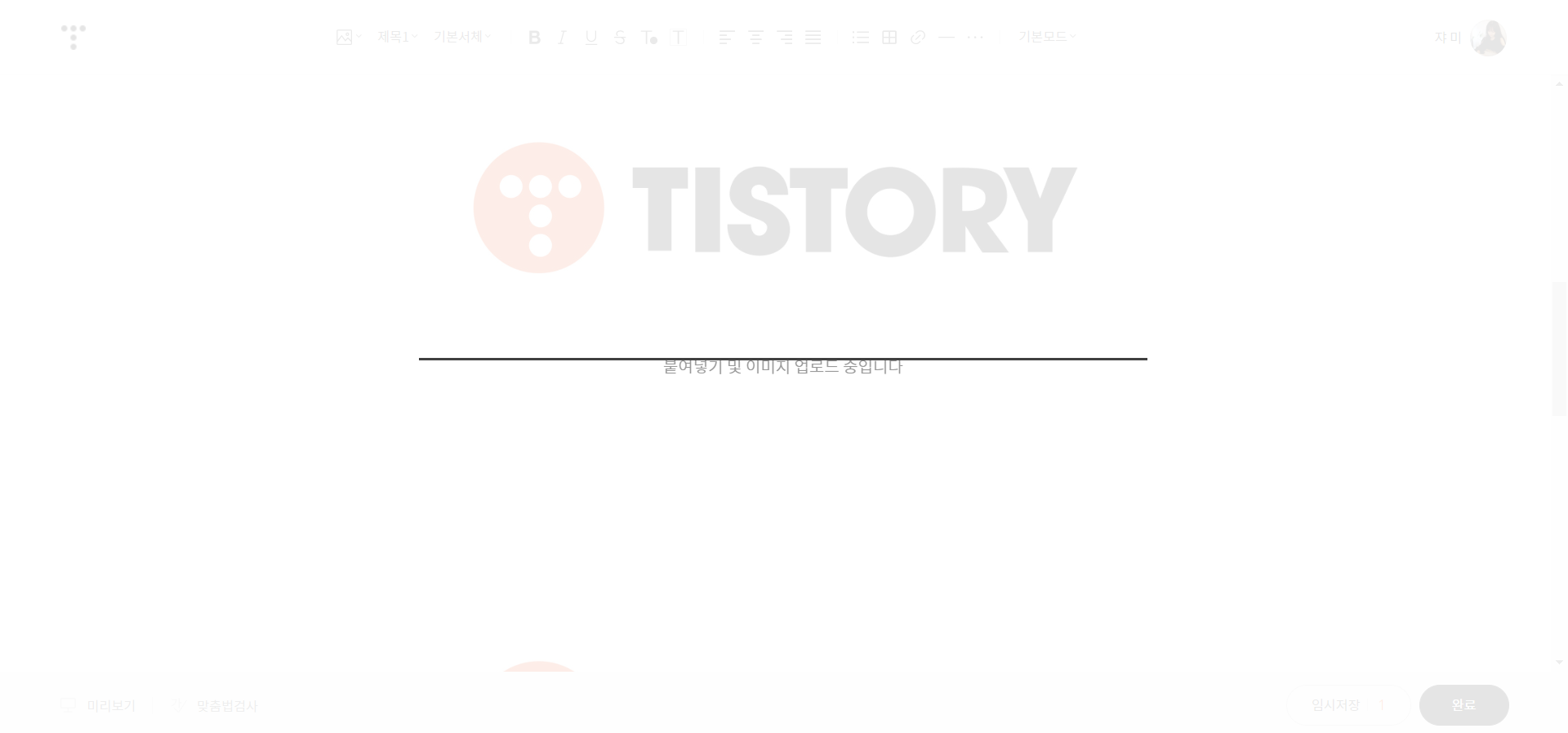
붙여넣기 및 이미지 업로드 중입니다

이 글이 뜬 창 상태에서 멈추는 경우가 있어요ㅠㅠㅠ 

이럴경우 새로 고침을 하면 그동안 쓴 글도 임시저장이 안되있는 상황이라서 날아가면 맘이 찢어집니다

이럴때 야매로 안에 있는 글이라도 복사할 수 있게 해결하는 방법을 포스팅 하려합니다.


이 상태에서 멈추었을 때  Ctrl + S 를 이용해서 HTML 파일로 저장합니다.

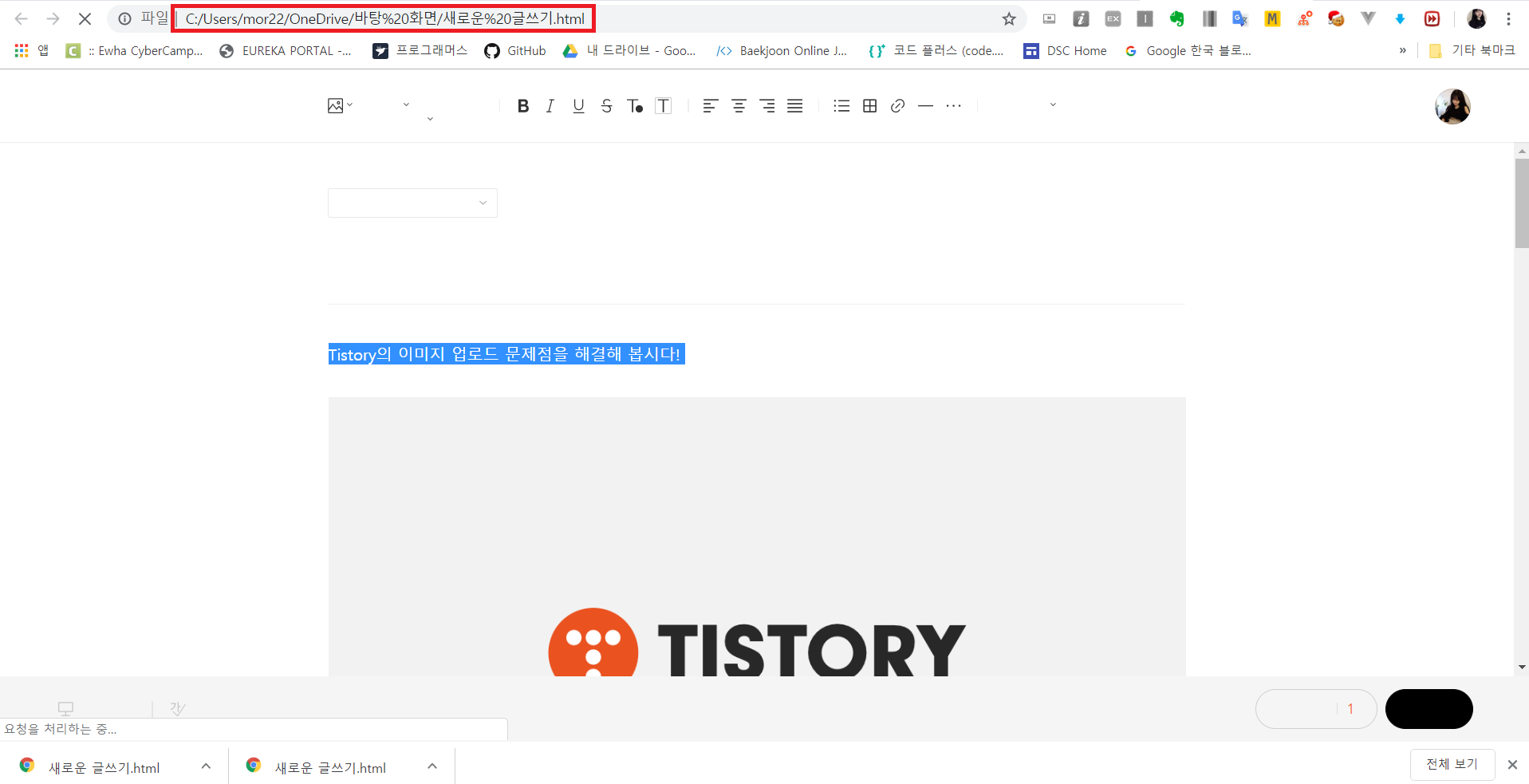
저장된 HTML 파일을 여는 동시에 Ctrl+A Ctrl+C 를 이용해서 전체 내용을 복사합니다.
이때 이 html 파일을 블러올 때 역시 일정 시간 (요청을 처리하는 시간)이 지나면 위에와 같은 "붙여넣기 및 이미지 업로드 중입니다" 창이 뜨게 되니 빠르게 Ctrl+A Ctrl+C를 해줍니다.

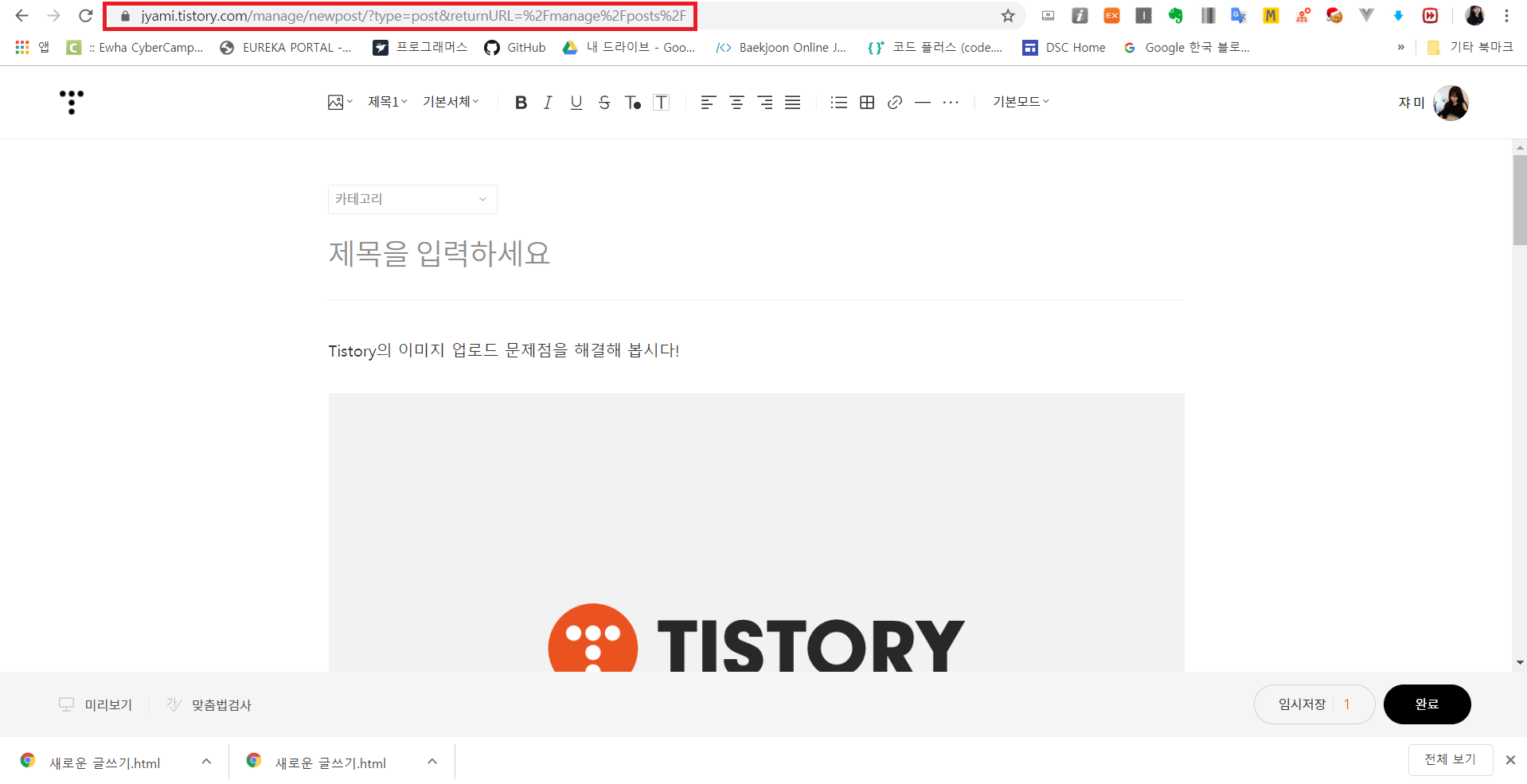
이후 복사한 내용을 새 Tistory 창을 열어서 복붙을 하면 내용만 가져올 수 있습니다 :)


긴 글을 쓰다가 저 창이 떠서 전부 날린적이 있는데 어떻게든 복구하고 싶어서 이것저것 해보다가 찾아낸 방법입니다ㅎㅎ 다들 꼭 임시저장을 활성화 하시길ㅠㅠ

+ 추가로 이 글을 해보면서 실험을 해보니
아이폰에서 카카오톡으로 이미지를 보냈는데 카카오톡에서 그 이미지를 바로 Ctrl+C 한 후 Tistory에서 Ctrl+V 하는 경우에 저런 "붙여넣기 및 이미지 업로드 중입니다" 이게 뜨는 것 같습니다!

아이폰에서 찍은 이미지는 확장자가 .HEIC인데, 이 파일을 그대로 Ctrl+C Ctrl+V하는 경우 에러가 뜨는 것으로 추측이 됩니다! (12/30 추가)

When you're blogging with the Tistory web editor, there are many cases where you need to upload images using ctrl+c ctrl+v.

But there's a critical bug that happens during this process.

When you ctrl+c an image you found on Google and ctrl+v it into Tistory, sometimes

Pasting and uploading image

It gets stuck on this popup and freezes 😭😭😭 

If you refresh the page in this situation, everything you've written isn't auto-saved, so losing it all is absolutely heartbreaking.

So I'm going to share a workaround to at least copy the text that's still inside the editor.


When it's frozen in this state, use Ctrl + S to save the page as an HTML file.

Open the saved HTML file and immediately use Ctrl+A Ctrl+C to copy all the content.
Note that when you open this HTML file, after a certain amount of time (the time it takes to process the request), the same "Pasting and uploading image" popup will appear again, so make sure to Ctrl+A Ctrl+C quickly.

Then open a new Tistory editor window and paste the copied content — you'll be able to recover just the text :)


I was writing a long post when that popup appeared and I lost everything — I was so desperate to recover it that I tried all sorts of things and discovered this method haha. Please make sure to enable auto-save, everyone 😭😭

+ Also, while experimenting with this, I found something:
When you send an image from an iPhone via KakaoTalk and then directly Ctrl+C the image from KakaoTalk and Ctrl+V it into Tistory, that seems to be when the "Pasting and uploading image" popup appears!

Images taken on iPhones have a .HEIC extension, and I suspect the error occurs when you try to Ctrl+C Ctrl+V that file as-is! (Added 12/30)

댓글

Comments