Daily/Code Fest

입사하고 4년만에 나간 Gemini 공모전 회고 | Retrospective on a Gemini Competition I Entered 4 Years After Joining the Company

만든 앱 투표 링크는 여기!!!https://ai.google.dev/competition/projects/muse-diary?hl=ko 뮤즈 일기 | Gemini API Developer Competition | Google AI for Developers매일 채팅하고, 사운드트랙을 선별하고, 소중한 순간을 간직하세요ai.google.dev 시작진짜 오랜만에 올리는 포스팅..ㅎㅎ 민망하구만. 24년 6월부터 7월까지 한 달 반의 시간동안 평일 저녁과 주말 시간을 쪼개서 Google Gemini API Developer Competition (Gemini API를 사용한 제품 개발 공모전)에 참여했다. 1명의 PM, 2명의 클라이언트개발자, 1명의 디자이너, 그리고 서버개발자였던 나. 능력있는 멋..

입사하고 4년만에 나간 Gemini 공모전 회고 | Retrospective on a Gemini Competition I Entered 4 Years After Joining the Company

728x90

만든 앱 투표 링크는 여기!!!

https://ai.google.dev/competition/projects/muse-diary?hl=ko


뮤즈 일기  |  Gemini API Developer Competition  |  Google AI for Developers

매일 채팅하고, 사운드트랙을 선별하고, 소중한 순간을 간직하세요

ai.google.dev


시작

진짜 오랜만에 올리는 포스팅..ㅎㅎ 민망하구만.
24년 6월부터 7월까지 한 달 반의 시간동안 평일 저녁과 주말 시간을 쪼개서 Google Gemini API Developer Competition (Gemini API를 사용한 제품 개발 공모전)에 참여했다. 1명의 PM, 2명의 클라이언트개발자, 1명의 디자이너, 그리고 서버개발자였던 나. 능력있는 멋진 동료들과 함께해서 그런지 힘든 기억보단 새로웠던 시간들이라 블로그로 정리하게 되었다.

어느덧 카카오에 입사한지 4년이 되었는데 (5년차라니...) 회사 일에 적응하고 외부 활동은 거의 안하다보니 슬슬 갇혀있는 기분이 들었었다. 회사에서 하는 AI 수업도 들었는데 결국 하는 일은 비슷비슷하다보니 요즘 세상은 어떻게 돌아가는지가 궁금했었다. (회고라 쓰고 외부 개발세계 탐방기라고 읽는다) 그러던차 PM 언니한테 생일 축하 메시지와 함께! 같이 공모전 할 생각있냐는 연락이왔다..!!! 

회사 일에 지장이 될까 걱정됐는데, 현생에 방해되지 않게 책임진다는 말과 클라이언트 개발자 분의 계획이 담긴 카톡을 보내줬는데 너무 든든해서 결국 참가하게 되었다.  기존 코드 고치는 작업이 아니라 내가 처음부터 코드를 짜는게 얼마만인지 두근두근!!


사전 지식 준비 (gen ai, spring-ai)

Gemini API를 사용해서 프로젝트를 제출하는 거였는데, 사실 굉장히 시기가 좋았다. 마침 회사에서 Generative AI(이하Gen AI) 기초반, 심화반 강의도 신청해서 듣고 흥미가 생겼었기 때문이다. AI 개발의 경우엔 대학때부터 느꼈지만 되게 나랑 안맞았다. 왜 그게 그 결과가 나오는지 이해가 안되서인가... 납득이 잘 안됐다. 근데 GPT가 나오고 언젠가는 결국 해야할 것들이라는 생각이 들어서 한번 공부를 하면 좋겠다 싶어서 회사 세션을 시작하게되었고 이 공모전을 시작하게되었다.

대부분의 사이드프로젝트가 그렇듯 사실 클라이언트만 있어도 결과물이 나오는데 서버가 굳이..? 싶었는데, 아무래도 클라에서 하면 API나 프롬프트가 외부에 노출될 가능성도 있고, 개선시 클라이언트 패치의 불편함이 있어서 서버개발자를 구하게 되었다고 하셨다.

사실 서버는 Gen Api 호출 서버를 만드는거라서 간단했다. 그래서 이참에 Spring-AI를 사용해보자는 개인 목표를 잡으며 공모전에 참여하게 되었다. 

우선적으로 회사를 통한 gen ai 공부는 꽤나 신기했다. 여러 개념이나 모델에 대한 설명에서 시작해서 프롬프트 엔지니어링, RAG, ollama, langchain, function call 실습 등 전반적인 방향성을 잡는데 도움이 되었다. 따라서 우리 공모전에서 AI를 사용할때 어떤 선택지가 있는지를 고를 수 있는 기반이 되었던 것 같다. 그리고 끝나고 팀원분들께 간단 공유시간도 가졌었는데 지금 몇개월 지나니까 다시 기억이 잘 안나는 것 같기도..

덕분에 우리 공모전에서 필요했던 건 RAG까지 갈 필요도 없이 prompt enginneering 만으로도 충분히 가능하다는걸 이해할 수 있었고, 사실 prompty engineering만 한다면  spring자체에서만 보면 httpClient 만 있어도 괜찮다는걸 스스로도 알았다. 그치만 spring-ai를 써보고싶었고, 오히려 spring-ai를 쓰면서 여기서는 지원하지 않아 생긴 허들도 있었어서 재밌었다. (이건 아래에) spring-ai를 쓰다보니 아직 안정화가 되지않아 구조가 휙휙 바뀌는 프레임워크단 코드를 체감할 수 있었던게 회사에서와는 다른 경험이라 신기했다.


그래서 뭘 만들었을까

https://youtu.be/lcMANrDdTSw?feature=shared

우리팀의 핵심 기능은 gemini prompt와 대화하며 일기를 적거나 글로 하루를 회고한 내용을 바탕으로 youtube music을 추천하는걸 주 기능으로 하는 앱이다. 제목은 muse diary 이다. gemini가 추천해주는 음악이 당신의 일상에 한번 더 영감을 주면 좋겠다는 의도로 muse라는 단어가 떠올랐다. 아무래도 gen ai를 사용한다면 이미 검색으로 찾을 수 있는 public한 내용에 대한 정리집 혹은 커뮤니티성 앱보다는 개인화에 집중된 private한 내용이 좀 더 사용성에 맞는 것 같다고 팀원간의 의견 나눔이 있었다.


짱 멋진 팀원들 자랑

1. 기획

초반에는 기획을 다같이 정리하는 시간을 가졌는데 PM언니가 떠다니기 쉬운 아이디어들을 잘 정리해주고 다시 리마인딩 하면서 회의를 진행했던게 좋았다.

커뮤니케이션은 보통 슬랙으로 했었는데, 평소에 업무를 할 때 카톡으로 하다보니 슬랙 확인을 좀 늦게하곤했었다ㅠ 그런데 확실히 회사밖의 다른 개발자들은 슬랙을 잘 쓰는구나 싶어서 되게 재밌었다. 퇴근하고 아무래도 밀려있는 내용들을 볼때 언급되어있는 스레드들 모아보기로 빠르게 확인하고 개발하고 배포해서 빠르게 확인하는게 되게 효율적이었다.

간만에 회사 외부의 능력자들과 일하는 경험이 되게 신선하면서도 서로 현생에 영향을 미치지 않게 배려해줘서 무사히 마칠 수 있었다.


2. 디자인

항상 나는 디자이너분들을 되게 좋아하는 편인데 (클라 개발자가 아니라 부딪힐일이 없어서그런가) 이번에도 역시 디자이너 너무좋다 디자인이 이뻤다!!! 하루를 마치고 LP바에서 술한잔과 함께 오늘 있었던 일을 얘기하면 그에 맞는 잔잔한 노래를 듣는 느낌을 생각했는데, 바이닐 컨셉의 디자인을 가져와주셨다. 

다들 직장인이라 바쁜 시간을 쪼개서 참여하다보니 사실 아이디에이션 했던 모든 기능을 넣을수가 없었는데, PoC단계에서 GUI 디자인 단계로 넘어가기 직전에 대부분의 앱들에서 사용하는 탭바를 걷어내자고 디자이너분이 제안을 주셨다. 덕분에 핵심기능에 집중해서 공모전을 마무리할 수 있었다. (기한이 쫄린다면 기획을 쳐내는게...) 다들 현생을 놓지않으면서도 새벽시간을 쪼개서 얘기하고 회의하고 밥먹고 되게 기억에 남는 팀이 될 것 같다.


3. 클라이언트

https://github.com/geminiApiDevKorea/diary_flutter


GitHub - geminiApiDevKorea/diary_flutter: 다이어리 플러터 프로젝트

다이어리 플러터 프로젝트. Contribute to geminiApiDevKorea/diary_flutter development by creating an account on GitHub.

github.com

클라이언트 개발자 두 분은 플러터로 개발을 했었는데, 확실히 크로스 플랫폼의 이점이 있었다. gen ai 프롬프팅을 한 클라개발자분께서 담당하셨었는데 (너무 감사했다.. 백엔드지만 프롬프팅 엔지니어링 까지는 관심이 없었기에 )  flutter로 프롬프팅 관련 PoC를 금방 구현해보시더니 다른 팀원분들도 해보라고 web으로 배포해서 주셨다. 덕분에 일기 추출 프롬프팅 부분을 다같이 테스트해보며 실제로 gpt가 말하는 뉘앙스를 보며 프롬프트를 수정하기도하고, 앱의 디자인적 사용성이나 백엔드에서는 실제로 들어갈 데이터들을 좀 더 고려해 볼 수 있었다.

그리고 클라이언트 각종 인터렉션을 디자인적 완성도를 위해 깡코드로 구현하시고, 많이 있는 library를 쓰지 않고 직접 코드로 구현한다거나.. 이런 부분이 개인적으로 가장 놀라웠다. 바이닐을 넘기는 인터렉션을 하나하나 디자이너분께 컨펌받으면서 섬세하게 디테일을 잡으시는 모습도 인상적이었고, 나는 백엔드 개발자다보니 당연히 달력은 라이브러리를 쓴다는게 고정적인 생각이었어서 그런가 직접 달력부분 코드를 하나하나 짠다는것도 충격이었다

그리고 실제로 보내주신 코드들을 보니 다트가 깔끔한건지 코딩을 잘하신건지.. 보기에도 편했다. 시니어 클라이언트 개발자와 함께하는 사이드프로젝트 꽤나 감격적이었달까


서버만 잘하면 되겠네

그래서 이렇게 자기할일 딱딱하는 팀원들과 함께 하기위해서라면 나도 일을 착착 해나가야겠다! 싶었는데 회사 밖에서 코딩을 한다는건 코딩이 문제가 아니었다! 그동안 기본적으로 환경세팅이 다 되어있던 회사 인프라를 벗어나서 외부에서 하나하나 해야하는 상황! 되게 재밌었다 외부 생태계는 이렇구나 요즘 개발자들은 이렇게 개발하는구나를 체험해볼수있어서 디버깅을 하나하나 해나가는게 재밌었다. 퇴근하고 정신없이 코딩하는게 그냥 며칠만 투자하면 됐기 때문에, 금방금방되서 그런가 몇개월이 지난 지금 생각해도 힘든것보단 재밌었다는 기억만 남았다!!!

우선 서버 코드는 아래에 있다.

https://github.com/geminiApiDevKorea/gem-api


GitHub - geminiApiDevKorea/gem-api: gem api server

gem api server. Contribute to geminiApiDevKorea/gem-api development by creating an account on GitHub.

github.com

그리고 구조는 아래처럼 잡았다.

코딩보다도 CI/CD구성이나 환경변수 관리 새로운 인프라 api에 대한 러닝커브 등등이 좀 더 기억에 남는다. 사실 사이드 프로젝트다 보니까 api 서버 만드는 건 확장성보다도 기획에서 바로바로 요청이 올 때 빠르게 변경한다거나 이런것들이 더 중요했기 때문에 객체화 클린코드 테스트코드 같은 것 보다 가장먼저 CI/CD부터 완성했다.


1. github Action CI/CD

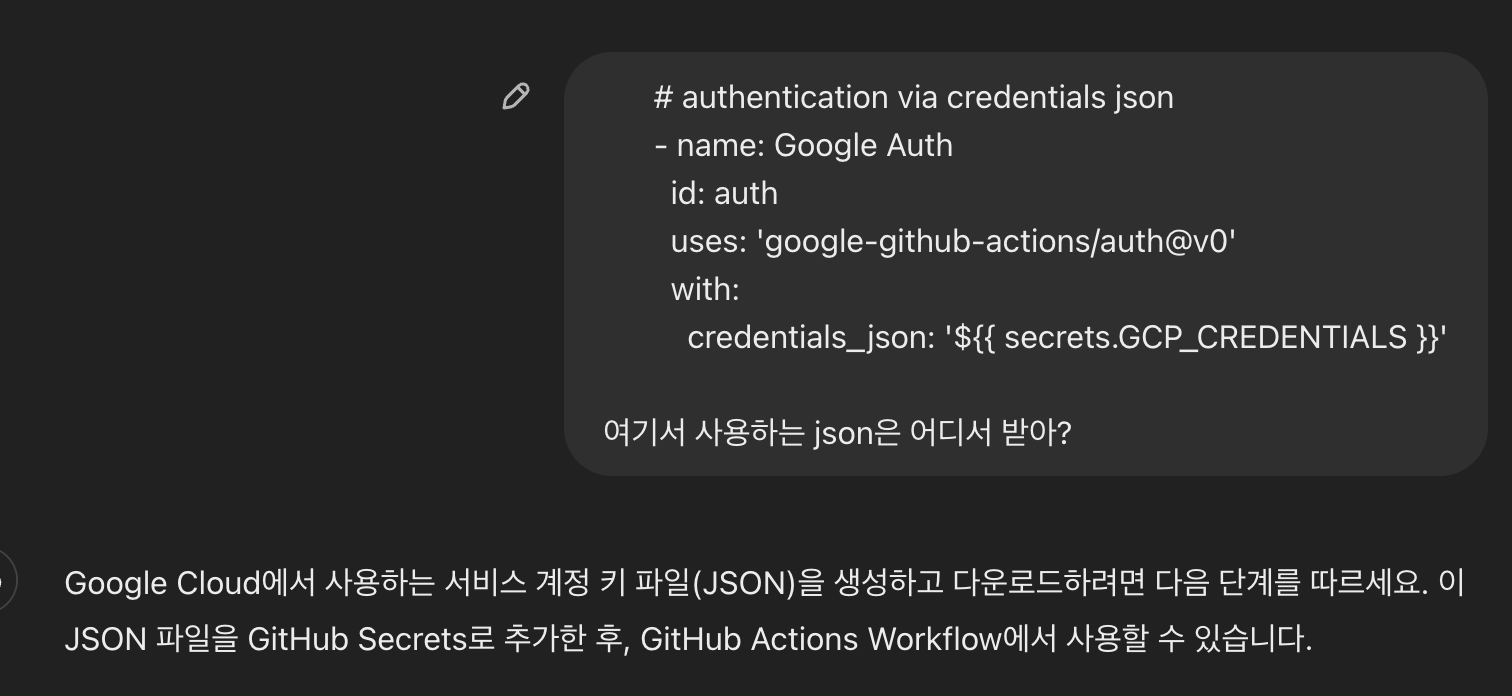
회사에서는 CI/CD를 jenkins로 하고있어서 github action을 처음써봤다. github action에 대해서 좋다고 좋다고 말만들었지 처음 써보는거라 ansible 문법 익히듯이 action 문법들을 익혀야하는건가 싶었는데 와 요즘 개발은 GPT를쓰는구나?

진짜 감격 그자체 dockerfile 부터 github action worflow까지 다 짜주는 이런 세상이라니.. 그래서 action 쓰기는 했지만 썻다고 말할수 없다 내가 만든게 아니라 gpt가 만들었으니까! 근데 사실 여타 ci/cd가 그렇듯 jenkins pipeline문법이나, ansible 문법이나 action 문법이나 그냥 찾아가면서 작성하는거니까.. 라고 생각하면서 패스했다. 

회사에서는 아무래도 소스코드나 에러메시지를 직접 복사 붙여넣기해서 넣지 못하다보니 gpt한테 질문할때 가공해서 넣어야해서 귀찮았었는데 그냥 넣으면 나오니까 편했다ㅋㅋ. 그리고 Google Cloud Platform을 쓸때도 어떤 버튼을 어떤메뉴에 들어가야하는지까지 알려주고 바깥 세상 개발은 참 좋구나... 회사 내부 인프라를 사용하다보면 내부 인프라 가이드를 찾아보고 그랬었는데, 외부 세상에서 하는 개발은 gpt한테 물어볼 수 있다는 메리트가 있었다. 그동안 회사 개발만 했다는 티가 너무나나ㅠㅠ

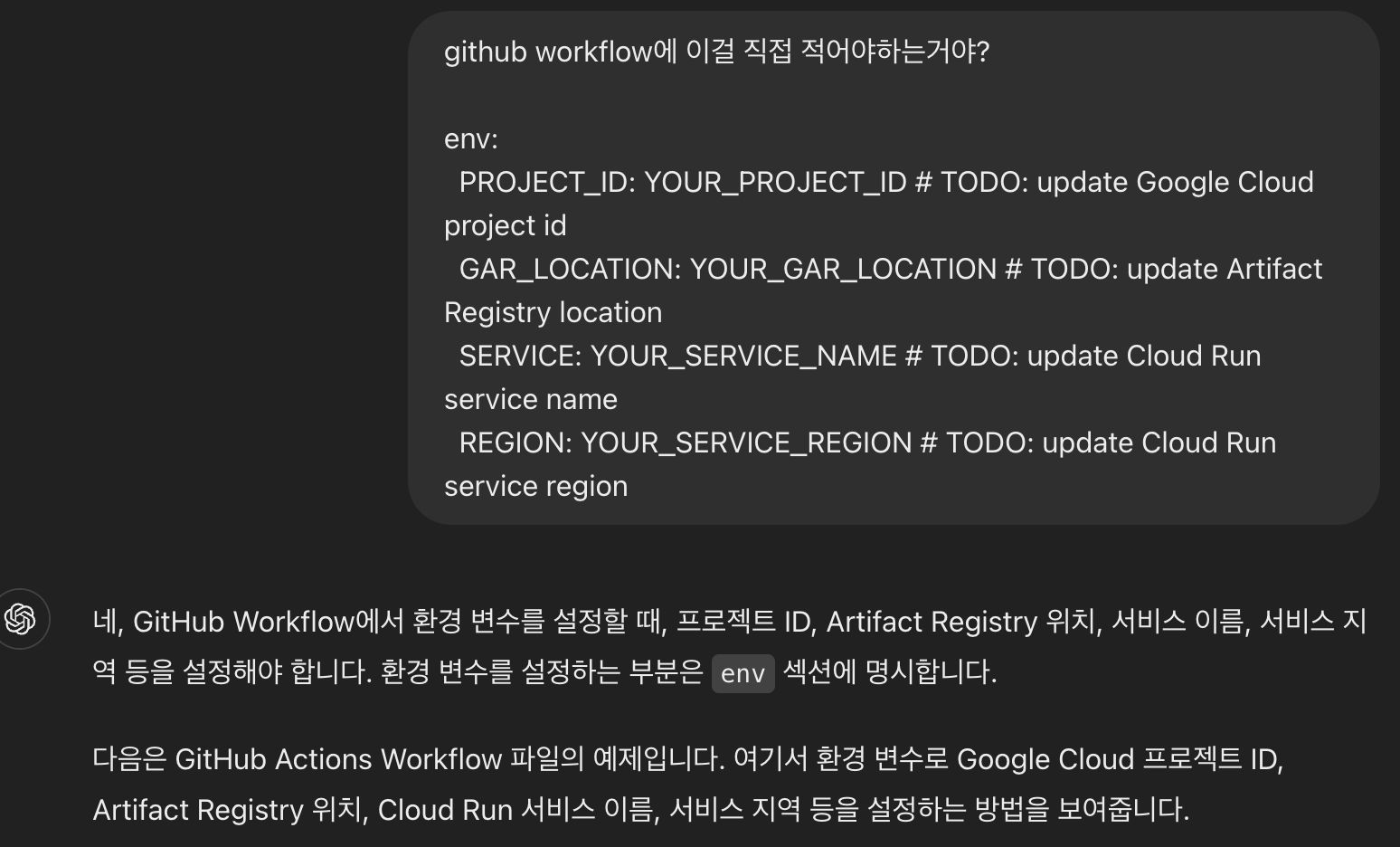
 

그러나 바깥 세상의 개발중에 언제나 그렇듯 귀찮았던건 아무래도 secret 관리였다. 회사안에서는 사실 priavet repository라서 일부는  springboot aplication.yml에 박아서 썼었는데 각종 변수 하나하나를 환경변수 처리를 해야한다니.. 그리고 안했을때 혹시라도 과금폭탄이 무서웠다. 물론 private repository를 쓰면 똑같지만 공모전이다보니 open source 여야했다.

이런 민감정보들이 몇개 되지는 않아서 우선은 전부 app 시작시 쓰는 환경변수로 처리했는데, 만약 프로젝트가 좀 더 커진다면 좀 귀찮아 질 것 같다. 그치만 application.yml 파일 자체를 직접 import해서 로딩한다던지 다른 배포방법도 있지 않을까 싶긴하다. 이런 환경변수 처리들을 좀 쉽게하는 오픈소스들이 무조껀 있을텐데.. 라는 생각이 들면서도 개발을 시작해야하다보니 우선은 github action 자체의 secret을 사용했다.

그리고 사실 엄청 간단한 CI/CD 였기 때문에 문법이나 플러그인을 새롭게 도입할 필요가 없었다. 그래서 오히려 github CI/CD 예제를 보고 배포 플랫폼을 정했다ㅋㅋㅋ gemini api를 써야하다보니 Google Cloud Platform을 무조껀 써야하는 상황이었다. 따라서 google기반의 작은 vm기반 서버로하면 돈이 덜 들테니 그렇게 할까는 막연한 생각만 있었는데, action workflow을 쳐보니 cloud run 이란게 있네..? 부터 시작해서 위와 같은 서버 구조를 갖게 되었다. GKE는 쿠버네티스니까 스케일업,아웃 헬스체크까지 필요한 오케스트레이션 스펙은 현재 굳이 쓸 필요가 없다고 판단했다.
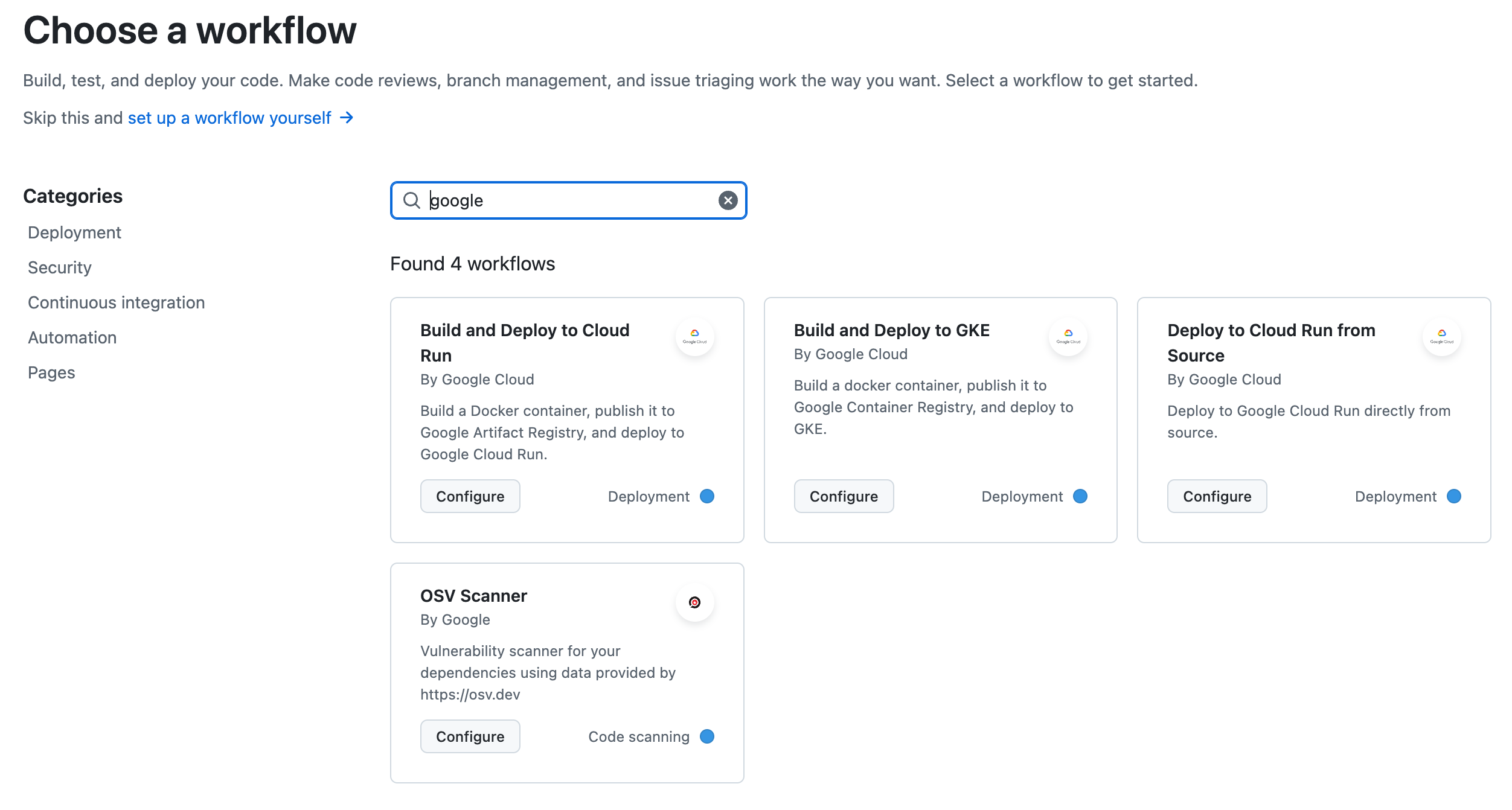
딱 빌드한 이미지가 빠르게 즉각적으로 배포되면서, 작은 컴퓨팅 리소스만 쓰는게(replica를 1로 설정했다.) 이런 작은 공모전 프로젝트에 오히려 적합하다는 생각이 들었다. 이런 gcp사용도 하나의 러닝커브였는데 이것 역시 GPT가 친절하게 어떤 버튼을 누르면 되고,, 어떤버튼으로 설정하면 되는지 알려주는 친절한 외부 개발 세상에 감탄했다ㅋㅋㅋ

그렇게 만든 github action flow는 아래와 같이 매우 간단하다 (여러 account key, secret 전달로 인해 길어졌을뿐.)

  1. docker file을 빌드한다 (docker 빌드시 gradle 빌드하여 앱을 실행한다.)
  2. 해당 docker 이미지를 GCP registry에 push한다.
  3. push된 이미지를 Cloud run이 (replica 1)실행시킨다.

cloud run을 사용하니 로깅도 즉각적으로 확인 할 수 있고 트래픽 모니터링도 기본적으로 제공해주는 게 있어서 편했다. 
(알람 시스템까지 따로 달았다면 좀 더 즉각적으로 에러를 볼 수 있었겠지만... 현재 사용자도 없는데 오버스펙이다.)


2. Spring + Kotlin 개발 그리고 Spring-Ai

그리고 이제 내부 api를 개발할 때가 되었는데 사실 인증, 데이터베이스, ai 사용. 이렇게 세가지가 주요한 백엔드 기능이었다. 
gemini 개발자 대회에서 firebase 섹션도 있어서, 인증과 데이터베이스를 모두 firebase 기반으로 구현했다.
firebase관련 코드자체는 클라이언트 사이드에서 직접쓰면 좀 더 효율적이었을 거란 생각이 들긴했다. firebase 코드전부가 future로 되어있었는데 spring-webflux도 아니라 spring-mvc 기반으로 사용하고있어서 전부 blocking하게 데이터를 가져올 때 조금 아쉬움이 들었다.

간만에 사용하는 spring-security로 firebase token 기반 인증을 구현하였고, database는 전부 cloud firestore로 구현했다. 그리고 gemini api 호출부는 spring-ai 기반으로 구현하였다. 비즈니스로직이 사실상 db읽기 + gemini api 호출뿐이라 큰 복잡도가 없어 model이 중요한 상황에서 kotlin을 사용하니까 data class를 사용하는게 코드 줄수도 적고 편했다.

이 공모전을 시작하면서 spring-ai를 쓰는게 목표였는데 사실 우리팀의 경우엔 RAG이나 embedding model을 커스텀해서 쓰기보단 gemini api에 호출하고 호출할때의 prompt engineering을 잘 하는게 목표였기 때문에 spring-ai 안에서도 chatClient만을 사용했다. chatClient에서 제공하는 기능을 사용하는건 사실상 httpClient로도 가능하지 않나 싶어서 조금 아쉬운 부분이었다.

그래도 spring-ai덕분에 python 환경에서 langchain, lamaindex를 사용할 때 공통된 포맷으로 gen ai api를 호출하고 embedding model을 변경하는 등의 작업을 할수 있다는 것처럼, jvm 시스템 안에서도 이런 일들이 조금은 가능하다는점에 의의가 있다고 생각했다. 따라서 Spring-AI의 경우에 ChatClient를 기반으로하는 추상화가 중요했고, Gpt, VertexApi,  Azure 등등의 gen ai 모델들을 ChatModel들의 구현체들로 유연하게 사용할 수 있게 했다는 점에서 객체지향을 많이 고려한다는게 느껴졌다.

다만 각 gen ai 모델 구현체들의 업데이트도 빠르게 이루어지고 지원범위가 다양하게 있는 만큼, 그걸 spring-ai 에서 따라가기 힘든경우가 있구나 느꼈는데 그것또한 되게 재밌는 경험이었다.

vertex api 스펙에 보면 response의 출력형식을 결정할 수 있는 요청 필드가 있는데 이 필드가, VertexAiGeminiChatModel 에서는 구현이 되어있지 않은 상황이었다. 우리 공모전에서 사용할 prompt에서는 이 필드를 꼭 넣어야 json 타입으로 응답이 올바르게 오는데 지정을 하지 않으면 parsing 에러로 500에러가 간간히 떨어지는 경우가 있었다.

https://cloud.google.com/vertex-ai/generative-ai/docs/model-reference/gemini?hl=ko#request

따라서 이걸 spring-ai의 chatClient를 안쓰고 그냥 httpClient를 사용해서 해결할까..라는 고민을 하다가 이미 어느정도 ChatClient에 맞춰서 개발을 해둔 상황이었고, spring-ai의 공식지원은 아니지만 reflection을 이용해서 config를 직접 주입해 넣으면 될것 같아서 아래와 같이 VertexAiGeminiChatModel의 기본 구현을 무시하고 reflection으로 내가 원하는 기능을 구현했다.

val chatModel = VertexAiGeminiChatModel(
    VertexAI(System.getenv("GEMINI_PROJECT_ID"), System.getenv("GEMINI_LOCATION"))
)

val generationConfig = GenerationConfig.newBuilder()
    .setResponseMimeType("application/json") // responseMimeType 을 설정할 수 없어서. 직접 접근하여 설정하였다.
    .setTemperature(0.8f)
    .build()

val generationConfigField = VertexAiGeminiChatModel::class.java.getDeclaredField("generationConfig")
generationConfigField.isAccessible = true
generationConfigField.set(chatModel, generationConfig)

생각해봤을때 spring-ai에서 default로 제공하는 gemini 버전은 gemini-1.5-pro 였고, 이 요청필드의 경우엔 1.5부터 지원을 했기에 공식적으로 지원을 하는게 좋지 않을까 싶어서. spring-ai에 해당 필드를 추가하여 PR도 넣어보았는데 승인되었다 :)
공모전덕분에 spring 관련 레포에 처음으로 contribution 하는 경험을 얻었다.


https://github.com/spring-projects/spring-ai/pull/1185#issuecomment-2305876768


feat: Add responseMimeType option in vertexAiGeminiChatOptions by jyami-kim · Pull Request #1185 · spring-projects/spring-ai

The Gemini model provides the responseMimeType parameter, as documented in the Gemini Model Reference. However, when I attempting to call the Gemini model using Spring AI, there is no direct option...

github.com


머지 됐다 :)


3. 문서화 : swagger

CI/CD를 완성하면서 인증, 데이터베이스, gen ai 호출까지 왠만한 기능들의 api를 구현하는것만 남았었다. 처음부터 swagger는 붙였었지만 실제로 해당 api를 사용할때 파라미터는 어떻게 해야하고, 어떤의미이고 이런것들을 처음엔 거의다 slack으로 안내를 드렸다.
근데 하다보니.. 같이 작업하시는 클라이언트 개발자분들의 편의가 걱정이 되었고 이에 따라 swagger에 documentation을 제대로 달아서 소통을 하는 방향으로 작업 방향을 바꾸게 되었다.
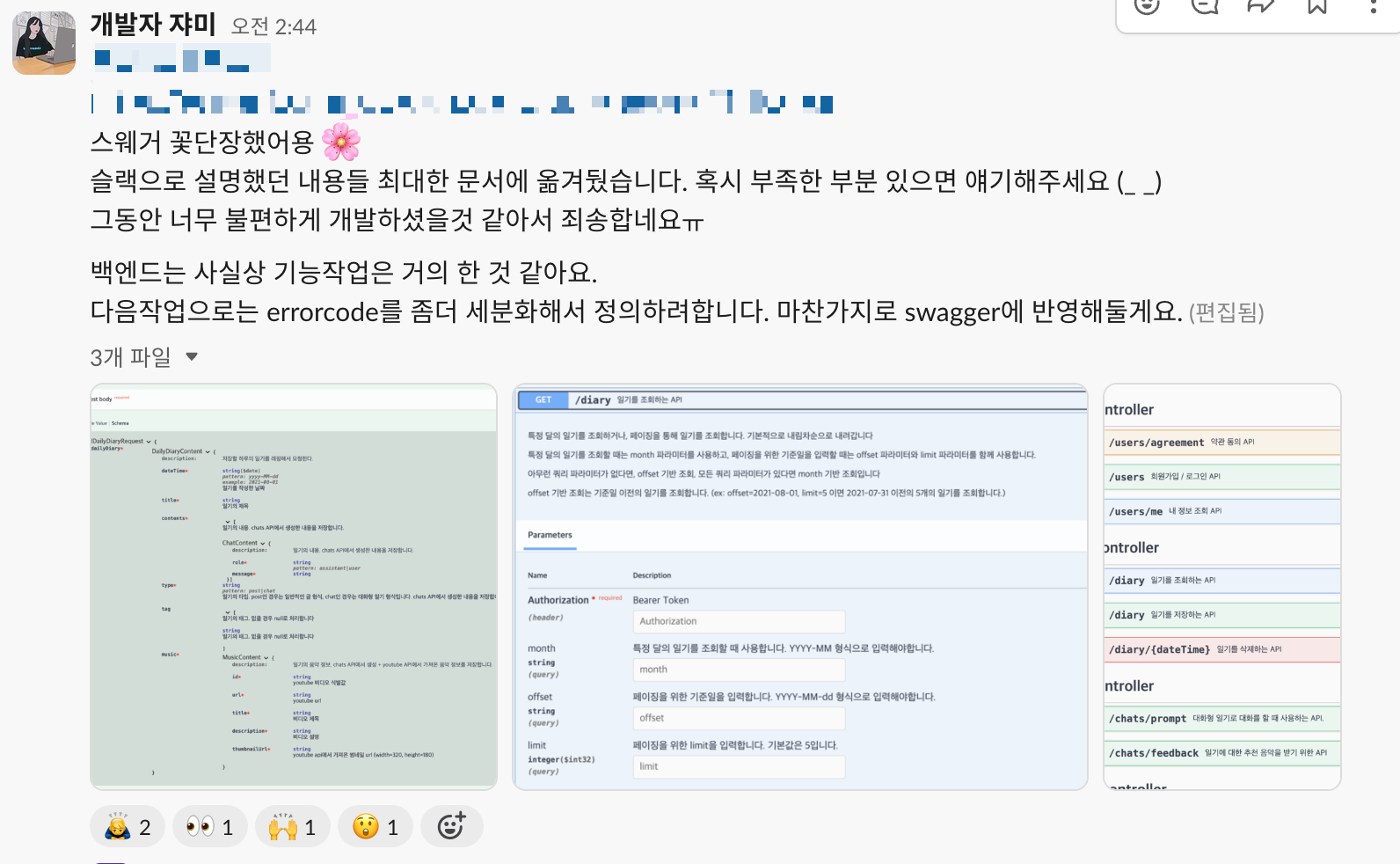
그런데 이런부분을 되게 좋아하셨어서 다음에 또 사이드프로젝트를 하게된다면 그때는 swagger기반으로한 문서화를 기본으로하고, 스웨거에서 api 호출도 가능하게까지 지원해야겠다고 생각했다. spring-security + swagger를 같이 사용하면 그만큼 스웨거를 이용한 api 호출을 이용할 때 추가 설정을 해줘야하는데, 허허 퇴근후 개발 쉽지않다더라. 


마치며

회고이기 때문에 내가 느낀점들을 위주로 글을 흐물흐물 쓴거같다. 그동안 퇴근하면 운동하고, 친구들 만나던 삶을 반복하다가 간만에 개발을 하다보니 리프레쉬가 되던 경험이었다. 스펙을 간단하게 잡기도했고 아무래도 서버사이드에서 크게 챌린징할만한 부분이 없었던(?) 작고 소소한 개발이었을지라도 퇴근하고 시간을 쪼개서 작은 프로젝트를 좋은 사람들과 협업해서 만들었다는게 되게 기분이 좋았기 때문에 간만에 블로그를 쓰게 되었다.

사실 아쉬운건 언제나 있을 수 밖에 없다. 사이드 프로젝트다 보니 코드를 너무 일회성으로 짜버렸을까. spring-ai 사용할때 테스트코드도 한번 짜볼껄, 슬랙으로 알람 연결해서 클라 개발자분들의 제보없이도 빠르게 고칠 수 있게 만들어볼껄 그랬나. 가장 간단한 인증방식으로 우선 구현을 위해서 했는데 jwt 기반으로 해볼껄 등등 여러가지 생각나는 것들이 있긴하다.

또한 서버에서 챌린징하는건 아무래도 정말 운영환경에 들어갔을때 정말 일이 시작되는구나도 느끼게되었다. 사실 api를 개발하는건 어떤 개발자든 금방 할테지만, 그 api를 얼마나 확장성있게, 그리고 안전하게, 빠르게 탐지하고 운영할 수 있게 만드는건 더더욱 중요한 요소라는 걸 반증하는 것 같았다. 놀랍게도 그래서 사이드 프로젝트를 하면서 회사 내부에서 사용하는 여러 운영 스킬들에 대해서도 한번 더 중요함을 느끼게되었다.

여튼 주절주절은 여기서 끝!
혹시라도 읽으시는 분이 있다면 현재 피플스초이스어워드가 진행중이니, 소중한 한표 부탁드립니다~! 🙇‍♀️

https://ai.google.dev/competition/projects/muse-diary?hl=ko


뮤즈 일기  |  Gemini API Developer Competition  |  Google AI for Developers

매일 채팅하고, 사운드트랙을 선별하고, 소중한 순간을 간직하세요

ai.google.dev


The voting link for the app we made is here!!!

https://ai.google.dev/competition/projects/muse-diary?hl=ko


Muse Diary  |  Gemini API Developer Competition  |  Google AI for Developers

Chat every day, curate your soundtrack, and cherish precious moments

ai.google.dev


The Beginning

It's been so long since my last post..haha, kind of embarrassing.
From June to July 2024, over the course of about a month and a half, I squeezed in weekday evenings and weekends to participate in the Google Gemini API Developer Competition (a competition for building products using the Gemini API). Our team consisted of 1 PM, 2 client developers, 1 designer, and me — the server developer. Working with such talented and awesome teammates made it more of a refreshing experience than a tough one, which is why I decided to write this blog post.

Before I knew it, it's been 4 years since I joined Kakao (year 5, seriously...). After getting comfortable with work and barely doing any outside activities, I started feeling a bit trapped. I even took AI classes offered by the company, but at the end of the day, the work stayed pretty much the same, so I was curious about what's going on in the world these days. (It says retrospective but really it's an exploration journal of the external dev world.) Then, out of the blue, my PM sent me a birthday message along with — surprise! — an invitation to join a competition together..!!! 

I was worried it might interfere with my day job, but she promised it wouldn't get in the way of our real lives, and one of the client developers sent over a detailed plan via KakaoTalk — it was so reassuring that I ended up joining.  It had been so long since I wrote code from scratch instead of fixing existing code — I was excited!!


Background Knowledge Prep (Gen AI, Spring-AI)

The competition was about submitting a project using the Gemini API, and honestly, the timing couldn't have been better. I had just signed up for and attended the Generative AI (Gen AI) beginner and advanced courses offered by my company, which had sparked my interest. When it comes to AI development, I've felt since college that it really wasn't my thing. Maybe it's because I couldn't understand why certain results came out the way they did... it just didn't click. But after GPT came out, I started thinking it was something I'd eventually have to tackle, so I figured I should study up — that's how I started the company sessions and eventually this competition.

Like most side projects, the client side alone could produce a working result, so you might wonder — do we really need a server? But having everything on the client side could expose the API keys and prompts, and pushing client patches for every improvement would be inconvenient, which is why they decided to bring in a server developer.

The server work was actually pretty straightforward since it was basically building a Gen AI API calling server. So I set a personal goal of using Spring-AI for this opportunity and joined the competition. 

The Gen AI study through the company was quite fascinating. Starting from explanations of various concepts and models, it covered prompt engineering, RAG, Ollama, LangChain, function call hands-on practice, and more — it really helped me get a sense of the overall direction. It became the foundation for understanding what options we had when using AI in our competition project. I even held a brief sharing session with my teammates afterwards, though now that a few months have passed, I'm not sure I remember everything that well..

Thanks to that, I was able to understand that what we needed for our competition didn't even require RAG — prompt engineering alone was more than enough. And honestly, if it's just prompt engineering, even a plain httpClient would do the job from a Spring perspective. But I wanted to try Spring-AI, and the hurdles that came from things it didn't support yet actually made it fun. (More on that below.) Using Spring-AI, I got to experience firsthand how a framework that hasn't stabilized yet goes through rapid structural changes — something quite different from what I'm used to at work, which was pretty cool.


So What Did We Build?

https://youtu.be/lcMANrDdTSw?feature=shared

Our team's core feature was an app whose main function is to recommend YouTube Music based on diary entries written through conversation with a Gemini prompt, or based on written reflections about your day. The title is Muse Diary. The word "muse" came from the idea that the music recommended by Gemini could inspire your daily life once more. When using Gen AI, we agreed as a team that it makes more sense to focus on personalized, private content rather than building a compilation or community-style app for publicly searchable information.


Shoutout to My Amazing Teammates

1. Planning

In the early stages, we all spent time organizing the plans together, and our PM did a great job of wrangling all the floating ideas, keeping things organized, and reminding everyone during meetings — that was really helpful.

We mostly communicated via Slack, but since I normally use KakaoTalk for work, I tended to check Slack a bit late 😅 But it was really interesting to see how developers outside my company actually use Slack well. After getting off work, being able to quickly catch up on piled-up messages through the thread mentions view, then code and deploy — it was really efficient.

Working with talented people outside of my company after such a long time was really refreshing, and everyone was considerate about not letting it affect each other's real lives, so we managed to wrap things up smoothly.


2. Design

I've always been a big fan of designers (maybe because I'm not a client developer so there's nothing to butt heads about?), and this time was no different — the designer was amazing and the design was beautiful!!! I had imagined the feeling of finishing your day at an LP bar, having a drink, and talking about what happened while listening to some mellow music — and the designer brought exactly that with a vinyl concept. 

Since everyone had full-time jobs and was squeezing in time to participate, we couldn't actually include every feature we ideated. Right before moving from the PoC stage to the GUI design phase, our designer suggested removing the tab bar that most apps use. Thanks to that, we were able to focus on the core features and wrap up the competition. (When the deadline is tight, cutting features from the plan is the way to go...) Everyone managed to not abandon their real lives while still squeezing in late-night discussions, meetings, and meals together — I think this team will stay in my memory for a long time.


3. Client

https://github.com/geminiApiDevKorea/diary_flutter


GitHub - geminiApiDevKorea/diary_flutter: Diary Flutter Project

Diary Flutter Project. Contribute to geminiApiDevKorea/diary_flutter development by creating an account on GitHub.

github.com

The two client developers built with Flutter, and the cross-platform benefits were definitely real. The client developer who handled the Gen AI prompting was in charge of that part (I was so grateful.. as a backend developer, prompt engineering wasn't really my area of interest) — they quickly built a prompting PoC in Flutter and even deployed it as a web app so the rest of the team could try it out. Thanks to that, we were all able to test the diary extraction prompting together, see the nuances in how GPT responds, tweak prompts accordingly, and better consider the app's UX as well as the actual data that would flow through the backend.

And the client developers implemented various interactions from scratch for design completeness, opting to write the code themselves instead of using commonly available libraries.. that part personally impressed me the most. Watching them meticulously fine-tune the vinyl-flipping interactions one by one while getting confirmation from the designer was also really impressive. As a backend developer, I always assumed calendar components would naturally come from a library, so the fact that they hand-coded the calendar from scratch was honestly shocking to me

And looking at the code they shared, whether it's Dart that's clean or they're just great coders... it was really easy to read. Working on a side project with senior client developers was quite a moving experience, I'd say.


All I Need to Do Is Handle the Server, Right?

So with teammates like these who just get their stuff done, I felt like I needed to step up too! But coding outside of work turned out to be — the coding wasn't the hard part! Breaking out of the company infrastructure where everything was already set up, and having to do everything from scratch on my own! It was actually really fun. Experiencing the external ecosystem and seeing how developers work these days — debugging things one by one was enjoyable. Coding frantically after work only needed a few days of investment, so it flew by quickly. Even now, months later, the memories that stick are the fun ones, not the tough ones!!!

First off, the server code is below.

https://github.com/geminiApiDevKorea/gem-api


GitHub - geminiApiDevKorea/gem-api: gem api server

gem api server. Contribute to geminiApiDevKorea/gem-api development by creating an account on GitHub.

github.com

And the architecture was set up like this.

What stuck with me more than the actual coding was setting up CI/CD, managing environment variables, and the learning curve for new infrastructure APIs. Since it was a side project, building the API server was less about scalability and more about being able to quickly make changes whenever requests came in from the planning side, so rather than focusing on object-oriented clean code and test code, I completed the CI/CD first.


1. GitHub Actions CI/CD

At work, we use Jenkins for CI/CD, so this was my first time using GitHub Actions. I'd only ever heard people say how great it was but never actually used it. I was thinking I'd have to learn the Actions syntax like learning Ansible syntax, but then —  wow, so nowadays people use GPT for development?

I was genuinely amazed — we live in a world where it writes everything from the Dockerfile to the GitHub Actions workflow for you.. So I did use Actions, but I can't really say I "wrote" it since GPT did it for me! But honestly, like any CI/CD tool, whether it's Jenkins pipeline syntax, Ansible syntax, or Actions syntax, you just look things up as you go.. that's what I told myself and moved on. 

At work, since I can't directly copy-paste source code or error messages, I had to sanitize things before asking GPT, which was annoying. But here, I could just paste it in and get answers right away lol. And when using Google Cloud Platform, it even tells you which button to click and which menu to navigate to — developing in the outside world is really nice... When you're using internal company infrastructure, you have to dig through internal infra guides, but in the outside world, you have the perk of being able to ask GPT. It was so obvious that I'd only been doing company development until now 😢


However, as always in the outside development world, the annoying part was definitely secret management. At work, since we use private repositories, I'd sometimes just hardcode things in the Spring Boot application.yml — but having to turn every single variable into an environment variable.. and the fear of getting hit with a billing bomb if I didn't. Of course, using a private repository would be the same, but since it was a competition, it had to be open source.

There weren't that many sensitive values, so I handled them all as environment variables loaded at app startup. If the project were any bigger, it would've gotten pretty tedious though. That said, there are probably other deployment approaches like directly importing and loading the application.yml file itself. I had a feeling there must be open-source tools out there that make environment variable management easier.. but since I needed to start developing, I just went with GitHub Actions' built-in secrets for now.

And since the CI/CD was really simple, there was no need to learn new syntax or adopt plugins. So I actually chose the deployment platform based on GitHub CI/CD examples lol. Since we had to use the Gemini API, we were basically required to use Google Cloud Platform. I had a vague idea of using a small VM-based server on Google to keep costs down, but when I looked up Action workflows, I found this thing called Cloud Run..? — and that's how we ended up with the server architecture above. I decided GKE was overkill since it's Kubernetes with orchestration specs for scale-up/out and health checks that we didn't need at the moment.

It felt perfect for this kind of small competition project — the built image gets deployed immediately while using minimal computing resources (I set replicas to 1). Learning to use GCP was another learning curve, but once again, GPT kindly told me which buttons to click and which settings to configure — I was impressed by how friendly the outside development world is lol

The resulting GitHub Actions flow is super simple as shown below (it just looks long because of all the account keys and secret passing).

  1. Build the Dockerfile (the Docker build runs a Gradle build to start the app).
  2. Push the Docker image to the GCP registry.
  3. Cloud Run runs the pushed image (with replica 1).

Using Cloud Run, I could check logs in real time and it came with built-in traffic monitoring, which was convenient. 
(If I had set up an alert system, I could have caught errors even more quickly... but with no actual users, that would be overkill.)


2. Spring + Kotlin Development and Spring-AI

Then it was time to develop the internal APIs, and the three main backend functions were essentially authentication, database, and AI usage. 
Since the Gemini developer competition had a Firebase section too, I implemented both authentication and database using Firebase.
In hindsight, the Firebase-related code might have been more efficient if used directly on the client side. All the Firebase code was based on futures, but since I was using Spring MVC rather than Spring WebFlux, I felt a bit disappointed having to fetch everything in a blocking manner.

I implemented Firebase token-based authentication using Spring Security (which I hadn't used in a while), and the database was entirely built on Cloud Firestore. The Gemini API call layer was implemented using Spring-AI. Since the business logic was essentially just DB reads + Gemini API calls with no major complexity, and the model layer was what mattered most, using Kotlin's data classes kept the code concise and convenient.

My goal going into this competition was to use Spring-AI, but in our team's case, rather than customizing RAG or embedding models, the goal was to call the Gemini API and do good prompt engineering. So within Spring-AI, I only used the ChatClient. Using the features provided by ChatClient felt like something that could've been done with just an httpClient, which was a bit underwhelming.

Still, thanks to Spring-AI, just as LangChain and LlamaIndex in the Python ecosystem allow you to call Gen AI APIs in a common format and swap embedding models, I thought it was meaningful that similar things are now somewhat possible within the JVM ecosystem too. So the key abstraction in Spring-AI was centered around ChatClient, and the fact that it enables flexible use of various Gen AI models — GPT, Vertex API, Azure, etc. — through implementations of ChatModel showed that a lot of object-oriented thinking went into it.

However, since each Gen AI model implementation updates rapidly and supports a wide range of features, I noticed that Spring-AI sometimes struggles to keep up — and that was actually a really interesting experience.

Looking at the Vertex API spec, there's a request field that lets you determine the output format of the response, but this field wasn't implemented in VertexAiGeminiChatModel. In our competition, we needed this field to ensure the response came back properly in JSON format — without specifying it, we'd occasionally get 500 errors from parsing failures.

https://cloud.google.com/vertex-ai/generative-ai/docs/model-reference/gemini?hl=ko#request

So I debated whether to ditch Spring-AI's ChatClient and just use httpClient instead, but since I'd already built a fair amount around ChatClient, and I figured I could inject the config directly using reflection even though it wasn't officially supported by Spring-AI, I ended up bypassing VertexAiGeminiChatModel's default implementation with reflection to implement the feature I needed, as shown below.

val chatModel = VertexAiGeminiChatModel(
    VertexAI(System.getenv("GEMINI_PROJECT_ID"), System.getenv("GEMINI_LOCATION"))
)

val generationConfig = GenerationConfig.newBuilder()
    .setResponseMimeType("application/json") // responseMimeType 을 설정할 수 없어서. 직접 접근하여 설정하였다.
    .setTemperature(0.8f)
    .build()

val generationConfigField = VertexAiGeminiChatModel::class.java.getDeclaredField("generationConfig")
generationConfigField.isAccessible = true
generationConfigField.set(chatModel, generationConfig)

When I thought about it, the default Gemini version provided by Spring-AI was gemini-1.5-pro, and this request field was supported starting from version 1.5, so I thought it would be good for them to officially support it. I submitted a PR to Spring-AI adding this field, and it got approved :)
Thanks to the competition, I got the experience of making my first contribution to a Spring-related repo.


https://github.com/spring-projects/spring-ai/pull/1185#issuecomment-2305876768


feat: Add responseMimeType option in vertexAiGeminiChatOptions by jyami-kim · Pull Request #1185 · spring-projects/spring-ai

The Gemini model provides the responseMimeType parameter, as documented in the Gemini Model Reference. However, when I attempting to call the Gemini model using Spring AI, there is no direct option...

github.com


It got merged :)


3. Documentation: Swagger

After finishing the CI/CD, all that was left was implementing the APIs for authentication, database, and Gen AI calls. I had attached Swagger from the start, but when it came to actually using those APIs — what parameters to send, what they meant — I initially communicated almost everything through Slack.
But as I kept going, I started worrying about the convenience of the client developers I was working with, so I shifted my approach to properly documenting everything in Swagger for communication.

They really appreciated it, so if I ever do another side project, I plan to make Swagger-based documentation the default from the start, and even support making API calls directly from Swagger. When you use Spring Security + Swagger together, you need additional configuration to enable API calls through Swagger, and well, developing after work isn't easy, let me tell you. 


Wrapping Up

Since this is a retrospective, I think I've been rambling on about my personal thoughts and feelings. After months of the same routine — working out after work and meeting friends — getting back into development after such a long break was really refreshing. Even though the spec was kept simple and there wasn't much that was deeply challenging on the server side (?), it was a small and humble project. But the fact that I squeezed in time after work to build a small project in collaboration with great people made me feel really good — which is why I'm writing a blog post after such a long time.

There are always things to be regretful about, of course. Since it was a side project, maybe I wrote the code too disposably. I wish I had written test code when using Spring-AI, set up Slack alerts so I could fix issues quickly without relying on reports from the client developers, or used JWT-based auth instead of the simplest authentication method I chose for quick implementation — all sorts of thoughts come to mind.

I also realized that the real challenges on the server side truly begin when you're actually in a production environment. Any developer can build APIs quickly, but making those APIs scalable, secure, quickly detectable, and operationally maintainable is an even more critical factor — and this experience really drove that point home. Surprisingly, doing this side project also made me appreciate the various operational skills we use internally at the company even more.

Anyway, that's the end of my rambling!
If anyone happens to be reading this, the People's Choice Award voting is currently underway, so I'd really appreciate your vote~! 🙇‍♀️

https://ai.google.dev/competition/projects/muse-diary?hl=ko


Muse Diary  |  Gemini API Developer Competition  |  Google AI for Developers

Chat every day, curate your soundtrack, and cherish precious moments

ai.google.dev


댓글

Comments

Daily/Code Fest

LeetCode 2020 July Challenge | LeetCode 2020 July Challenge

지난 회고에 알고리즘 공부좀 해야겠다고 적었다.이전에 5월 챌린지, 6월 챌린지도 조금 했었는데 두번 다 그냥 대충 내가 아는문제만 풀다가(dfs, tree 문제들 푸는걸 귀찮아 해서 그런 문제가 나오면 넘겼다.) 끝까지 완주하지 않고 안했었다.회고에 적었던 알고리즘 공부를 사실 안 지키고 있었는데ㅋㅋ코딩테스트 준비를 하려고 알고리즘 공부를 한 2일정도 했는데, 묘하게 재밌다 싶어서 시작하게 되었다.https://leetcode.com/explore/challenge/card/july-leetcoding-challenge/ Explore - LeetCodeLeetCode Explore is the best place for everyone to start practicing and learning on ..

LeetCode 2020 July Challenge | LeetCode 2020 July Challenge

728x90

지난 회고에 알고리즘 공부좀 해야겠다고 적었다.

이전에 5월 챌린지, 6월 챌린지도 조금 했었는데 두번 다 그냥 대충 내가 아는문제만 풀다가(dfs, tree 문제들 푸는걸 귀찮아 해서 그런 문제가 나오면 넘겼다.) 끝까지 완주하지 않고 안했었다.

회고에 적었던 알고리즘 공부를 사실 안 지키고 있었는데ㅋㅋ
코딩테스트 준비를 하려고 알고리즘 공부를 한 2일정도 했는데, 묘하게 재밌다 싶어서 시작하게 되었다.

https://leetcode.com/explore/challenge/card/july-leetcoding-challenge/


Explore - LeetCode

LeetCode Explore is the best place for everyone to start practicing and learning on LeetCode. No matter if you are a beginner or a master, there are always new topics waiting for you to explore.

leetcode.com

리트코드에서 매일매일 24시간안에 한 문제를 풀어야하는 과제가 내려오는 형식인데 
한국 시간 기준으로는 오후 4시에 새로운 문제가 업로드 된다.

이 챌린지를 계속 하다보니 일일커밋도 자연스럽게 하게 되었다 (지금 깃캣도 키우고있음..ㅎㅎ) 
7월 레포지토리 기준 33 커밋이다.

매일매일 문제를 풀고 싶었으나 그럼에도 머리가 안돌아가서 못푼문제, 사람들의 discussion을 봐도 이해가 안되는 문제들은 가볍게 패스했다. 풀다보면 나중에 봤을때 이해가 되는 순간이 있지 않을까 싶어서 그랬다.

7월 챌린지는 84 프로로, 27 / 31 ( solve / total ) 달성 했다.

생각보다 하나씩 해결하는게 재밌어서 8월에도 할 듯?

In my last retrospective, I wrote that I should study algorithms.

I had done a bit of the May Challenge and June Challenge before, but both times I just half-heartedly solved only the problems I already knew how to do (I was too lazy to solve DFS and tree problems, so I'd skip them whenever they came up) and never finished either one.

I wasn't actually keeping up with the algorithm study I mentioned in my retrospective lol
But I spent about 2 days studying algorithms to prepare for a coding test, and it was oddly fun, so I decided to jump in.

https://leetcode.com/explore/challenge/card/july-leetcoding-challenge/


Explore - LeetCode

LeetCode Explore is the best place for everyone to start practicing and learning on LeetCode. No matter if you are a beginner or a master, there are always new topics waiting for you to explore.

leetcode.com

The format is that LeetCode gives you one problem each day that you have to solve within 24 hours. 
Based on Korean time, new problems are uploaded at 4 PM.

Keeping up with this challenge naturally led me to make daily commits too (I'm even raising a GitCat right now lol). 
Based on the July repository, I've made 33 commits.

I wanted to solve a problem every single day, but there were still some problems I couldn't solve because my brain just wouldn't cooperate, and some that I couldn't understand even after reading people's discussions — I just lightly skipped those. I figured that if I keep at it, there'll come a time when I look back and finally get them.

I finished the July Challenge at 84 percent, achieving 27 / 31 ( solve / total ).

It was more fun than I expected to knock them out one by one, so I'll probably keep going in August too!

댓글

Comments

Daily/Code Fest

HashCode 2020 참가 후기 | HashCode 2020 Participation Review

처음으로 PS 대회에 참가해봤다.DSC Korea 슬랙에서 팀원을 구한다는 얘기를 듣고 참가를 하게 됐는데!하하 UTC 17:30이라니,, 한국시간으로 오전 2:30부터 6:30까지 였다. 그래서 팀원들끼리 코딩할 장소를 찾기 위해 에어비엔비도 잡고 두근두근 설레 하면서 기다렸다. 그렇지만 새벽 2:30부터 6:30이라니 너무 가혹해.. 동양도 배려해 주세요..2시가 되길 기다리면서 팀원들하고 쪽잠도 자고, 사진도 찍고, 코딩 시작!! 근데 문제가 너무 대단,, 이걸 정확하게 짜는 게 4시간 만에 가능한가? 싶었달까언제까지 열려있을지는 모르겠지만 여기서 문제를 확인 할 수 있다.https://hashcodejudge.withgoogle.com/#/rounds/6313004828196864/scoreboa..

HashCode 2020 참가 후기 | HashCode 2020 Participation Review

728x90

처음으로 PS 대회에 참가해봤다.
DSC Korea 슬랙에서 팀원을 구한다는 얘기를 듣고 참가를 하게 됐는데!

하하 UTC 17:30이라니,, 한국시간으로 오전 2:30부터 6:30까지 였다. 그래서 팀원들끼리 코딩할 장소를 찾기 위해 에어비엔비도 잡고 두근두근 설레 하면서 기다렸다. 그렇지만 새벽 2:30부터 6:30이라니 너무 가혹해.. 동양도 배려해 주세요..

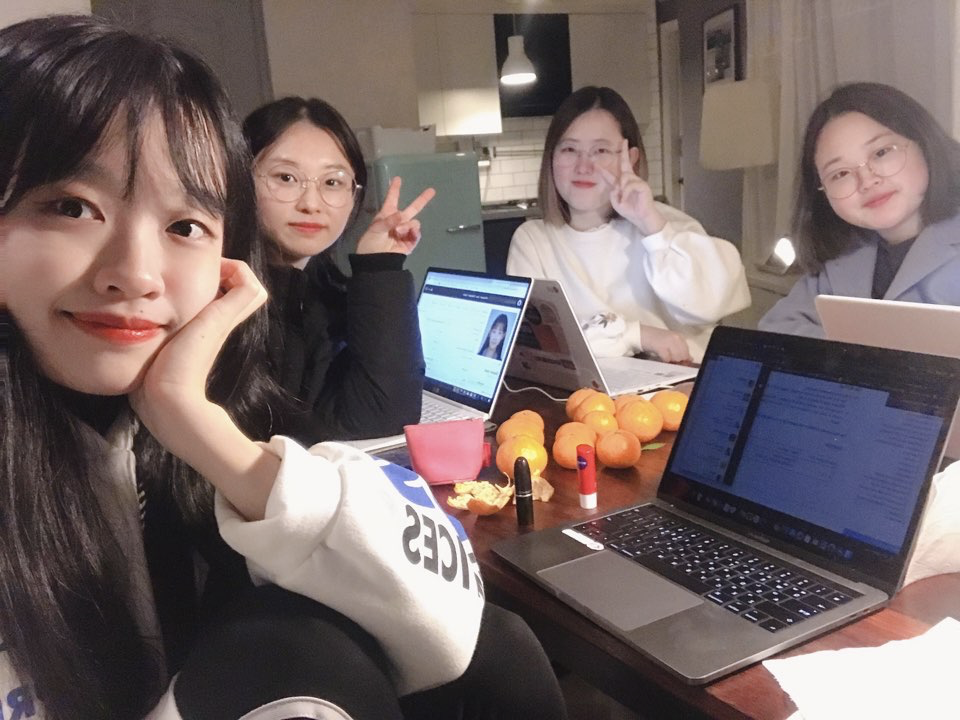
2시가 되길 기다리면서 팀원들하고 쪽잠도 자고, 사진도 찍고, 코딩 시작!! 
근데 문제가 너무 대단,, 이걸 정확하게 짜는 게 4시간 만에 가능한가? 싶었달까

언제까지 열려있을지는 모르겠지만 여기서 문제를 확인 할 수 있다.

https://hashcodejudge.withgoogle.com/#/rounds/6313004828196864/scoreboards


Judge System | Hash Code

Question? We put together a list of the most Frequently Asked Questions on the Hash Code website. In the FAQ, you'll find more information about the Judge System, forming a team, the practice problem, and more. If your question is not covered by the FAQ, y

hashcodejudge.withgoogle.com

팀원들마다 각자의 방법으로 문제를 풀고, 서로서로 각자의 코드를 넣어보면서 진행을 했다. 내 코드가 가장 최저점이었음 역시 PS는 나랑 안맞아 어떤 팀원은 simulation을 돌리는 것처럼 짰고, 다른 팀원은 아예 머신러닝을 푸는 것처럼 요구사항에 맞춰 가중치를 다르게 해서 코드를 짰다. 

서로서로 응원하고 얘기하면서 코드를 짰는데 팀 프로그래밍 대회라니 진짜 새로웠던 경험!! 그 결과 우리의 최종 점수를 확인할 수 있었고 다들 그냥 결과가 나온다는 것만으로도 엄청 행복했었다. 해커톤이랑은 또 다른 매력!!!

hashcode judge system에서 가장 인상 깊었던 건 insight 시스템이었다. 코드를 제출하면 왼쪽 사진처럼 error 이유 혹은 내가 얻은 point를 알 수 있었는데, INSIGHTS 버튼을 누르면 오른쪽 사진처럼 구글에서 준 문제에 대해서 평가한 항목을 볼 수 있었다.

끝나고 나서 생각해보니 알았는데, hashcode가 일반적인 PS 대회였다면 제출한 소스코드에 대해, 내부 테스트 케이스를 체크하고 Pass, NonPass로 결과를 알려 주었겠다는 생각이 들었다. 그런데 실제로는 제출한 결과 파일을 분석해, 파일의 결과가 얼마나 적은 scan, signup, libraries를 거치는지를 판단해 점수가 측정되는 것으로 보였다.

따라서 결국 정확한 답이 있는 코드보다는 최대한 정답과 가까운 값을 찾는 것을 요구하는 것 같았고, 최대한 기대값이랑 가까워지게 결과를 낸다는 점에서 머신러닝스러운 코드(?)를 짜야하나 싶었다. 여튼 일반적인 PS 대회는 아닌듯!

어찌 됐든 길 줄 알았지만 빠르게 지나갔던 4시간이 지나고 22,142,741점으로 마무리했다. 꺄아 이렇게 높은 점수라니 우리 팀원들 짱짱이다!!!  결론적으로는 세계에서 총 10724팀 중 3555등, 한국에서 총 70팀 중 46등으로 마무리했다.

실제 랭킹을 보니 상위권 싸움이 엄청 치열하던데, 우리도 가중치를 조금만 수정하고 더 나은 결과를 낼 수 있는 시간이 있었으면 더 좋았겠다 싶었다. 그래도 참가도 했고, 점수도 낮지 않은 점수를 냈다는 거에 재밌었다!!ㅎㅎ

다음에 참가할 DSC, GDG, GDE, Google 행사도 기대된다. 
TO BE CONTINUE

I participated in a PS (Problem Solving) competition for the first time.
I heard on the DSC Korea Slack that someone was looking for teammates, and that's how I ended up joining!

Haha, UTC 17:30,, which meant 2:30 AM to 6:30 AM in Korean time. So we booked an Airbnb to find a place to code together, and we waited with excitement and anticipation. But 2:30 AM to 6:30 AM is just brutal.. Please show some love for Asia too..

While waiting for 2 AM, we took quick naps, snapped some photos, and then — coding time!! 
But the problems were just incredible,, Is it even possible to code this correctly in 4 hours? That's what I was thinking.

I'm not sure how long it'll stay up, but you can check the problems here.

https://hashcodejudge.withgoogle.com/#/rounds/6313004828196864/scoreboards


Judge System | Hash Code

Question? We put together a list of the most Frequently Asked Questions on the Hash Code website. In the FAQ, you'll find more information about the Judge System, forming a team, the practice problem, and more. If your question is not covered by the FAQ, y

hashcodejudge.withgoogle.com

Each teammate solved the problem in their own way, and we kept submitting each other's code to see the results. My code got the lowest score — PS really isn't my thing. One teammate wrote their solution like a simulation, while another approached it like a machine learning problem, adjusting weights according to the requirements. 

We cheered each other on and chatted while coding — a team programming competition was such a fresh experience!! In the end, we were able to check our final score, and everyone was just so happy that we even got a result at all. It has a completely different charm from a hackathon!!!

The most impressive thing about the hashcode judge system was the insight system. When you submitted your code, you could see the error reason or the points you earned like in the left photo, and if you clicked the INSIGHTS button, you could see the evaluation criteria that Google set for the problem, like in the right photo.

After it was over, I realized something — if hashcode had been a typical PS competition, they would have checked the submitted source code against internal test cases and given Pass/NonPass results. But in reality, it seemed like they analyzed the submitted result file and scored it based on how few scans, signups, and libraries the result went through.

So in the end, rather than writing code with a single correct answer, it seemed like the goal was to find values as close to the answer as possible. In that sense, since you're trying to produce results as close to the expected value as possible, I thought maybe you need to write machine-learning-esque code(?). Anyway, it's definitely not your typical PS competition!

Anyway, the 4 hours that I thought would feel long flew by so quickly, and we finished with a score of 22,142,741. Woohoo, what a high score — our team is amazing!!!  In the end, we placed 3,555th out of 10,724 teams worldwide, and 46th out of 70 teams in Korea.

Looking at the actual rankings, the competition at the top was incredibly fierce. I wished we had a bit more time to tweak our weights and produce better results. Still, just the fact that we participated and scored a decent score made it fun!! haha

I'm already looking forward to the next DSC, GDG, GDE, and Google events. 
TO BE CONTINUE

댓글

Comments

Daily/Code Fest

Google Cloud OnBoard 후기 & 정리본 링크 | Google Cloud OnBoard Review & Summary Notes Link

2019년 11월 26일 세종대학교에서 열린 Google Cloud OnBoard에 다녀왔습니다.11월 초 summit에 다녀오긴 했는데 실제로 핸즈온 세션이 열린다고 해서 갔다왔습니다. https://inthecloud.withgoogle.com/onboard-global/core-ko-register.html?utm_content=summit-invite&utm_source=summit&utm_medium=event&utm_campaign=FY19-Q4-apac-onboard-operational-er-KROnBoardSeoul_EV_summit Cloud OnBoardCloud OnBoard is a free, instructor-led training event, that gives you a h..

Google Cloud OnBoard 후기 & 정리본 링크 | Google Cloud OnBoard Review & Summary Notes Link

728x90

2019년 11월 26일 세종대학교에서 열린 Google Cloud OnBoard에 다녀왔습니다.

11월 초 summit에 다녀오긴 했는데 실제로 핸즈온 세션이 열린다고 해서 갔다왔습니다.


https://inthecloud.withgoogle.com/onboard-global/core-ko-register.html?utm_content=summit-invite&utm_source=summit&utm_medium=event&utm_campaign=FY19-Q4-apac-onboard-operational-er-KROnBoardSeoul_EV_summit


Cloud OnBoard

Cloud OnBoard is a free, instructor-led training event, that gives you a headstart on your journey to developing on Google Cloud Platform (GCP).

inthecloud.withgoogle.com


요약하자면 기대와는 다르게 핸즈온 세션보다 그냥 듣는 세미나가 더 길었는데, 그래도 학교를 빠지고 하루를 투자해서 갔다온 행사였어서 최대한 여기에서의 정보를 활용할 수 있는 방법을 고민하다가 결국 블로그 포스팅을 하게되었습니다.


1. 자료집 워드본

나눠준 자료집을 한번 워드로 옮기면서 머리속에 어떤 제품이 있는지 메모해두고, 앞으로 백엔드 개발하면서 제 글을 참고해서 인프라 구축할 때 도움이 될 것 같아서 정리한 링크는 아래와 같습니다.


https://jyami.tistory.com/28


[Cloud OnBoard] 1 - Google Cloud Platform 소개

2019년 11월 26일 세종대학교에서 있었던 Google Cloud OnBoard에서 나누어준 자료집의 정리본입니다 모듈1 Google Cloud Platform 소개 0. 추가 자료 GCP를 선택해야하는 이유 : https://cloud.google.com/why-go..

jyami.tistory.com


https://jyami.tistory.com/29


[Cloud OnBoard] 2 - 가상머신 및 스토리지

2019년 11월 26일 세종대학교에서 있었던 Google Cloud OnBoard에서 나누어준 자료집의 정리본입니다 모듈2 가상머신 및 스토리지 0. 추가 자료 Google Compute Engine : https://cloud.google.com/compute/docs G..

jyami.tistory.com

https://jyami.tistory.com/30


[Cloud OnBoard] 3 - 컨테이너 및 앱 개발, 배포, 모니터링

2019년 11월 26일 세종대학교에서 있었던 Google Cloud OnBoard에서 나누어준 자료집의 정리본입니다 모듈3 컨테이너 및 앱 개발, 배포, 모니터링 0. 추가자료 Kubernetes Engine : https://cloud.google.com/kube..

jyami.tistory.com

https://jyami.tistory.com/31


[Cloud OnBoard] 4 - 빅데이터 및 머신러닝

2019년 11월 26일 세종대학교에서 있었던 Google Cloud OnBoard에서 나누어준 자료집의 정리본입니다 모듈4 빅데이터 및 머신러닝 0. 추가자료 Google 빅데이터 플랫폼 : https://cloud.google.com/products/big-d..

jyami.tistory.com


2.  행사

행사 자체는 Summit하고 굉장히 비슷했어요 GCP에 대한 전반적인 소개, 각 제품의 특징을 소개하는 세미나로 이루어 졌습니다.

그래도 중간에 quiklab 쿠폰이나 Coursera 쿠폰을 주셔서 줍줍 했네요ㅋㅋ


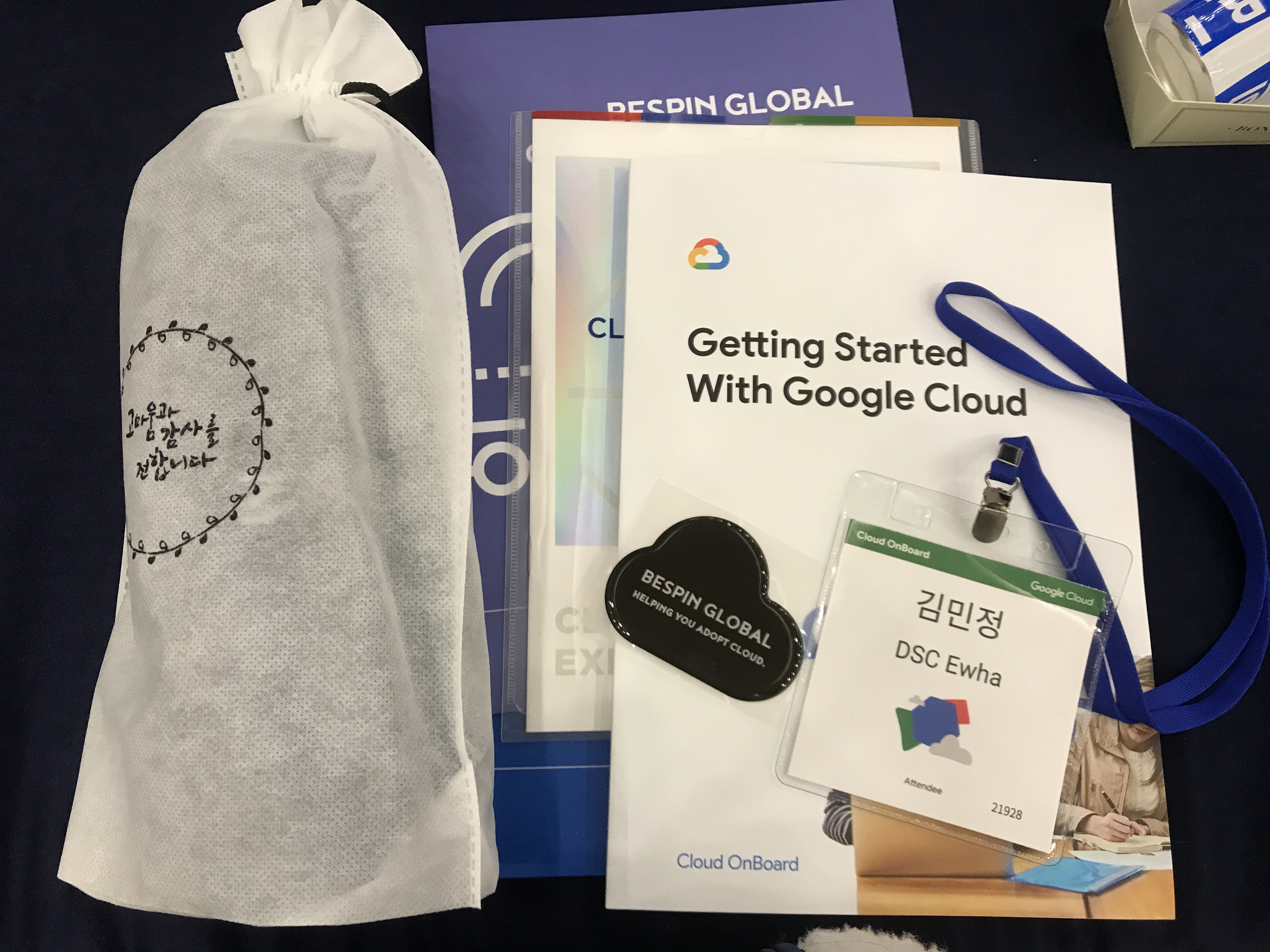
행사장 가는길 그리고 기념품

이번 행사는 끝나면 Cloud 팝소켓을 주더라구요! 수료증도 준다고 해서, 학교 빠진 것때문에 끝까지 앉아있다 왔습니다.


Google Cloud 행사에는 항상 게임기가 있네요ㅋㅋ

세션에 대한 정리는 위를 참고하시면 될 것 같구요.

사실 핸즈온 세션의 비중이 높은줄 알고왔지만 세션이 다 끝나고 있던 클라우드 히어로가 아무래도 직접 킥랩을 풀어보는 세션이라 그런지 가장 기억에 남네요


Google Cloud Platform 과 관련해서 문제를 푸는거였는데요 킥랩을 얼마나 많이 빨리 푸느냐에 따라 점수가 달라졌습니다. 아무래도 저는 GCP를 접한지 얼마 안되서 1번 2번을 풀다가 그만 했어요ㅋㅋ 3번은 kubernetes를 내 킥랩계정에 설정하는거였는데 kubernetes까지는 어렵더군요!

그래서 약 1시간동안 다같이 cloud hero문제를 풀고 1등부터 10등까지 랭킹에 드신분들에게는 히어로 망토랑 cloud 백팩을 주셨습니다!


근데 행사 당시 아무래도 인원이 많아서 그런지 인터넷도 너무 안좋았고, Gshell도 갑자기 너무 많은 요청이 들어와서 그런지 프로비저닝이 끝나지 않아서ㅠㅠㅠ 기다리던 시간이 조금 많았는데, 

만약 제가 정말 GCP를 잘아는 사람이라서 망토를 노릴 정도였다면 많이 아쉬웠을 것 같아요.


3. 세미나 요약 표!

그래서 아무래도 전체 행사가 세미나로 이루어져 있다보니까 집에 돌아와서 세미나내용이라도 얼추 제대로 읽어보기라도 하자 생각해서 하게된게 블로그 포스팅이었습니다ㅋㅋ


온보딩에 못가서 어떤걸 했는지 아쉬웠던 분들은 참고 하시면 좋을 것 같아요


1. 컴퓨팅 옵션 비교

2. 부하 분산 옵션 비교

3. 상호 연결 옵션 비교

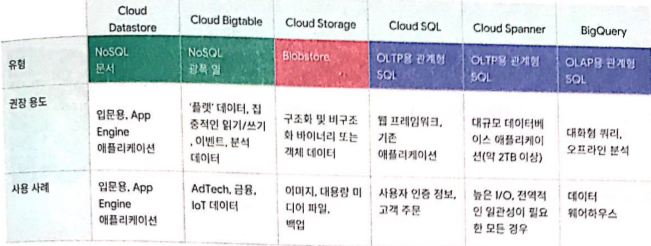
4. 스토리지 옵션 비교

5. Google Cloud Storage 클래스 중에서 선택하기

On November 26, 2019, I attended Google Cloud OnBoard held at Sejong University.

I had already been to the summit in early November, but I went again because they said there would be hands-on sessions.


https://inthecloud.withgoogle.com/onboard-global/core-ko-register.html?utm_content=summit-invite&utm_source=summit&utm_medium=event&utm_campaign=FY19-Q4-apac-onboard-operational-er-KROnBoardSeoul_EV_summit


Cloud OnBoard

Cloud OnBoard is a free, instructor-led training event, that gives you a headstart on your journey to developing on Google Cloud Platform (GCP).

inthecloud.withgoogle.com


To sum it up, contrary to my expectations, the seminar portion was longer than the hands-on sessions. Still, since I skipped school and invested a whole day to attend this event, I was thinking about how to make the most of the information I got — and that's how I ended up writing this blog post.


1. Handout Material — Word Transcription

I transferred the handout materials into a Word document to keep a mental note of what products are available. I figured it would come in handy as a reference when setting up infrastructure for backend development in the future. Here are the organized links:


https://jyami.tistory.com/28


[Cloud OnBoard] 1 - Introduction to Google Cloud Platform

This is a summary of the handout materials from Google Cloud OnBoard held at Sejong University on November 26, 2019. Module 1: Introduction to Google Cloud Platform. 0. Additional Resources. Why choose GCP: https://cloud.google.com/why-go..

jyami.tistory.com


https://jyami.tistory.com/29


[Cloud OnBoard] 2 - Virtual Machines and Storage

This is a summary of the handout materials from Google Cloud OnBoard held at Sejong University on November 26, 2019. Module 2: Virtual Machines and Storage. 0. Additional Resources. Google Compute Engine: https://cloud.google.com/compute/docs G..

jyami.tistory.com

https://jyami.tistory.com/30


[Cloud OnBoard] 3 - Containers, App Development, Deployment, and Monitoring

This is a summary of the handout materials from Google Cloud OnBoard held at Sejong University on November 26, 2019. Module 3: Containers, App Development, Deployment, and Monitoring. 0. Additional Resources. Kubernetes Engine: https://cloud.google.com/kube..

jyami.tistory.com

https://jyami.tistory.com/31


[Cloud OnBoard] 4 - Big Data and Machine Learning

This is a summary of the handout materials from Google Cloud OnBoard held at Sejong University on November 26, 2019. Module 4: Big Data and Machine Learning. 0. Additional Resources. Google Big Data Platform: https://cloud.google.com/products/big-d..

jyami.tistory.com


2.  The Event

The event itself was very similar to the Summit. It consisted of seminars that gave a general overview of GCP and introduced the features of each product.

But they did give out Qwiklabs coupons and Coursera coupons during the event, so I snagged those lol


On the way to the venue, and the swag

At this event, they gave out Cloud PopSockets when it was over! They also said they'd give out certificates of completion, so since I had already skipped school for this, I stayed until the very end.


There's always an arcade machine at Google Cloud events lol

You can refer to the links above for the session summaries.

I actually came expecting a heavy focus on hands-on sessions, but the Cloud Hero activity at the end — where you actually solve Qwiklabs challenges yourself — ended up being the most memorable part.


It was about solving problems related to Google Cloud Platform, and your score depended on how many Qwiklabs challenges you solved and how fast. Since I was pretty new to GCP, I only managed to solve problems 1 and 2 before calling it quits lol. Problem 3 was about setting up Kubernetes on your Qwiklabs account, and that was just too hard for me!

So after about an hour of everyone solving Cloud Hero challenges together, the top 10 ranked participants received hero capes and Cloud backpacks!


But since there were so many people at the event, the internet was really bad, and Google Cloud Shell seemed overwhelmed by all the requests — provisioning just wouldn't finish 😭😭😭 There was quite a bit of waiting around.

If I had actually been someone who knew GCP well enough to compete for the cape, I would've been pretty frustrated.


3. Seminar Summary Charts!

Since pretty much the entire event was seminars, I came home thinking I should at least properly read through the seminar content — and that's what led me to write this blog post lol


If you missed the onboarding event and were curious about what was covered, hopefully this will be helpful!


1. Comparing Compute Options

2. Comparing Load Balancing Options

3. Comparing Interconnect Options

4. Comparing Storage Options

5. Choosing Among Google Cloud Storage Classes

댓글

Comments

Daily/Code Fest

DevFest on Campus 2019 - 기획단의 후기! | DevFest on Campus 2019 - A Review from the Planning Team!

1. 인트로2019년 11월 16일 DevFest on Campus 2019가 드디어 끝났다!!!! https://festa.io/events/654/ DevFest on Campus 2019 | Festa!Festa에서 당신이 찾는 이벤트를 만나보세요.festa.ioGDG Campus에서 DSC Korea로 먼저 요청이 오면서 행사 규모가 점점 커졌던 행사였습니다. 초반만 해도 200을 생각했었는데, 판이 점점 커져서 약 500명 정도의 인원이 DevFest on Campus로 모였습니다 DSC Lead님들 GDG Campus Organizer분들 모두 고생했던 행사였던 만큼 강의 퀄리티, 행사 만족도 모두 높았던 행사여서 개인적으로도 앞으로 어떤 활동을 해야 할지 느끼는 바가 많았습니다. 발표자와 ..

DevFest on Campus 2019 - 기획단의 후기! | DevFest on Campus 2019 - A Review from the Planning Team!

728x90

1. 인트로

2019년 11월 16일 DevFest on Campus 2019가 드디어 끝났다!!!! 


https://festa.io/events/654/


DevFest on Campus 2019 | Festa!

Festa에서 당신이 찾는 이벤트를 만나보세요.

festa.io

GDG Campus에서 DSC Korea로 먼저 요청이 오면서 행사 규모가 점점 커졌던 행사였습니다. 초반만 해도 200을 생각했었는데, 판이 점점 커져서 약 500명 정도의 인원이 DevFest on Campus로 모였습니다


DSC Lead님들 GDG Campus Organizer분들 모두 고생했던 행사였던 만큼 강의 퀄리티, 행사 만족도 모두 높았던 행사여서 개인적으로도 앞으로 어떤 활동을 해야 할지 느끼는 바가 많았습니다. 발표자와 장소 쪽을 맡으면서 고생도 많았지만, 그래도 이번 기회에 좋은 사람들을 알게 되고 스스로도 성장할 수 있는 기회였어서 제 기회를 제가 만든 기분?!  행복하네요★


2. 장소 - 이화여대 아산공학관

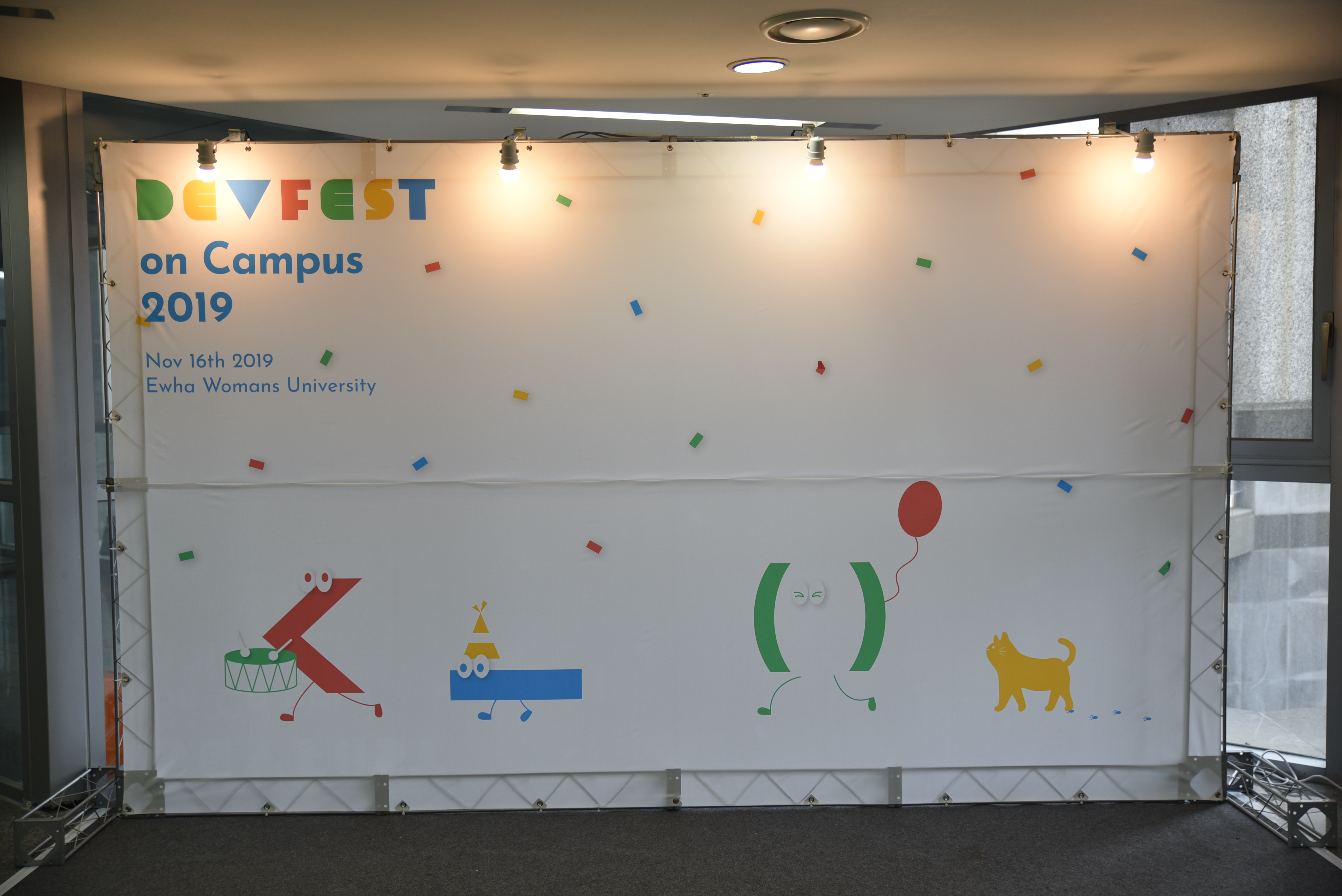
이번 DevFest on Campus의 장소는 이화여대로 결정이 되었습니다

초기 기획을 할 때 Campus라는 특성에 맞게 대학교 대관을 알아보다가 교수님이 긍정적으로 답변해주셔서 저희학교로 결정이 났는데요

이번 대관, 이화여대 후원으로 진행하면서 주관 대표라는 명목으로 교수님, 학과사무실, 소프트웨어 중심대학 사무실, 여러 학교 부처에도 전화를 돌리면서 엄청 귀찮게 했었는데요. 학교 선생님들 네 접니다.. 학교 선생님들 이제 끝났으니 귀찮은 학생이었던 저를 당분간 안 보셔도 됩니다!!ㅋㅋㅋㅠ

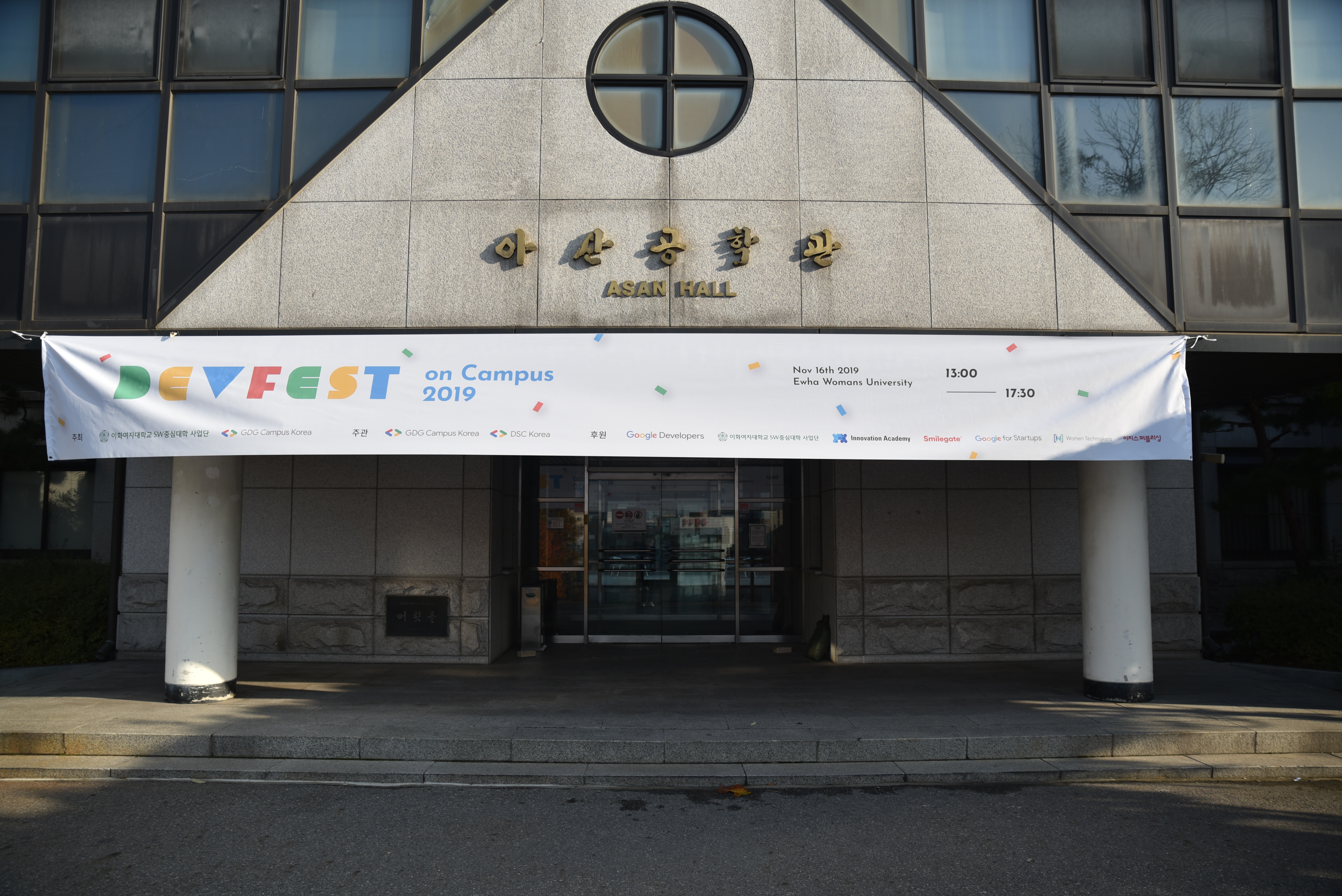
현수막 때문에 전날 갑자기 업체 부르고 난리였는데 흑흑...


장소를 저희학교로 하다 보니 책임감이 생기면서 힘들었는데, 그래도 마지막이 좋으니까 다 좋았던 기억으로 남더라고요. 무엇보다도 교수님 소프트웨어 중심대학 선생님과 더 끈끈한 관계를 맺게 되어서 이화여대 컴퓨터공학과 내에 DSC Ewha의 입지를 키울 수 있는 기회로 만들어서 Lead로서 의미 있던 행사였습니다 :)


3. 세미나 - 발표자 초청

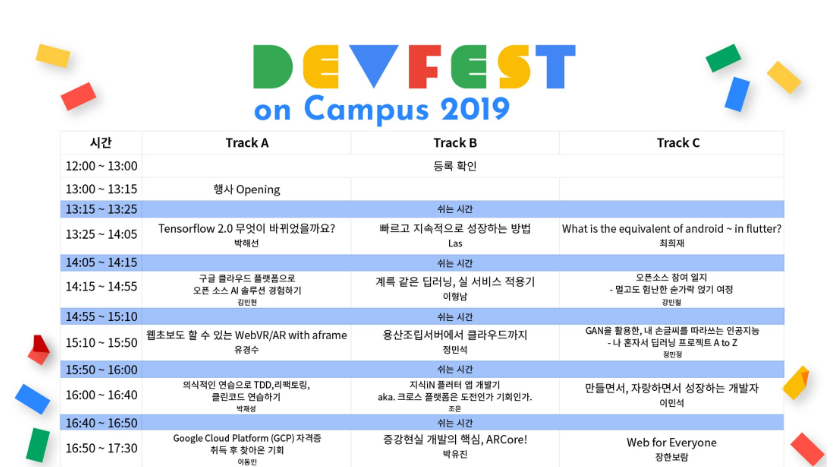
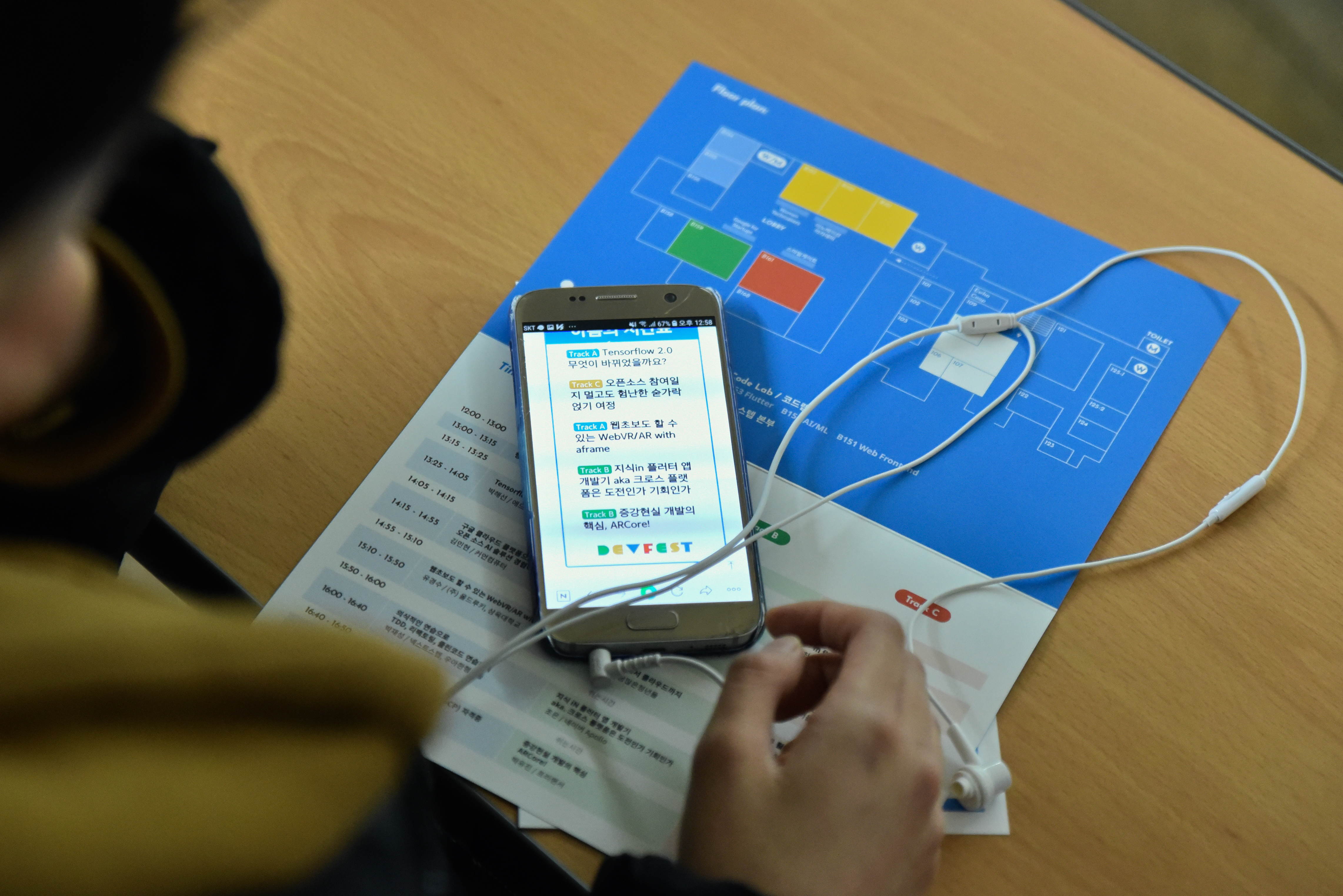
발표자에 정말 엄청난 분들이 많았는데, 청중으로 갔어도 엄청 좋았을 것 같아요. 행사 신경쓰고, 왔다 갔다 하다 보니 저는 유경수 님의 웹 초보도 할 수 있는 WebVR/AR with aframe, 박재성 님의 의식적인 연습으로 TDD, 리팩토링, 클린 코드 연습하기 세션밖에 못 들어서 아쉬웠습니다ㅠㅠ


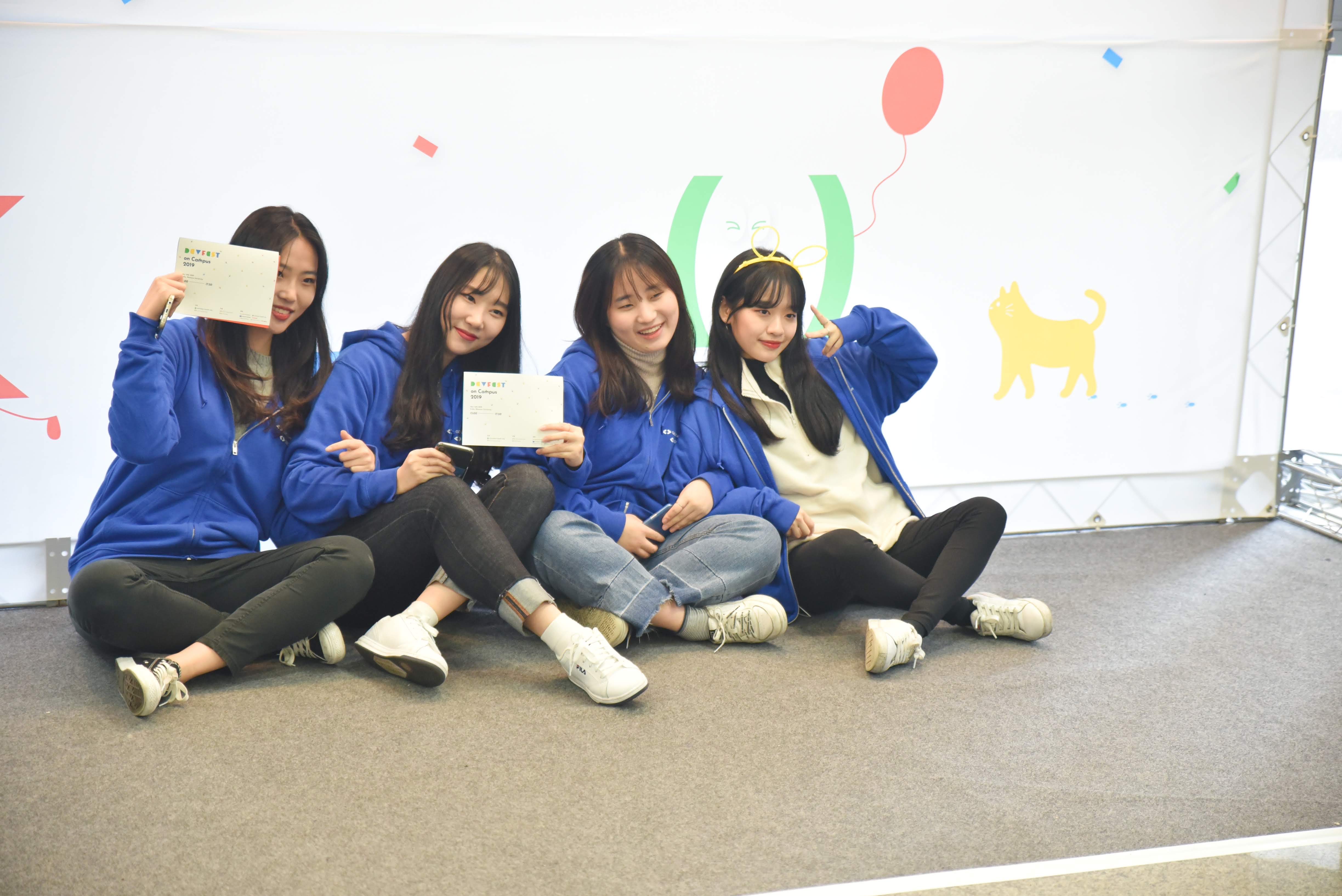
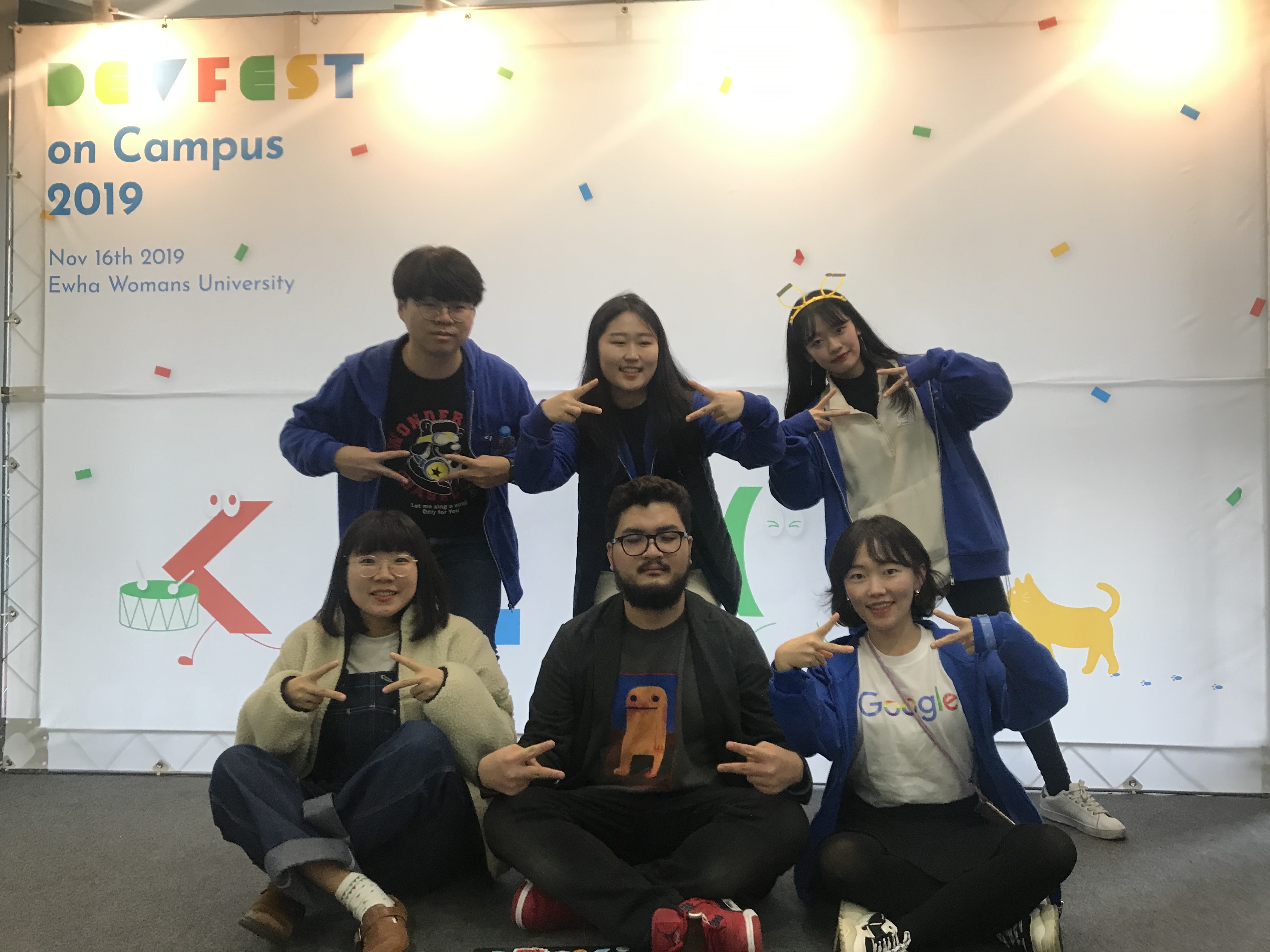
포토존에서 찰칵!! 찰칵!! 머리띠 관종 트랙 A 담당자

발표자 담당을 맡으면서 메일을 엄청 보냈는데요 다들 친절하게 피드백주셔서 너무 감사했습니다

직접 만나서 얘기도 많이 하고싶었는데 트랙 A에서 계속 담당해서 있다 보니 그럴 기회가 없었네요ㅠㅠ

그리고 세션을 듣다보니, 한 번쯤은 저도 발표자로 나서고 싶더라고요! 꼭 다음에는!!!ㅎㅎ


3-1. 유경수 - 웹초보도 할 수 있는 Web VR/AR with aframe

작년에 이화여대 게임동아리 King에서 cardboard VR 방탈출 게임을 개발했던 기억 때문에 열심히 들었던 세션이었는데, 와 진짜 재밌었습니다!! 유니티로 VR요소 하나하나 스크립팅하고, 위치에 재질에 이벤트 클릭 raycast 하나하나 개발해서 결과물을 만들었을 때가 생각났네요. 그런데 웹이라니! 그것도 HTML과 비슷한 방식으로 만들어진다니!! 웹을 좋아하는  저에게 딱이었습니다.


만약 이 세션을 먼저 알았으면 졸프로 Web VR/AR을 했을지도 몰라요...ㅠㅠ 

여느때와 같이 세션 필기 노트입니다! 그런데 오늘은 세션 정리도 해보려고 해요 궁금한 분들은 클릭!!!


더보기

●  민정 피셜 색깔

VR : 존재하지 않는 가상공간 
AR : 증강현실
{VR AR} = XR

보통은 Unity나 Unreal 엔진을 이용해 C#이나 C++로 개발을 하지만, 유경수 님은 웹 개발자로 시작했기에 조금 거부감이 느껴졌다. > 그렇게 발견한 게 Javascript API


Javascript API는 브라우저를 통해 XR을 구현할 수 있었다. (웹 개발자들은 친숙한 JS!!)

> 근데 위기 공부하니까 deprecate 되었다 함

> 알고 보니 Javscript API -> Web XR로 용어를 변경


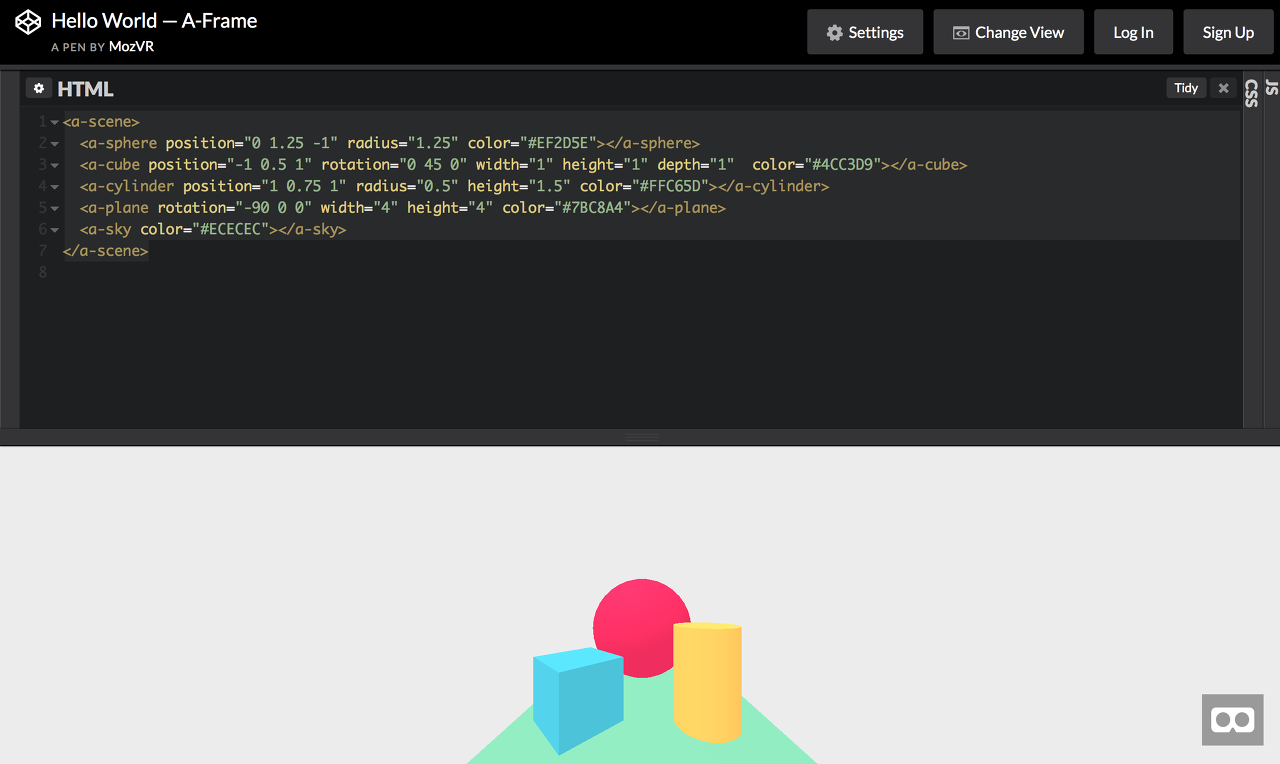
Aframe = Web XR Device API + Three.js (렌더링)


Aframe의 장점

1. visual Inspector (Unity의 Scene window와 비슷한 개념인 듯!)
   모델을 마우스로 줄이거나 크게 할 수 있다! (경수님은 이전에 숫자 하나하나 대입하면서 비교했다 한다.)

2. 렌더링이 자동으로 된다!

    Entity Component Architecture

3. 무엇보다 코드가 HTML과 비슷하게 이루어져 있다!

   마치 부트스트랩 쓰는 것처럼 속성을 지정해줘서 반가웠다

4. Modeling 적용 가능

코드를 보면 Cube와 같은 간단한 컴포넌트만 가능한가? NO

3D 모델러가 작업한 결과물도 HTML 태그 형식으로 만들 수 있다 : Gltf 파일을 지원한다

이때 Animation도 적용이 가능하며, Animation은 3D 모델 자체가 가진 Animation과 JS에서 조작하는 것 둘 다 가능하다.


Aframe의 단점

1. 고사양(100MB도 안된다)이면 구동이 어렵다.

2. 공간 배치가 어렵다 > solution : visual inspector


Aframe으로 JSON파일에서 자동 모델링하기 - Event로의 상호작용

Entity : Componet의 집합 (Vue js의 템플릿 구조와 비슷했음)

Component를 어떻게 섞냐에 따라 요소 1개 1개가 그려진다. > DOM 구조가 아니라 컴포넌트 단위로 렌더 되는 듯

이때 Entity는 HTML 태그 형식으로 그대로 표현이 가능하다! : 진짜 Vue js <template> 이거 같았음

JS에서도 마찬가지로 getDocumentId() 등의 HTML 표현이 가능하기 때문에, 이벤트를 넣는 것 역시 가능하다. (click 이벤트 시 텍스트 작성 등등의 이벤트, or xyz값을 수치로 받아서 event 구현!) 

JS를 사용해서 이벤트 구현이 가능하니 Unity처럼 총알이 타 다다다 발사되는 것도 구현이 가능!!


경수님은 학교 축제 소개 페이지를 만드셨다 하셨음!

AR은 Location Based AR과 Marker Based AR이 있었다 : Marker를 이용해서 부스의 스탬프를 구현!

이때 Marker방식은 특이한 게 QR과 Marker 둘 다 준비해야 한다는 점!


AR과 HTML의 호환으로 컴포넌트 재사용성 good 그러나 내가 정리한 단점 외에도 단점이 뚜렷하다 

(경수님 ppt에 적혀있는데 안 적음 가장 기억나는 건 무조건 https로 해야 해서 SSL을 붙여야 한다는 점)


마무리

추가로 Aframe을 사용하더라도 기본적인 3D에 대한 이해가 필요하다!

그렇지만 HTML 포맷의 AR/VR이기 때문에 빠르게 습득해서 구현하고 싶다면 추천!!


--개인적으로 드린 질문--


Q. 슬라이드 지나간 사진 중에 VR 장비를 찬 걸 보았다 혹시 오큘러스 빌드가 되는 것인가?

A. 그건 그냥 cardboard 장비였다. 웹에서 cardboard 모드로 설정한 후, 카드보드용 VR 장비를 낀 것!


Q. Raycast 구현 쪽이 궁금하다. 유니티에서는 일정 반경 안에 들었을 때 Raycast를 통한 클릭이 가능하게 활성화되는데, 아까 좌표 얘기를 하신 얘기를 생각했을 때 설마 xyz 좌표를 하나하나 설정하면서 비교하는걸 Raycast로 대체하는 건가?

A. 아니다 Raycast 기능도 제공을 하고 있다!! 처음에 xyz좌표 하나하나 지정해야 하는 줄 알았는데 아니었다!

세션을 정리하고 보니 엄청 뿌듯하네요!! 해커톤이나 프런트엔드 중심 토이 프로젝트를 하게 되면 Aframe의 사용도 고려해봐야겠습니다! 아니면 DSC관련 프로젝트로 하나 혼자 만들어버리거나


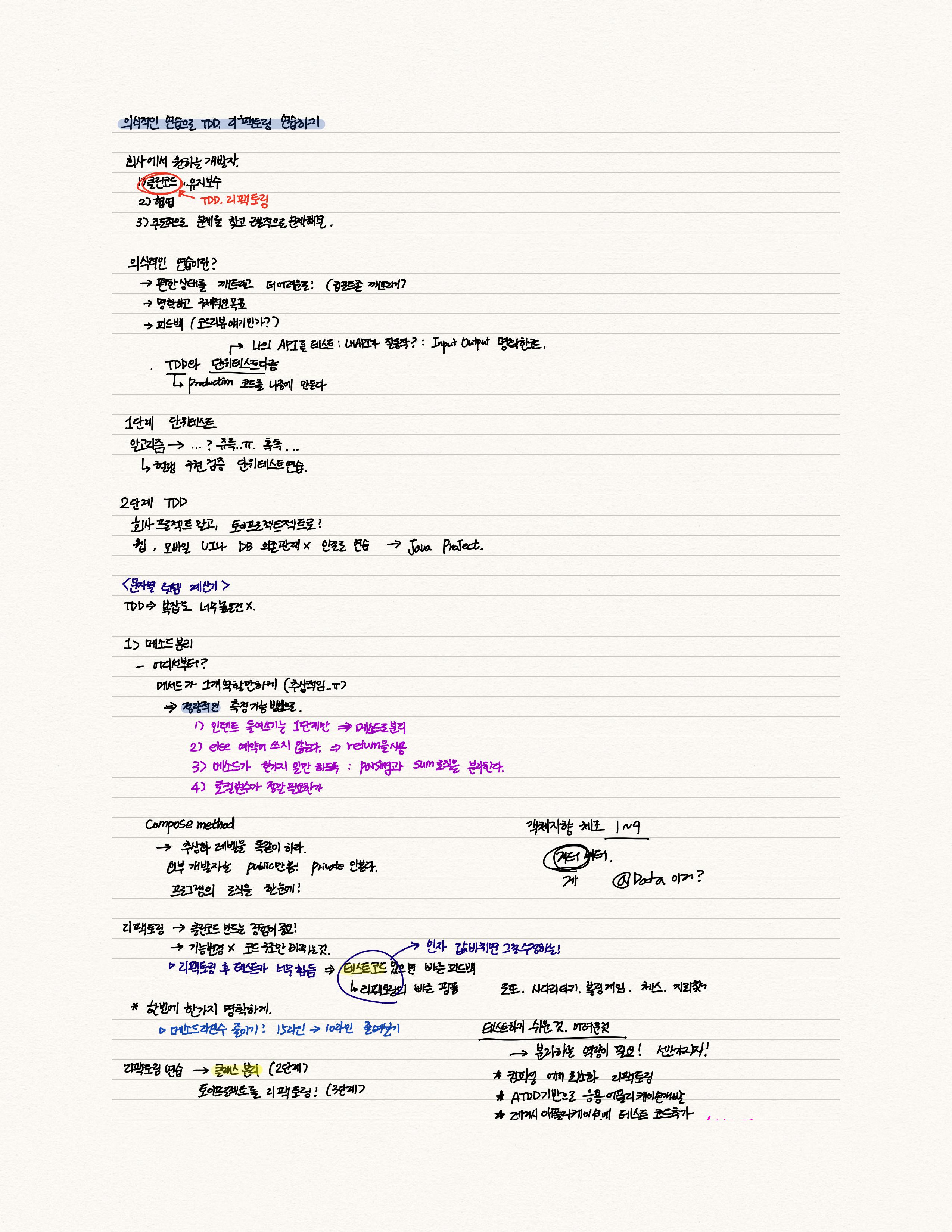
3-2. 박재성 - 의식적인 연습으로 TDD, 리팩토링, 클린 코드 연습하기

발표자분들을 섭외하면서 아무래도 스프링 공부를 하고 클린코드 테스트 코드 공부를 하다 보니 정말 정말로!! 뵙고 싶었던 자바지기님인 박재성 님께 개인적으로 요청을 드렸는데 흔쾌히 수락해주시고, 재성님의 세미나를 들을 수 있어서 자기 계발에 정말로 큰 도움이 되었습니다 :)

처음에 의식적인 연습에 대해 말씀하실 때 음,, 추상적이라고 생각했는데 뒤로 가면 갈수록 더 상세히 구체적으로 공부 방법론을 제시해주는 게 너무 도움이 되었습니다.


아무래도 코드를 하다 보면 내 코드가 정말 깔끔한가?라는 생각이 들 때가 많아요. 그리고 대부분이 구현만 되는 코드를 짜면 되지라고 생각을 하는데 재성님이 대학생들에게 그런 방식의 공부가 정말 옳은가?라는 메시지를 주고 떠나신 것 같아서 , 참여자분들에게, 이화여대 학생들에게, 저에게 정말로 좋았던 세미나였습니다.


세션 정리 내용입니다!! 궁금하다면 클릭!! 아니 꼭 클릭!! 진짜 너무 좋았던 세미나라 공유하고 싶네요

더보기

●  민정 피셜 색깔

"요즘 개발자의 수요가 증가합니다. 그러나 학생들은 취업난, 회사는 개발자 인력부족 문제는 무엇일까요?"

회사에서 원하는 개발자

1) 클린 코드로 유지보수가 좋은 코드를 짜는 개발자 (여기서 클린 코드란 TDD 리팩토링에 중점)

2) 협업능력이 좋은 개발자

3) 주도적으로 문제를 찾고 근본적 문제를 해결하는 개발자


의식적인 연습이란?

[재성님 강조 부분]

1) 컴포트 존을 벗어나라 (편한 상태를 깨트리고 더 어려운 걸 도전하기!)

2) 명확하고 구체적인 목표 세우기

3) 피드백 주기 (내 생각엔 코드 리뷰 이야기인 것 같다)

[ppt 글씨 부분]

4) 효과적인 훈련기법이 수립된 기술을 연마한다.

5) 개인이 온전히 집중하고 '의식적'으로 행동한다

6) 효과적인 심적 표상을 만들어내는 한편 심적 표상에 의존한다

7) 기존에 습득한 기술의 특정 부분을 집중적으로 개선함으로써 발전시키고 수정하는 과정을 수반한다.

1. 단위 테스트

나의 API를 테스트한다 : 내 API가 Input Output에 따라 명확한 코드로 이루어져 있는 잘 동작하는 코드인가?

- 자바 String 클래스의 다양한 메서드를 사용해보고 단위 테스트로 확인한다.

- 자바 ArrayList에 데이터를 추가, 수정, 삭제한다.

단위 테스트가 잘 짜여 있다면 API의 사용법을 익힐 수 있다.


단위 테스트를 해야 하는 것

내가 구현하는 메서드 중 Input과 Output이 명확한 클래스나 메소드

> 대학생 눈높이 : 알고리즘!!

알고리즘을 학습할 때 알고리즘의 구현을 단위 테스트로 검증해본다!

Input, Output이 명확해서 단위 테스트를 연습하는데 효과적이다.

2. TDD

1. 회사 프로젝트 말고 토이 프로젝트를 활용하기
2. 웹 모바일 UI나 DB에 의존관계가 없는 요구사항으로 연습한다 > 순수 Java Project 말씀하시는 듯

Test를 짠다 > 이후에 해당하는 메서드를 만든다!! (production 코드를 나중에 만든다)

TDD는 복잡도가 너무 높은 건 좋지 않다!

3. 리팩토링 연습

3-1. 메서드 분리

이때 중요한 건 테스트 코드는 변경하지 말고 테스트 대상 코드(프로덕션 코드)를 개선하는 것!!

어디서부터 해야 할지 막막하다!


메서드 분리의 중요점 : 메서드가 1가지 역할만 하게 하는 게 좋다 (추상적, 정성적인 기준)

 > 정량적이고 측정 가능한 방법으로!!


[예시 : 문자열 덧셈기]


정량적인 방법 수치화

1. 인덴트 즉 들여 쓰기는 1단계만 한다 -> 이를 위해 메서드를 분리하게 된다. (대표적으로는 for안의 if문)

2. else를 쓰지 않는다 -> return을 사용해서 if만을 사용한다.

3. 메서드가 한 가지 일만 하도록 구현한다 -> parsing로직과 sum로직을 분리하셨음!

4. 로컬 변수가 정말 필요할까? -> 줄이는 것도 효과적이다! 


compose method 패턴

메서드(함수)의 의도가 잘 드러나도록 동등한 수준의 작업을 여러 개로 나눈다.

즉, 추상화 레벨을 똑같이 한다!

이때 외부 개발자는 public만 본다. public을 봤을 때 직관적으로 읽히면 ㅇㅋ! : 프로그램 로직 한눈에 볼 수 있다.

return sum(toInt(split(text))) : text를 split 해서 int로 바꾸고 sum 한다! 


리팩토링 관점

- 클린 코드를 만드는 경험이 중요한 것!

- 기능을 변경하지 않고 코드의 구조만 바뀌는 것이다

- 리팩토링 후 테스트가 너무 힘들다 : but 테스트 코드가 있으면 빠른 피드백이 가능하다 (fast 핑퐁!)


의식적인 공부 : 한 번에 모든 원칙보단 한번에 한 가지 명확하고 구체적인 목표 가지기!

ex ) 메서드의 라인수 줄이기 15 -> 10 


3-2. 클래스 분리

예외사항 throw 관련 클래스 분리

모든 원시 값과 문자열을 포장한다!


클래스 분리를 위한 원칙

1. 일급 컬렉션

2. 3개 이상의 인스턴스 변수 가진 클래스 쓰지 않기


3-3. 의존 관계 추가를 통한 난이도 높이기

웹, 모바일, UI, DB와 같은 의존관계를 추가한다.

이때! 테스트하기 쉬운 것과 어려운 것을 불리하는 역량 즉 센스가 있어야 한다!


3-4. 더 어려운 단계

1. 컴파일 에러 최소화 하기

2. ATDD기반으로 응용 애플리케이션 개발하기

3. 레거시 애플리케이션에 테스트 코드 추가하기 (제일 어렵다)


--개인적으로 물어본 질문--


Q. 게터, 세터를 쓰지 말라고 하셨는데 게터는 쓸 수도 있지 않은가? 그래서 저는 lombok의 @Data를 경계하라는 의미를 내 포한 건가?라는 생각이 들었다

A. 재성님이 구현한 로또게임 코드를 보여주심!

게터 세터를 쓰지 말라는 것은 A라는 클래스의 기능은 A클래스 안의 메서드로 해결하길 권장한다는 점에서 이야기한 것이다! 만약 게터를 쓴다면 A클래스 안에서 해결해야 하는 기능을 B클래스에서 getter로 불러와서 고치고 검증하는 코드가 될 것이다.

모든 원시 값을 포장하라고 했던 거 기억나는가? 로또 번호는 Integer이지만 번호를 가리키는 LottoNumber라는 클래스를 만들고, 해당 클래스 안에서 1~45까지의 숫자인지 검증하는 로직 등 정말 LottoNumber라고 확신할 수 있는 객체를 만드는 게 질문의 대답이 될 것 같다.


Q. 클린 코드 공부를 하다 보니까 나도 모르게 알고리즘 짤 때 Enum을 사용하고 그 안에 Abstract method를 구현하기도 하고, 알고리즘 짜다가 갑자기 변수명을 고민하고, 변수명이 길어지는 이상한 짓을 하고 있다. 조언 부탁드린다.

A. 그걸 의식적으로 연습해라!!! 그건 당연히 분리해야 하는 영역이다! 좋은 개발 습관이지만 취업에는 치명적이니 꼭 분리해야 한다!! 근데 정말 좋은 자세이다. 내가 추천하는 건 의식적으로 목표를 잡을 때 
1단계 정말 빠르게! 알고리즘만 생각해서 풀기 > 2단계 그렇게 짠 알고리즘을 리팩토링 해서 클린 코드로 바꾸기!

이렇게 공부한다면 본인의 실력에 도움이 될 것이다.

특히 요즘 클린코드 테스트 코드와 관련해서 있던 고민(알고리즘과 관련)을 재성님 옆에 붙어서 귀찮게 질문을 드렸는데 '의식적인 연습'이란 가르침 너무 감사했습니다!! 


4. 후원사 부스

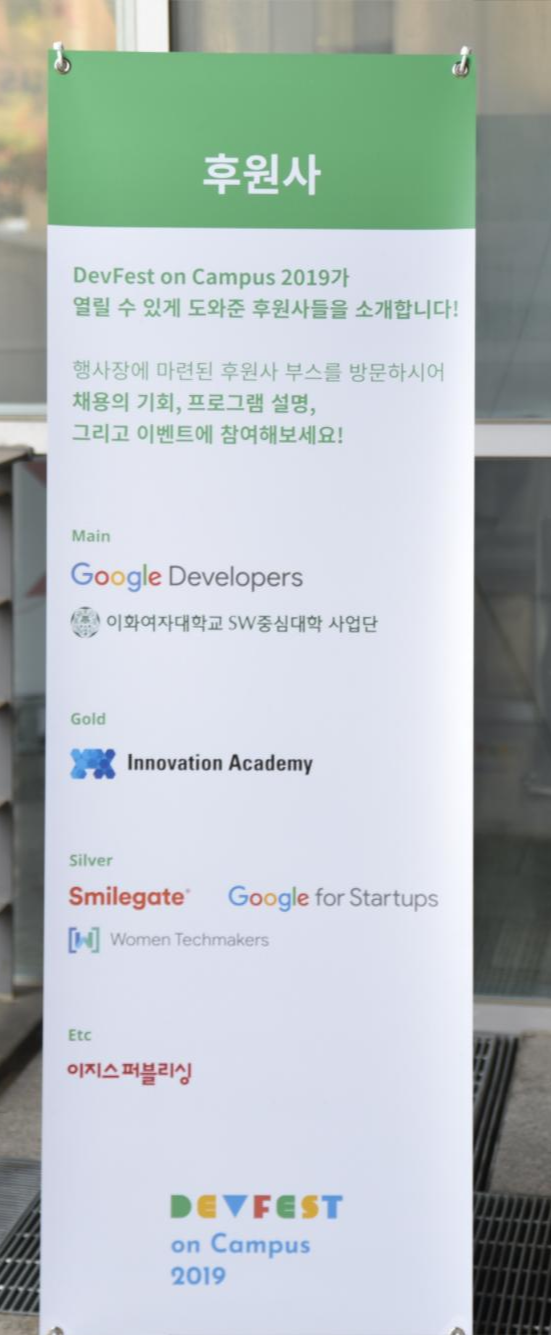
후원사 부스가 들어가니 원래는 저의 학업 공간이었던 학교가 정말 행사장이 된 분위기가 들더군요.

그리고 오랜만에 보는 반가운 얼굴들 때문에 기억에 남습니다.


수철님이 먼저 나서서 후원해주시겠다고 얘기해주신 이노베이션 아카데미, 딱 지금 1년 전 스마일게이트 윈터 데브 캠프로 인연을 맺었는데 오랜만에 봐서 너무 좋았던 스마일게이트 식구분들!! 그리고 오픈 핵, 중국 해커톤 멘토로 항상 저한테 많은 도움을 주시는 Common Computer 민현 님까지 후원도 해주시고 너무 감사했습니다 :)


스마일게이트 서버 개발 캠프를 문의하느라 학생들이 몰려있었는데, 면접관 두분이 직접 상담을 해주고 계시니까 역시 학생들의 입장에서 생각해주시는 캠프장님의 모습이 멋졌습니다!! 혹시 서버개발캠프 관련 여쭤보고 있으신 점 있으면 연락 주세요. 선착순으로 스마일게이트 블루투스 키보드 이벤트도 진행했는데 저희 DSC Ewha 멤버 중 한 분도 알차게 가져가셨어요!!ㅋㅋ


그리고 WTM!! WTM은 따로 글을 쓰고 싶은 게 있어서 오늘은 패스~!


그리고 이노베이션 아카데미는 워후... 안 그래도 5000명 돌파했다는 소식에 놀랐는데, 지나다니면서도 학생들이 나 원래 이거 지원하려고 했는데! 이런 말을 지나가면서 스쳐들으니까 확실히 홍보를 엄청 잘하셨구나 싶었습니다!


그리고 커먼 컴퓨터 부스!! 아니ㅋㅋㅋ 오픈핵 때문에 커먼컴퓨터 가방부터 굿즈 스티커 다 있는데 직원분들이 또 가져가라고 더 챙겨주시고 AFAN 유저라고 하니까 invest도 해주시더라고요!

AFAN은 커먼 컴퓨터에서 만든 리워드형 SNS입니다. Invest와 Crush On을 이용해서 유저들끼리 서로의 포스팅에 가치를 매기고 내가 invest 한 사람이 AFAN을 이용한 광고 등으로 수익을 얻을 경우엔 나는 가치 있는 사람에게 invest 했다는 value가 있어서 일정 수익을 같이 얻을 수 있습니다! 

https://apps.apple.com/kr/app/afan/id1434385630


‎aFan

‎* 팬들을 위한 새로운 소셜 미디어 내가 좋아하는 크리에이터와 친구들에게 쉽게 다가가 보세요. * 단순 팔로잉을 넘어 팬이 되어보세요! 누구나 내가 좋아하는 크리에이터의 팬이 될 수 있습니다. 가장 먼저 팬이 되어 창작자를 성장시켜주세요. 때로는 크러쉬온 기능을 통해 포스트에 하트를 보내주세요! * 나의 팬들만을 위한 크러쉬온 크러쉬온을 통해 팬들에게 받은 사랑을 아낌없이 돌려주세요. aFan - 팬과 크리에이터가 함께 성장하는 플랫폼

apps.apple.com

5. DevFest on Campus 굿즈

크으 후원사 부스의 스티커부터 짱짱한 Devfest 스탭 후드, 반팔, 배지, 목도리~! 아주 짱짱해요!! 특히 우리 스티커에 있는 코린이 너무 귀엽지 않나요! 굿즈 열심히 제작해주신 두리님께 감사를ㅎㅎㅎ

6. 코드 랩 & 액티비티

사실 코드 랩을 많이 못갔어요 세션장에만 있다보니까 스태프분들 놔두고 혼자 코드랩을 할 수가 없어서..ㅠㅠ 

코드랩 콘텐츠 기획은 대학생 관련 행사라면 하나 정도는 있으면 좋겠다는 생각이 들었습니다. 얼마 전에 DSC Ewha에서 했던 코드 랩도 반응이 좋았고, 또 열어달라는 요청이 있었거든요.

처음에 GDG Campus랑 DSC랑 회의할 때 대학생들이 생각보다 코딩하는걸 막막해하고, 직접 구현해보는 시간을 가져봤으면 좋겠다는 말을 했었는데 이렇게 현실화가 되었습니다!! 다들 만족하셨겠죠?


이대 무선랜 문제가 있었다 들었는데,, 어음,, 학교 측에서 대규모 다운로드가 힘들 수 있다고 사전에 말씀하셨고 토요일이라 증설을 못하는 상황이었습니다ㅠㅠ 불편했을 텐데 현장 분들이 잘 해결해주셨을 거라 생각합니다..!


그리고 액티비티!! 크으 한결님이 나만의 시간표 만들기 웹을 직접 만들어 주셨어요! 저도 하고 싶었는데 아쉽네요


7. DSC와 GDG Campus

사실 DevFest의 가장 큰 장점은 여러 사람들을 만날 수 있는 거라고 생각합니다. 이번 행사에서 그동안 저는 DSC Lead 님들 그리고 DSC Ewha만 만났었는데, 다른 학교 DSC 멤버분들도 만날 수 있어서 좋았습니다.

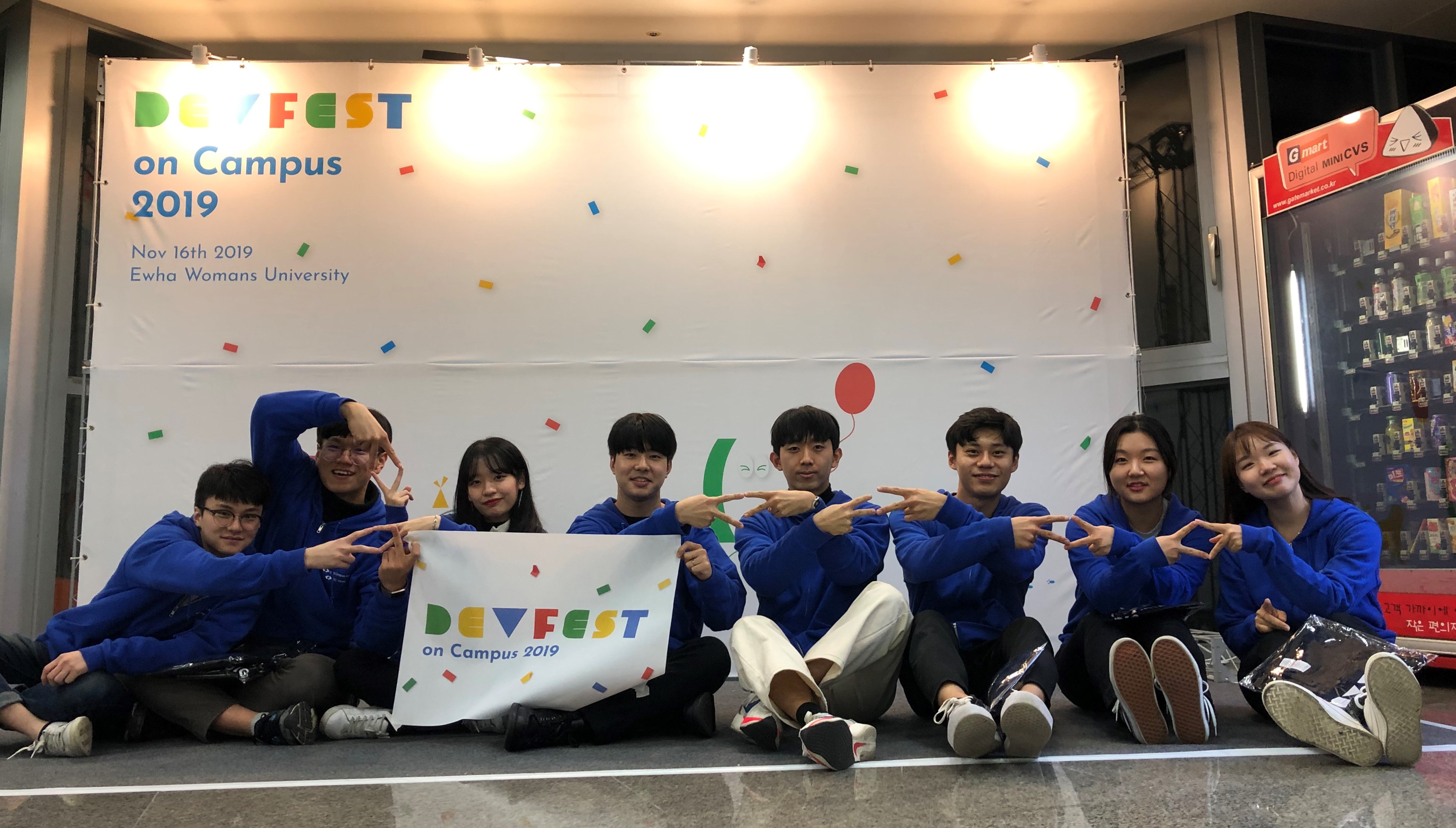
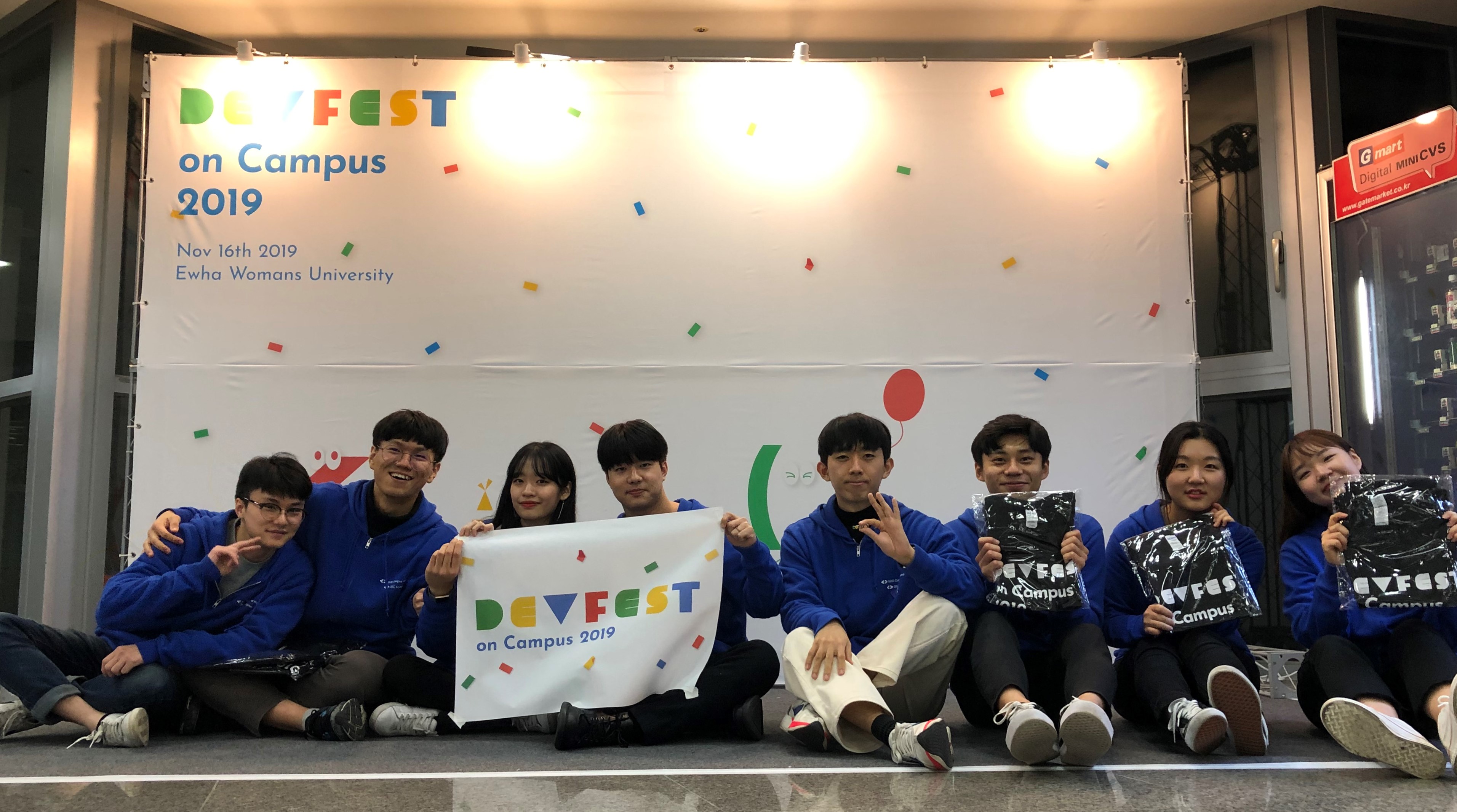
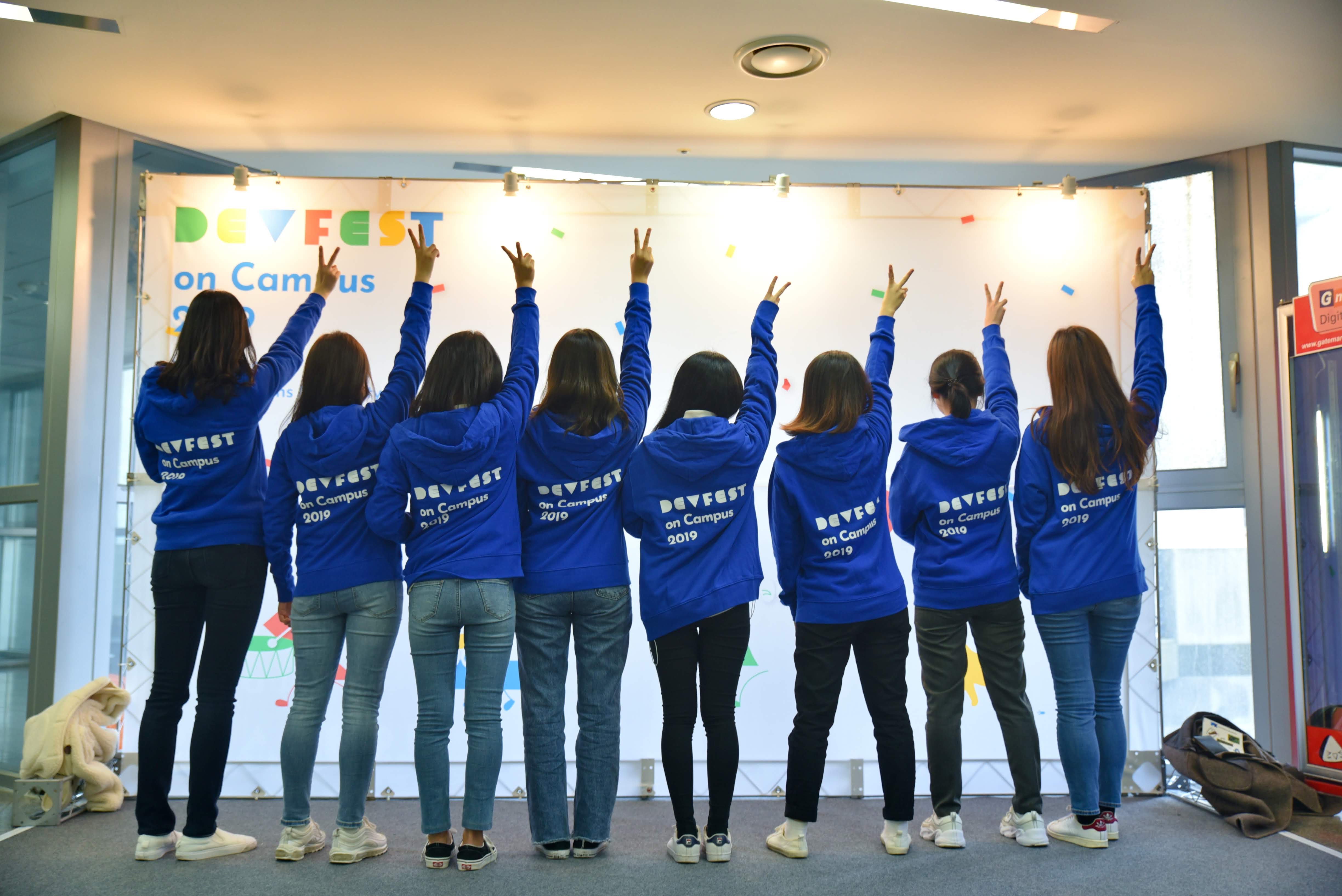
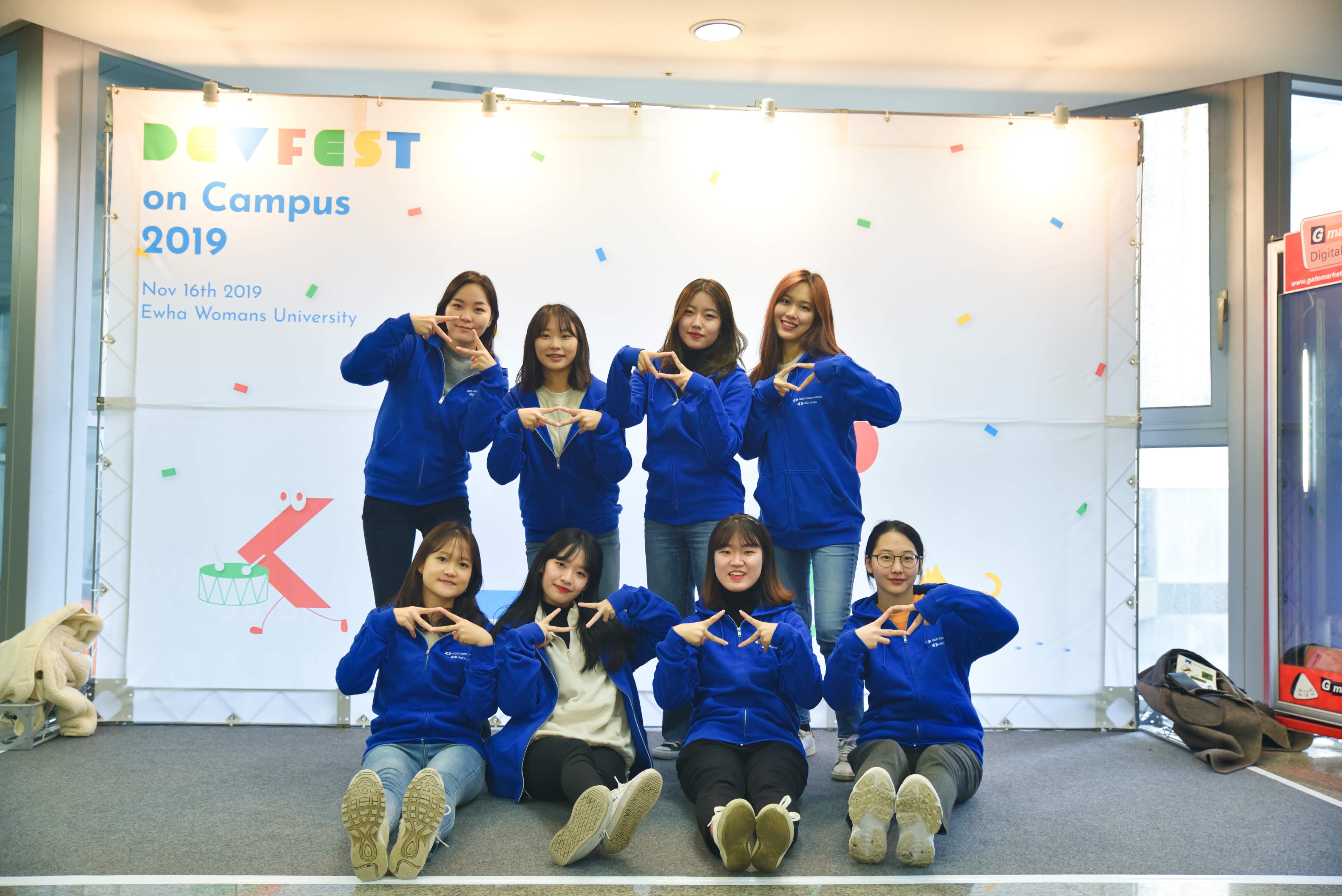
사진도 왕창 찍고 친해지고! 이번 DevFest를 기념하면서 잘 마무리했습니다!


무엇보다도 GDG Campus 오거나이저 분들 우리 DSC Lead분들 다들 너무 고생했고, 스태프, 코드 랩 튜터 참가자 홍보까지 이화여대 안에서 DSC 활동을 활발하게 해주는 우리 DSC Ewha 멤버들에게도 감사했습니다.


항상 열일하는 DSC Lead들!!! 그래서 우리 제주도 날짜 언제임
♥DSC EWHA♥
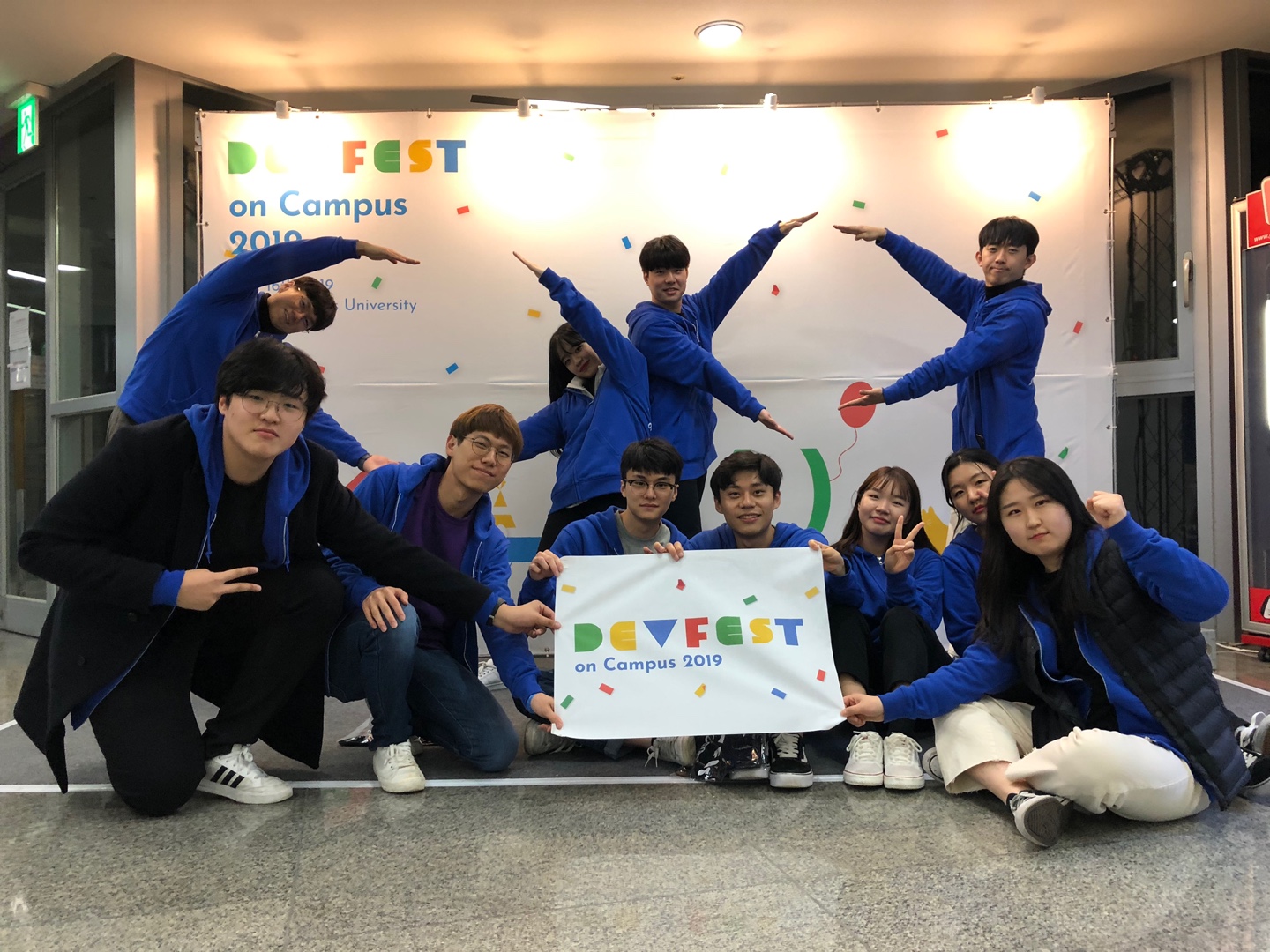
Track A 사람들과 GDG!!! 3번째 사진ㅋㅋㅋ 몸으로 말해요 DSC GDG!!
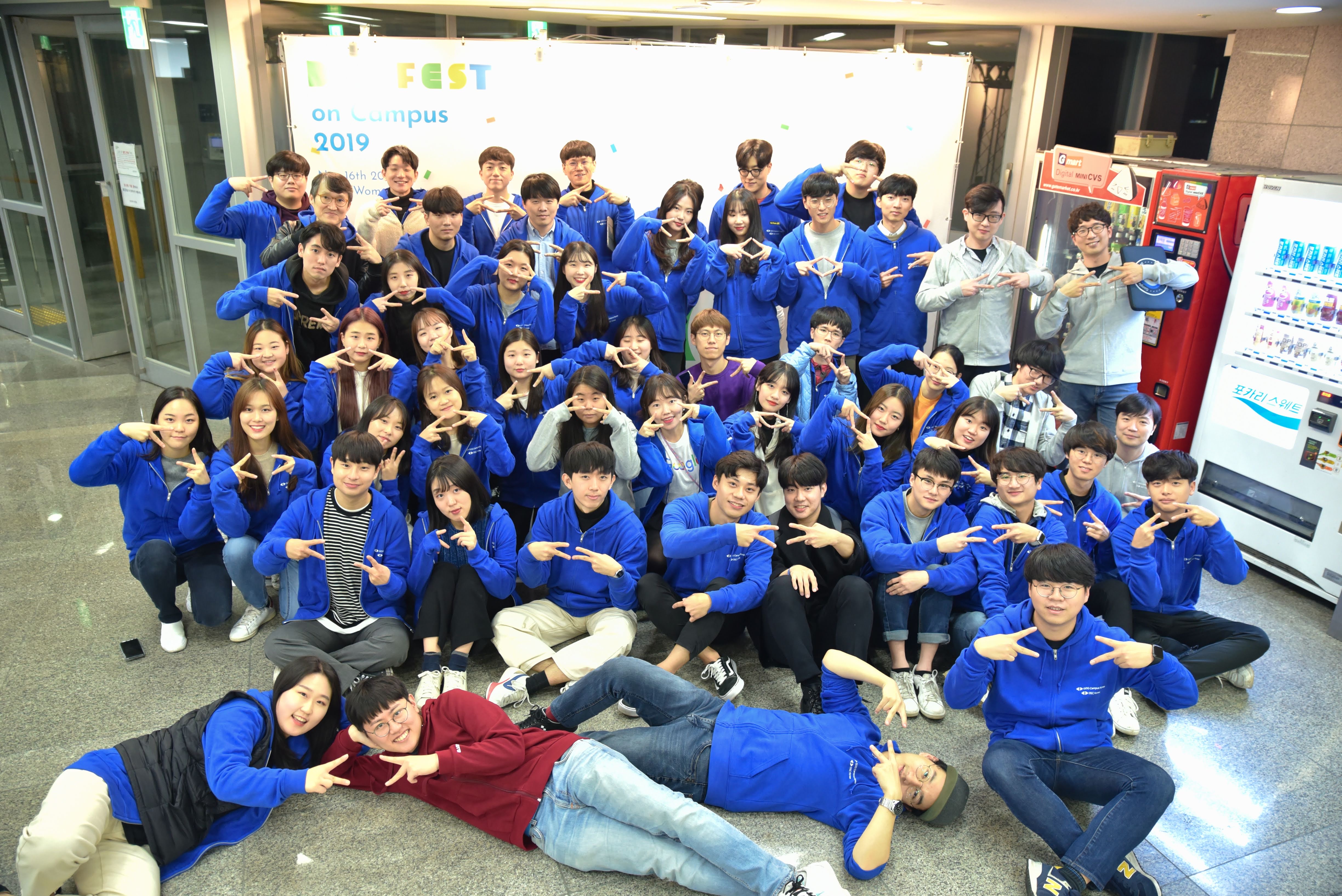
마지막으로 단체사진

8. 이화여대 내 반응

처음에는 사실 걱정이 앞섰습니다. 저희 학교에서 주최를 하면 벗들에게 도움이 되는 부분이고 정말 좋은 행사지만, 혹시라도 문제가 생기면 앞장서서 책임을 져야 했으니까요.

그런데 행사를 마치고, 에브리타임에 들어갔는데 DevFest관련 글이 하나 있더라고요

그거보고 사실 눈물이 핑돌았어요ㅋㅋㅋ 


엄청 동기부여가 됐다고 했다는 글이었는데, 댓글에서 현업에서 오래 일한 베테랑 발표자분들도 좋았지만 현재 학부생인데 커리어 탄탄히 쌓은 분을 보고 용기를 얻고 전공 공부를 더 열심히 해야겠다고 결심하는 내용이었습니다

그러면서 아래 댓글에 DSC 아니었으면 이 행사 주최도 못했을 텐데 학교에서 열어줘서 고맙다는 댓글 때문에 힘나더라고요. 


대학교 새내기 20살 때부터 멋사로 개발을 시작하면서, 사실 주변에 학점을 챙기는 친구는 많았지만, 같이 콘퍼런스를 간다거나 해커톤을 같이 나가는 친구가 없어서 항상 고민이었습니다. 그런데 저 글을 보니 DSC 활동을 학교 내에 개발을 좋아하는 벗들을 더 많이 이끌어 내고 서로 협업할 메이트를 찾는 활동으로 만들면 좋겠다는 생각이 들었습니다.


특히나 이번 행사 참여자 성비가 1:1이었대요. 사실 오픈 핵, 멋사, junction x seoul 어느 행사나 해커톤을 가도 여성 개발자는 소수였고, 발표자도 마찬가지였어요. 그래서 그런지 이번 DevFest가 저에게 엄청 크게 다가왔네요


9. 마무리

열심히 홍보를 했더니 지인분들이 많이 와주시고, 발표자로도 나서 주셨는데 생각만큼 많이 못 챙겨드린 것 같아서 죄송했습니다. 오픈 핵 사람들하고도 멋사 언니들하고도 사진 찍고 오랜만에 얘기도 하고 싶었는데 아쉬워요. 


다음 DSC 활동도 으쌰 으쌰 하겠습니다!

장장 2개월간의 DevFest 기획단 후기 끝!!!!

이제 기획단 아니야 다시 개발자로 돌아갈래! 당장 이번 주 네이버 핵 데이 어쩌지...


1. Intro

On November 16, 2019, DevFest on Campus 2019 finally came to an end!!!! 


https://festa.io/events/654/


DevFest on Campus 2019 | Festa!

Find the events you're looking for on Festa.

festa.io

It started with GDG Campus reaching out to DSC Korea first, and the event kept growing bigger and bigger. In the beginning, we were thinking around 200 people, but it snowballed and about 500 people gathered for DevFest on Campus.


Since all the DSC Leads and GDG Campus Organizers worked so hard on this event, both the session quality and overall satisfaction were really high. Personally, it gave me a lot to think about in terms of what kind of activities I should pursue going forward. I had a tough time handling the speakers and venue, but through it all, I got to meet great people and it was a chance for me to grow — like I created my own opportunity?! I'm happy★


2. Venue - Ewha Womans University Asan Engineering Building

The venue for this DevFest on Campus was decided to be Ewha Womans University.

During the initial planning, we were looking into university venues to match the "Campus" theme, and our professor responded positively, so we ended up going with our school.

While organizing the venue booking and Ewha sponsorship, I called professors, department offices, the Software-Centered University office, and various school departments under the title of "lead organizer" — I must've been such a nuisance. Dear school staff, yes it's me.. Now that it's all over, you won't have to deal with this annoying student for a while!! lol 😭

We had to call the banner company last minute the day before — it was chaos...


Having the event at our school came with a lot of pressure and it was tough, but since it ended well, it all turned into good memories. Above all, I was able to build a closer relationship with the professor and the Software-Centered University staff, which became an opportunity to strengthen DSC Ewha's presence within the Ewha Computer Science department — so as a Lead, it was a truly meaningful event :)


3. Seminars - Inviting Speakers

We had so many amazing speakers — I think it would've been fantastic even just attending as an audience member. I was busy managing the event and running back and forth, so I could only attend Kyungsoo Yoo's "Web VR/AR with aframe Even for Web Beginners" and Jaesung Park's "Practicing TDD, Refactoring, and Clean Code Through Deliberate Practice" sessions, which was a bummer ㅠㅠ


Snap snap at the photo zone!! The attention-loving headband-wearing Track A manager

As the person in charge of speakers, I sent out a ton of emails, and everyone was so kind with their feedback — I'm really grateful.

I wanted to meet them in person and chat more, but I was stuck managing Track A the whole time so I didn't get the chance ㅠㅠ

And after listening to the sessions, I really wanted to be a speaker myself someday! Definitely next time!! haha


3-1. Kyungsoo Yoo - Web VR/AR with aframe Even for Web Beginners

I paid extra attention to this session because I had memories of developing a cardboard VR escape room game at Ewha's gaming club "King" the year before — and wow, it was really fun!! It reminded me of when I was scripting every VR element one by one in Unity, setting up materials, event click raycasts, and building the final product piece by piece. But on the web! And it's built in a way similar to HTML!! It was perfect for someone like me who loves web development.


If I had known about this session earlier, I might have done Web VR/AR for my graduation project... ㅠㅠ 

As always, here are my session notes! But today I'm also going to try summarizing the session — click if you're curious!!!


더보기

●  Minjeong's personal color-coded notes

VR: A virtual space that doesn't exist 
AR: Augmented Reality
{VR AR} = XR

Normally you'd develop with C# or C++ using Unity or Unreal engine, but since Kyungsoo started as a web developer, he felt a bit of resistance. > That's how he discovered the Javascript API.


The Javascript API allowed implementing XR through the browser. (JS, which web developers are familiar with!!)

> But then — crisis — he found out it was deprecated.

> Turns out Javascript API -> the term was just changed to Web XR.


Aframe = Web XR Device API + Three.js (rendering)


Advantages of Aframe

1. Visual Inspector (Seems similar to Unity's Scene window!)
   You can resize models with your mouse! (Kyungsoo said he used to plug in numbers one by one to compare before.)

2. Rendering happens automatically!

    Entity Component Architecture

3. Best of all, the code structure is similar to HTML!

   It felt familiar, like using Bootstrap where you just specify attributes.

4. Supports 3D Modeling

Looking at the code, can you only use simple components like Cube? NO

You can also use 3D modeler output in HTML tag format: it supports Gltf files.

Animations can also be applied — both the 3D model's built-in animations and JS-controlled animations are possible.


Disadvantages of Aframe

1. High-spec content (even under 100MB) can be difficult to run.

2. Spatial arrangement is difficult > solution: Visual Inspector


Auto-modeling from JSON files with Aframe - Interaction through Events

Entity: A collection of Components (Felt similar to Vue.js template structure)

Depending on how you mix Components, each element is drawn. > It seems to render in component units rather than DOM structure.

Entities can be expressed directly in HTML tag format!: It really looked like Vue.js <template>

In JS as well, HTML expressions like getDocumentId() are possible, so adding events is also doable. (Events like writing text on click, or implementing events by receiving xyz values as numbers!) 

Since you can implement events using JS, you can even build things like bullets firing rat-a-tat-tat like in Unity!!


Kyungsoo said he built a school festival introduction page!

For AR, there was Location Based AR and Marker Based AR: He used markers to implement booth stamps!

The interesting thing about the Marker approach is that you need to prepare both a QR code and a Marker!


The compatibility between AR and HTML means great component reusability, but there are clear disadvantages beyond what I've noted.

(They were listed in Kyungsoo's slides but I didn't write them down — the most memorable one is that it must use HTTPS, so you need to set up SSL.)


Wrap-up

Additionally, even when using Aframe, a basic understanding of 3D is necessary!

But since it's AR/VR in HTML format, it's recommended if you want to pick it up quickly and build something!!


--Personal question I asked--


Q. In one of the slides that went by, I saw someone wearing VR equipment — does it support Oculus builds?

A. That was just a cardboard device. You set it to cardboard mode on the web, then put on the cardboard VR headset!


Q. I'm curious about the Raycast implementation. In Unity, clicking is enabled through Raycast when you're within a certain radius — considering what you said earlier about coordinates, does that mean you replace manually setting and comparing xyz coordinates with Raycast?

A. No, Raycast functionality is provided as well!! At first I thought you'd have to set xyz coordinates one by one, but that wasn't the case!

After summarizing the session, I feel so proud!! If I ever do a hackathon or a frontend-focused toy project, I should definitely consider using Aframe! Or maybe I'll just build one on my own as a DSC-related project.


3-2. Jaesung Park - Practicing TDD, Refactoring, and Clean Code Through Deliberate Practice

While recruiting speakers, since I'd been studying Spring and clean code and test code, I really, truly!! wanted to meet Javajigi (Jaesung Park), so I personally reached out to him. He gladly accepted, and being able to attend his seminar was a huge help for my personal development :)

At first, when he talked about deliberate practice, I thought hmm, that's pretty abstract — but as the talk went on, he provided increasingly detailed and specific study methodologies, which was super helpful.


When you code, you often wonder "is my code really clean?" And most people think "as long as it works, that's fine" — but I feel like Jaesung left college students with the message of "is that approach to studying really the right one?" It was a truly great seminar for the attendees, for Ewha students, and for me personally.


Here's the session summary!! Click if you're curious!! No, you MUST click!! This seminar was so good that I just have to share it.

더보기

●  Minjeong's personal color-coded notes

"The demand for developers is increasing these days. But students face job shortages, and companies face developer shortages — what's the problem?"

What companies want in a developer

1) A developer who writes clean, maintainable code (Here, clean code focuses on TDD and refactoring)

2) A developer with good collaboration skills

3) A developer who proactively identifies problems and solves root causes


What is Deliberate Practice?

[Points Jaesung emphasized]

1) Get out of your comfort zone (Break out of what's comfortable and challenge yourself with harder things!)

2) Set clear and specific goals

3) Provide feedback (I think this is about code reviews)

[From the slides]

4) Practice skills for which effective training techniques have been established.

5) The individual focuses fully and acts 'deliberately.'

6) Creates effective mental representations while relying on them.

7) Involves the process of advancing and modifying by intensively improving specific aspects of previously acquired skills.

1. Unit Testing

Test your own API: Is my API well-functioning code with clear input/output?

- Try out various methods of Java's String class and verify them with unit tests.

- Add, modify, and delete data in Java ArrayList.

If unit tests are well-written, you can learn how to use the API.


What should be unit tested

Classes or methods with clear Input and Output among the methods you implement

> For college students: Algorithms!!

When learning algorithms, verify your algorithm implementation with unit tests!

Since input and output are clear, it's effective for practicing unit testing.

2. TDD

1. Use toy projects, not company projects.
2. Practice with requirements that have no dependencies on web, mobile UI, or DB > I think he means pure Java projects.

Write the test first > then create the corresponding method!! (Production code comes later.)

TDD isn't great when complexity is too high!

3. Refactoring Practice

3-1. Method Separation

The important thing here is: don't change the test code — improve the target code (production code)!!

Where do I even start? It feels overwhelming!


Key point of method separation: It's best if a method does only one thing (abstract, qualitative criteria)

 > Use quantitative and measurable approaches!!


[Example: String Calculator]


Quantitative approach

1. Keep indentation to only 1 level -> This forces you to separate methods. (A classic example is an if inside a for loop.)

2. Don't use else -> Use return so you only need if statements.

3. Make methods do only one thing -> He separated the parsing logic from the sum logic!

4. Do you really need local variables? -> Reducing them is also effective! 


Compose Method Pattern

Break down a method (function) into multiple tasks at the same level of abstraction so the intent is clear.

In other words, keep the abstraction levels equal!

External developers only see the public methods. If it reads intuitively when looking at the public method, that's good!: You can see the program logic at a glance.

return sum(toInt(split(text))) : Split the text, convert to int, and sum! 


Refactoring Perspective

- The experience of creating clean code is what matters!

- Only the code structure changes, not the functionality.

- Testing after refactoring is really tough: but with test code, fast feedback is possible (fast ping-pong!)


Deliberate study: Rather than all principles at once, have one clear and specific goal at a time!

ex) Reduce method line count from 15 -> 10 


3-2. Class Separation

Class separation for exception throw handling

Wrap all primitive values and strings!


Principles for class separation

1. First-class collections

2. Don't use classes with more than 3 instance variables


3-3. Increasing Difficulty by Adding Dependencies

Add dependencies like web, mobile, UI, and DB.

The key here! You need the sense — the ability to distinguish what's easy to test from what's hard to test!


3-4. Even More Advanced Levels

1. Minimize compile errors

2. Develop applications based on ATDD

3. Adding test code to legacy applications (the hardest)


--Personal questions I asked--


Q. You said not to use getters and setters, but aren't there cases where getters are fine? So I was thinking, did you mean something like "be cautious of Lombok's @Data"?

A. Jaesung showed us his Lotto game code!

The point about not using getters and setters is that class A's functionality should be handled within class A's own methods! If you use a getter, you'd end up pulling data from class A into class B via getter, then fixing and validating it there.

Remember when he said to wrap all primitive values? A lotto number is an Integer, but you create a class called LottoNumber, and within that class you put validation logic like checking if the number is between 1 and 45 — creating an object you can truly be confident is a LottoNumber. I think that answers your question.


Q. While studying clean code, I find myself unconsciously using Enums with abstract methods when writing algorithms, and I suddenly start agonizing over variable names, and the names keep getting longer — I'm doing these weird things. Any advice?

A. Practice that deliberately!!! That's absolutely something you should separate! It's a good development habit, but it can be fatal for job interviews, so you definitely need to separate the two!! But it really is a great attitude. What I recommend is setting deliberate goals: 
Step 1: Solve it really fast! Focus only on the algorithm > Step 2: Refactor that algorithm into clean code!

Studying this way will help improve your skills.

Especially regarding the concerns I'd been having about clean code and test code (related to algorithms), I stuck by Jaesung's side and pestered him with questions — I'm so grateful for the lesson on 'deliberate practice'!! 


4. Sponsor Booths

Once the sponsor booths were set up, my school — which is normally just where I study — really felt like an actual event venue.

It's also memorable because I got to see so many familiar faces I hadn't seen in a while.


Innovation Academy, where Sucheol stepped up and offered to sponsor us first; the Smilegate folks, who I first connected with exactly a year ago through the Smilegate Winter Dev Camp — it was so great to see them again after so long!! And Minhyun from Common Computer, who always helps me out so much as a mentor at Open Hack and China hackathons — thank you so much for sponsoring as well :)


Students were crowding around to ask about the Smilegate Server Development Camp, and the two interviewers were personally giving consultations — it was really cool to see the camp director always thinking from the students' perspective!! If you have any questions about the Server Dev Camp, feel free to reach out. They also had a first-come-first-served Smilegate Bluetooth keyboard giveaway, and one of our DSC Ewha members snagged one too!! lol


And then WTM!! I have something separate I want to write about WTM, so I'll skip it for today~!


And Innovation Academy was like... wow. I was already surprised to hear they'd surpassed 5,000 applicants, and as I walked around, I kept overhearing students say things like "I was actually planning to apply for this!" So they clearly did an amazing job with promotion!


And the Common Computer booth!! Seriously lol, I already had all the Common Computer bags and sticker goodies from Open Hack, but the staff kept giving me more stuff, and when I said I was an AFAN user, they even gave me an invest!

AFAN is a reward-based SNS made by Common Computer. Using Invest and Crush On, users can assign value to each other's posts, and if someone I invested in earns revenue through AFAN ads and such, I get a share of the profits because I had the value of having invested in a worthy person! 

https://apps.apple.com/kr/app/afan/id1434385630


‎aFan

‎* A new social media for fans — easily connect with your favorite creators and friends. * Go beyond just following — become a fan! Anyone can become a fan of their favorite creator. Be the first to become a fan and help creators grow. Sometimes, send hearts to posts through the Crush On feature! * Crush On just for my fans — give back the love you've received from fans generously through Crush On. aFan — a platform where fans and creators grow together

apps.apple.com

5. DevFest on Campus Goodies

Heck yeah — from sponsor booth stickers to the awesome DevFest staff hoodies, t-shirts, badges, and scarves~! Everything was top-notch!! Especially, isn't the little Korin character on our stickers just the cutest? Big thanks to Duri for working so hard on the merch!! haha

6. Codelabs & Activities

To be honest, I couldn't attend many codelabs. Since I was stationed at the session hall the whole time, I couldn't just leave the staff behind and go do a codelab by myself..ㅠㅠ 

I thought that if it's a university-related event, having at least one codelab content would be great. The codelab we held at DSC Ewha recently got great responses, and there were requests to hold another one.

When we first had meetings with GDG Campus and DSC, I mentioned that university students find coding more daunting than expected and that it'd be nice to give them hands-on implementation time — and it actually came to life!! I hope everyone was satisfied!


I heard there were issues with Ewha's Wi-Fi.. um.. the school had warned us in advance that large-scale downloads might be difficult, and since it was a Saturday, they couldn't add more capacity ㅠㅠ It must have been inconvenient, but I trust the on-site team handled it well..!


And the activities!! Hangyeol personally built a "Create Your Own Schedule" web app! I wanted to try it too — what a shame I couldn't.


7. DSC and GDG Campus

Honestly, I think the biggest advantage of DevFest is getting to meet so many people. At this event, I had previously only met the DSC Leads and DSC Ewha members, but it was great to also meet DSC members from other universities.

We took tons of photos and got to know each other! We wrapped things up nicely while celebrating this DevFest!


Above all, huge shoutout to the GDG Campus organizers and all our DSC Leads for working so hard, and I'm grateful to our DSC Ewha members for actively contributing within Ewha — from staffing and codelab tutoring to participant outreach.


DSC Leads always working hard!!! So when are we going to Jeju?
♥DSC EWHA♥
Track A crew and GDG!!! The 3rd photo lol — charades spelling out DSC GDG!!
And finally, the group photo

8. Reactions at Ewha Womans University

At first, I was honestly more worried than anything. Hosting it at our school would benefit our fellow students and it was truly a great event, but if anything went wrong, I'd have to take responsibility.

But after the event ended, I checked Everytime and found a post about DevFest.

I actually teared up a little when I saw it lol 


The post said it was incredibly motivating. In the comments, people wrote that while the veteran speakers with years of industry experience were great, seeing a current undergrad who'd built a solid career gave them courage and made them determined to study their major harder.

And then there was a comment below saying that this event wouldn't have been possible without DSC, and thanking the school for hosting it — that really gave me energy. 


Ever since I started coding through LikeLion as a 20-year-old college freshman, I had plenty of friends who focused on their GPA, but I never had friends to go to conferences with or participate in hackathons together, and that always bothered me. But seeing that post made me think it'd be great to turn DSC activities into something that draws out more dev-loving students on campus and helps them find collaborators to work with.


Especially since I heard the gender ratio of attendees at this event was 1:1. Whether it was Open Hack, LikeLion, Junction X Seoul, or any other event or hackathon, female developers were always a minority — and the same went for speakers. So this DevFest really hit differently for me.


9. Wrapping Up

Thanks to all the promotion, a lot of people I know came out and even volunteered as speakers, but I feel bad that I couldn't take better care of everyone. I wish I could've taken photos and caught up with the Open Hack crew and my LikeLion seniors. 


I'll keep pushing forward with our next DSC activities!

And that's a wrap on the 2-month-long DevFest planning team review!!!!

I'm done being on the planning team — I want to go back to being a developer! But what am I going to do about Naver Hack Day this week...


댓글

Comments

Daily/Code Fest

2019 google cloud summit 후기 | 2019 Google Cloud Summit Review

11월 6일 코엑스에서 Google Cloud Summit이 열렸는데요.DSC Korea 소속으로 티켓을 받아서 갔다왔습니다. 원래는 AWS만 사용하는 유저였는데, DSC 활동을 하면서 google product에 대한 얘기를 많이 듣게 되다보니 GCP에 대해 모를 수가 없더군요.근데 요즘 행사 준비로 바빠 공부할 시간이 부족해서 GCP가 있다는 것만 알고, 간단하게 google API를 사용할 때만 써봤었는데, 이번 Google Cloud Summit을 갔다오면서 GCP에서 제공하는 여러 프로덕트들을 간략하게나마 설명을 들을 수 있어서 좋았습니니다.그러면 후기 시작할까요? 0. google cloud summit 웹[Google Cloud Summit 홈페이지]https://inthecloud.wit..

2019 google cloud summit 후기 | 2019 Google Cloud Summit Review

728x90

11월 6일 코엑스에서 Google Cloud Summit이 열렸는데요.

DSC Korea 소속으로 티켓을 받아서 갔다왔습니다.


원래는 AWS만 사용하는 유저였는데, DSC 활동을 하면서 google product에 대한 얘기를 많이 듣게 되다보니 GCP에 대해 모를 수가 없더군요.

근데 요즘 행사 준비로 바빠 공부할 시간이 부족해서 GCP가 있다는 것만 알고, 간단하게 google API를 사용할 때만 써봤었는데, 이번 Google Cloud Summit을 갔다오면서 GCP에서 제공하는 여러 프로덕트들을 간략하게나마 설명을 들을 수 있어서 좋았습니니다.

그러면 후기 시작할까요?


0. google cloud summit 웹

[Google Cloud Summit 홈페이지]

https://inthecloud.withgoogle.com/summit-sel-19/agenda.html


Google Cloud Summit


inthecloud.withgoogle.com

세션에 대한 정보, 그리고 쇼케이스나 DevZone에 대한 모든 정보를 담고 있었습니다. 저는 주로 연사 세션과 DevZone에 많이 있었는데요. 공식 홈페이지 웹 뿐만이 아니라 참가자들이 자신의 코드를 입력해서 들어가는 웹을 이용해서 행사 정보를 한눈에 알 수 있었습니다.


다음과 같이 행사에 대한 모든 정보를 참가자들이 쉽게 알 수 있게 도와주는 웹이었습니다 :) 

또한, Google Cloud Summit에서 진행하는 여러 쇼케이스나 세션, 부스를 방문하면 summit point를 지급해주었는데요. 이 summit point를 Google 관련 굿즈와 바꿀 수 있는 cloud shop이 준비되어있었습니다 :)

그래서 포인트 탭을 이용해서 현재까지 누적된 포인트를 확인할 수 있었습니다.


위 사진처럼 장소 각종 트랙부터 시작해서, 파트너 부스, 쇼 케이스, 포토존, cloud shop, 미팅룸 등 참가자들이 행사를 잘 즐길 수 있도록 만반의 준비를 한 것이 인상적이었습니다.

특히나 참가자들이 세션을 듣고난 후에 발표자들에게 질문을 할 수 잇는 장소가 따로 마련되어있는점에서 기획단의 배려를 알 수 있었습니다.


1. 아젠다


위에 있는 웹에도 나와있는 아젠다이지만, 저희 DSC Lead들끼리 제목만 저장해서 원하는 세션만을 골라서 들었습니다!


가장 큰 벽면에 붙어있던 행사 요약


2. 행사장 분위기

등록대

코엑스에 입장을 하는 순간부터 구글특유의 4가지 색깔이 눈에 띄었습니다 :)

아무래도 큰 행사다 보니까 준비를 많이 한게 보이더라구요. 부스 퀄리티부터 현수막 크기, 각종 info인원 배치 등 세심한 배려가 인상깊었습니다


등록을 하면, 제 소속과 관련된 명찰과 행사에 참여한 각종 부스에 대한 팸플릿을 담아서 받을 수 있었습니다.

그런데 동시에 너무 많은 행사와 세션이 진행되서 사전에 조금 행사를 알아보고 갔으면 알차게 즐길 수 있었을텐데 라는 생각이 들어서 아쉬웠습니다.


한눈에 보는 Summit 행사장

행사장에는 GCP와 관련된 여러 부스가 있었는데, 아무래도 Google Cloud Summit 행사의 파트너 부스인 것 같았습니다.

GCP를 기업에 도입할 때 도움을 줄 수 있도록 각종 참가자들의 명함 이벤트나, 설문을 진행하는 모습을 볼 수 있었는데요. 여러 부스를 다니면서 설문을 진행하면 그 부스와 관련된 기념품이나, 경품 응모를 진행할 수 있었습니다.


기념사진 짠!!!

3. 세미나

[cloud summit 녹화 영상]

https://cloudonair.withgoogle.com/events/summit-sel-19-livestream


Cloud Summit Seoul 생중계

11월 6일 진행된 Google Cloud Summit Seoul을 다시보기로 만나보세요.

cloudonair.withgoogle.com


저는 거의 이 행사를 세션으로만 보낸 것 같아요

부스를 둘러보기엔 아직 대학생 신분이라서 입력이 어려운 폼도 있었고, 실습에 대한 사전신청도 안했어서 자리 하나 잡고 GCP와 세션을 들었습니다!!


제가 들은 세션은 이렇게 5 가지 였는데 각각을 정리해보았습니다.

그리고 여느때와 같이 세션 필기!!


그리고 점심식사때 점심을 먹으면서 듣는 것도 있었는데,, 유연님하고 같이 먹을 때 밥먹는데 집중해버렸습니다. 

4. DevZone 이벤트

저는 주로 이번 행사를 DSC Lead분들과 함께 즐겼습니다. 근데, 저희를 초대해주신 나연님과 나연님을 도와주시는 GDG분들이 맡아서하는 곳이 바로 이 DevZone이었어요! 그래서 거의 여기에 상주했던것 같아요

DevZone에서 GDG DSC 다같이 찰칵!!


Summit point와는 별개로 DevZone에서의 3가지 프로그램을 완수하면, 행사에 온 참가자들과 네트워킹을 할 수 있는 Dev Party의 초대권에 응모가 됩니다!


DevZone에 가면 무료로 주는 콜라, 맥주, 팝콘이 있었는데 저희 DSC Lead님들하고 짠!! 흐흐 너무 좋아요

DevZone의 콜라 맥주 쿠폰과 클라우드님의 출현ㅋㅋㅋ
혼란을 틈타 맥주 파티중인 DSC!!

4-1. Qwiklabs Zone

Qwiklabs Zone은 1개월 무료 엑세스 쿠폰으로 직접 실습을 진행해볼 수 있는 공간입니다.

여기에 가면 Qwiklabs 1개월 액세스 쿠폰을 주셨는데요, 주변에 GDG Cloud 운영진분들이 실습을 도와주려고 기다리고 계시기도하고, 일단 쿠폰을 준다고하니까 무조껀 했습니다!ㅎㅎ


킥랩 주소 : https://www.qwiklabs.com/?locale=ko


Qwiklabs - Hands-On Cloud Training

Qwiklabs provides real cloud environments that help developers and IT professionals learn cloud platforms and software, such as Firebase, Kubernetes and more.

www.qwiklabs.com

4-2. Presentation Zone

GDG/GCP 커뮤니티 소개, 스터디 잼 꿀팁 방출과 GCP 자격증에 관한 Q&A 미니 세션이 진행되는 공간이었습니다!

GCP OX퀴즈랑 경품 추첨을 봤는데요, 이외에도 GDG 설명 등여러 PT를 진행한 것으로 알고 있습니다.

경품추첨에서 하다하다 안나와서 결국은 가위바위보로 결정했는데 아으,,, 막판에 져서 아쉽네요ㅋㅋ


4-3. Play Zone

Play Zone은 클라우드 아케이드 게임을 즐길 수 있는 공간입니다.

GCP의 간단한 커맨드를 게임기로 구현해서 게임을 진행하는 곳이었는데요! 

문제를 해결하고 아래처럼 CORRECT 라는 문자가 뜰 때 성취감은 크으,, 아무리 생각해도 잘 만들었어요!!

5. 기념품

저번 DevFest Seoul도 그렇고 이번 summit도 그렇고 GDG관련 행사를 다니다보면 굿즈가 늘어나는 것 같아요!!


먼저 기본적으로 연사 세미나를 들으면, 이름표 뒤에 있던 응모권을 1점부터 5점까지 세미나 만족도 조사 박스에 넣으면 summit 행사 마지막에 있는 경품 추천이벤트에 참여할 수 있었습니다.


하지만, 경품추천을 원하지 않는 경우에는 이름표를 반납하고, 양털조끼를 기념품으로 받을 수 있었습니다 :)

그리고 행사 막바지에 summit point를 바꿔서 google cloud 방석도 받고! 갈때는 양손 무겁게 갔습니다. 만약 summit point가 더 많았더라면 13인치 노트북파우치나 담요로 바꿨을텐데ㅎㅎ 너무 세미나만 들으면서 시간을 보냈는지, 포인트가 모자라서 아쉬웠습니다


그래도 메가존에서 받은 맨투맨! 기본 기념품 양털조끼(센스굿!!) cloud point로 받은 방석! mongoDB에서 받은 수첩까지 양손 가득 무겁게 좋아요><

기념품 다같이 받고 남은 DSC Lead님들끼리 기념사진 찰칵!

6. DevParty

DevZone 이벤트를 3개다 수행해서 DevParty 초대권을 얻었습니다! DSC Lead, GDG분들하고 같이 저녁을 먹었는데, 행사 규모가 확실히 대단하더군요! 참석자들에게 이벤트를 하셔서 사진도 많이 찍고, 밥도 맛있게 먹고 오늘 행사를 마무리 했습니다 :)


GDG DSC 다같이 기념사진 찰칵!! 클라우드님 씹덕사..★

7. 마무리

Google Cloud Summit을 갔다오니 GCP 자격증에도 관심이 생기고, 얼마전에 들은 얘기로는 GCP가 요즘 클라우드 시장에서 급성장을 하는 이유중에 하나가 BigQuery를 기업에서 많이 사용하기 때문이라고 하셔서 궁금해졌습니다!


이전에 어떤 개발자님에게 듣기로 하나하나 섬세하게 조정하기는 AWS가 제격인데, UI/UX나 직관적으로 환경을 세팅이라는 점에서는 GCP가 강점을 갖고있다고 했던게 생각나더라구요.

오늘 여러 세미나를 들으면서 GCP가 제공하는 여러 기능들에 대해서 얕지만 넓게 귀동냥을 할 수 있어서 좋았습니다.


그러면 Google Cloud Summit 후기는 여기까지 끝!


The Google Cloud Summit was held at COEX on November 6th.

I got a ticket through DSC Korea and went to check it out.


I was originally an AWS-only user, but since I started my DSC activities, I kept hearing so much about Google products that I couldn't help but learn about GCP.

But lately I've been so busy preparing for events that I didn't have time to study, so I only knew GCP existed and had only used it briefly for Google APIs. Going to this Google Cloud Summit was great because I got to hear brief explanations about the various products GCP offers.

So shall we get this recap started?


0. Google Cloud Summit Website

[Google Cloud Summit Homepage]

https://inthecloud.withgoogle.com/summit-sel-19/agenda.html


Google Cloud Summit


inthecloud.withgoogle.com

It had all the information about sessions, showcases, and the DevZone. I mostly spent my time at speaker sessions and the DevZone. In addition to the official website, there was also a web app where attendees could enter their personal code to get an at-a-glance view of all the event info.


It was a web app that helped attendees easily find all the information about the event like this :) 

Also, Google Cloud Summit gave out summit points when you visited various showcases, sessions, and booths. There was a cloud shop where you could exchange these summit points for Google-related merchandise :)

So you could check your accumulated points using the points tab.


As shown in the photos above, it was impressive how thoroughly they prepared everything—from venue tracks, partner booths, showcases, photo zones, the cloud shop, to meeting rooms—so that attendees could fully enjoy the event.

I especially appreciated that they had a dedicated space where attendees could ask speakers questions after sessions, which really showed the organizers' thoughtfulness.


1. Agenda


The agenda was also available on the website mentioned above, but we DSC Leads saved just the titles and picked the sessions we wanted to attend!


Event summary on the largest wall


2. Venue Atmosphere

Registration desk

From the moment I entered COEX, Google's signature four colors caught my eye :)

Since it was such a big event, you could tell they put a lot of effort into the preparations. The booth quality, banner sizes, and the placement of info staff throughout—the attention to detail was really impressive.


Upon registration, I received a name badge with my affiliation and a bag containing pamphlets about the various booths at the event.

However, there were so many events and sessions happening simultaneously that I wished I had researched the event beforehand so I could have enjoyed it more fully—that was a bit of a regret.


Summit venue at a glance

The venue had various booths related to GCP, which seemed to be partner booths for the Google Cloud Summit event.

You could see them running business card events and surveys to help companies adopt GCP. By visiting different booths and completing surveys, you could get booth-related souvenirs or enter prize drawings.


Commemorative photo, cheese!!!

3. Seminars

[Cloud Summit Recorded Videos]

https://cloudonair.withgoogle.com/events/summit-sel-19-livestream


Cloud Summit Seoul Live Stream

Watch the replay of Google Cloud Summit Seoul held on November 6th.

cloudonair.withgoogle.com


I think I spent almost the entire event attending sessions.

Since I'm still a college student, some of the booth forms were hard to fill out, and I hadn't pre-registered for any hands-on labs, so I just grabbed a seat and attended GCP sessions!!


I attended 5 sessions in total, and here's a summary of each one.

And as always, session notes!!


There was also a lunchtime session where you could eat and listen at the same time, but I was eating with Yuyeon and ended up just focusing on the food. 

4. DevZone Events

I mostly enjoyed this event with fellow DSC Leads. But the person who invited us, Nayeon, and the GDG members helping her were in charge of this very DevZone! So I ended up hanging out here most of the time.

GDG and DSC together at the DevZone, say cheese!!


Separate from the summit points, if you completed all 3 programs at the DevZone, you could enter a drawing for an invitation to the Dev Party—a networking event with other attendees!


The DevZone had free cola, beer, and popcorn, and we DSC Leads cheered together!! Hehe, it was so great.

DevZone cola and beer coupons, plus Cloud mascot appearance lol
DSC having a sneaky beer party in the midst of it all!!

4-1. Qwiklabs Zone

The Qwiklabs Zone was a space where you could do hands-on labs with a 1-month free access coupon.

When you went there, they gave you a Qwiklabs 1-month access coupon. GDG Cloud organizers were standing by to help with the labs, and since they were giving out coupons, I absolutely had to do it! haha


Qwiklabs URL: https://www.qwiklabs.com/?locale=ko


Qwiklabs - Hands-On Cloud Training

Qwiklabs provides real cloud environments that help developers and IT professionals learn cloud platforms and software, such as Firebase, Kubernetes and more.

www.qwiklabs.com

4-2. Presentation Zone

This was a space where mini sessions were held, including GDG/GCP community introductions, Study Jam tips, and Q&A about GCP certifications!

I watched the GCP O/X quiz and prize drawing. I also know they had several other presentations including GDG introductions.

During the prize drawing, nobody was getting picked for so long that they ended up deciding by rock-paper-scissors. Ugh,,, I lost at the very end, so that was disappointing lol


4-3. Play Zone

The Play Zone was a space where you could enjoy cloud arcade games.

They had simple GCP commands implemented as arcade games that you could play! 

The sense of achievement when you solved a problem and saw CORRECT pop up like below was amazing,, no matter how I think about it, they did a great job with this!!

5. Souvenirs

Between the last DevFest Seoul and this summit, going to GDG-related events seems to keep growing my swag collection!!


First, when you attended speaker seminars, you could drop the raffle ticket from the back of your name badge into a satisfaction survey box (rated 1 to 5 points), which entered you into the prize drawing at the end of the summit.


However, if you didn't want to enter the prize drawing, you could return your name badge and receive a fleece vest as a souvenir instead :)

And toward the end of the event, I exchanged my summit points for a Google Cloud cushion! I left with both hands full. If I had more summit points, I would've gotten a 13-inch laptop sleeve or a blanket haha. I spent too much time just attending seminars, so I didn't have enough points—that was a bummer.


Still, the sweatshirt from Megazone! The basic souvenir fleece vest (great taste!!) the cushion from cloud points! And a notebook from MongoDB—I'm happy leaving with both hands full of goodies ><

Group photo with the remaining DSC Leads after getting our souvenirs!

6. DevParty

I completed all 3 DevZone events and earned a Dev Party invitation! I had dinner with DSC Leads and GDG members, and the scale of the event was truly impressive! They had activities for the attendees, so I took lots of photos, enjoyed delicious food, and wrapped up the day's event :)


GDG and DSC group photo together!! Cloud mascot being adorable..★

7. Wrapping Up

After attending the Google Cloud Summit, I became interested in GCP certifications too. I also heard recently that one of the reasons GCP is rapidly growing in the cloud market is because many companies use BigQuery, which made me curious!


I remember a developer once told me that AWS is the way to go for fine-grained control, but GCP has its strengths in terms of UI/UX and intuitive environment setup.

It was great to attend various seminars today and get a broad (if shallow) introduction to the many features GCP offers.


And that wraps up my Google Cloud Summit recap!


댓글

Comments

Daily/Code Fest

DevFest Seoul 2019 Staff 후기 | DevFest Seoul 2019 Staff Review

DevFest Campus Korea 2019 준비로 교수님과 면담하고 다같이 행아웃 회의하고 그랬는데 정작 제가 DevFest를 안가봐서 이번에 DevFest Seoul 스탭으로 지원을 하게되었습니다! 사실 너무 속셈이 보이는 지원서였어서ㅋㅋ 더 적합한 분들을 선별하느라 떨어질 수도 있겠다 싶었는데 합격 메일이 와서 열심히 즐기다 왔습니다! 어쨌든, 진짜진짜! 한 줄 후기는 가길 잘했다!! DSC에게는 Free ticket이 주어졌는데, 요즘 시험기간이라 DSC Ewha 대부분이 못가셔서 아쉽네요.저는 왠지 모르게 시험이 없는 양아치로 살고있네요ㅎㅎㅎ... 요즘들어 수업도 많이 째고 학교 때려친기분 후기 시작합니다!! 사진 이쁘게 찍어주신 기훈님 감사합니다 :) 스태프스태프들은 9시에 모여서 다같이 ..

DevFest Seoul 2019 Staff 후기 | DevFest Seoul 2019 Staff Review

728x90

DevFest Campus Korea 2019 준비로 교수님과 면담하고 다같이 행아웃 회의하고 그랬는데 정작 제가 DevFest를 안가봐서 이번에 DevFest Seoul 스탭으로 지원을 하게되었습니다! 사실 너무 속셈이 보이는 지원서였어서ㅋㅋ 더 적합한 분들을 선별하느라 떨어질 수도 있겠다 싶었는데 합격 메일이 와서 열심히 즐기다 왔습니다!


어쨌든, 진짜진짜! 한 줄 후기는 가길 잘했다!!


DSC에게는 Free ticket이 주어졌는데, 요즘 시험기간이라 DSC Ewha 대부분이 못가셔서 아쉽네요.

저는 왠지 모르게 시험이 없는 양아치로 살고있네요ㅎㅎㅎ... 요즘들어 수업도 많이 째고 학교 때려친기분


후기 시작합니다!! 

사진 이쁘게 찍어주신 기훈님 감사합니다 :)


스태프

스태프들은 9시에 모여서 다같이 부스 설치하고, 소품을 준비했습니다. 파주에서 세종대까지 가려고 6:30에 일어났어요..

GDG 행사를 여러번 다녀보신 분들끼리는 그래도 안면이 있으시던데 저는 이번이 처음이라서 낯가리고 있었어요...ㅎㅎ 근데 다른분들이 먼저 말도 걸어주셔서 어떻게 어떻게 적응했네요


스태프 활동을 하면서 제일 자극이 됐던건 미림여고 분들이었어요. 어린나이인데도 개발행사에 이렇게 관심갖고 저보다 빨리 취직이라니.. 그리고 여고다보니까 여성개발자 네트워크가 기본적으로 생성되는 환경이라서 부럽기도 했습니다.


이번 DevFest Seoul 2019 컨셉은 할로윈이라서! 스탭분들 모두 할로윈 머리띠로 표시하고 다녔습니다!

스태프티도 너무 마음에 들어서 사진을 왕창 찍었네요 


인스타 스토리에 올렸던 사진!! GDG 스태프 티 입고 찰칵


일정표

행사가 시작되고 저는 Track B에서 스태프로 있었습니다! 스태프로 있으면서 세션도 듣고 좋았어요..ㅎㅎ 


Activity

입장시 주어지는 손목 티켓과 행사 안내 팜플렛입니다!!
저기 보이는 9개 빙고를 완성하면 DevFest 목도리를 받았는데요 

keynote전에 저는 호다닥 완성해서 받았습니다!!


Activity1 - PullRequest 미션

정말 인상깊었던 미션이었습니다!! PR을 모르는 사람이어도 손쉽게 README 읽으면서 충분히 할 수 있었습니다

(git bash 없이 할 수 있는 PR이라니 이벤트를 생각하신 분 진짜 아이디어 뱅크에요!!)

사람들이 PR을 날려서 Accept 됐을 경우, github.io 페이지에서 자신의 PR이 반영된 내용을 볼 수 있게 해주시다니!! 

진짜 개발자스러운 미션이라서 인상깊었습니다


나중에 DSC 행사열면 저도 써먹어야겠어요...ㅋㅋ


[github 레포지토리 링크] : https://github.com/GDG-Seoul/DevFest-Seoul-2019-guestbook

[github.io 링크] : https://gdg-seoul.github.io/DevFest-Seoul-2019-guestbook/

제가 남긴 PR도 이렇게 뿅!! 나타났네요! 급하게 하지말고 이미지도 신경써서 넣을껄!!


Activity2 - 후원사 부스

여기있는 후원사 부스에서 요구하는 미션을 수행하고 도장을 쾅쾅 받았습니다!

스프링 공부를 하다보니 우아한형제들 회사에 관심이 많은데, 덕분에 신입 채용관련해서 여쭤보기도 했습니다.

스태프로 가서 제 사리사욕을 더 채웠네요ㅋㅋㅋ

그리고 Women Techmakers 쪽 부스는 아무래도 DSC Ewha 차기 활동을 생각해서 제 소개를 드리고 연락 방법도 물어보고 했습니다!! WTM쪽에 관심이있었는데 이번 기회에 오거나이저 분들을 만나뵐 수 있어서 운이 좋았네요


그리고 무엇보다도 스티커!!! 행사 굿즈 모으는거 너무 좋아요ㅠㅠ 부스에서 열심히 줍줍하고 다녔습니다ㅋㅋ


Activity 3 - 포토존 / New Friend()

포토존에서 옆에있는 박스의 할로윈 물품을 들고 인증샤샤샷!! 

그리고 New Friend()라는 미션의 조건에서 할로윈 분장을 한 스태프와 사진을 찍으면 도장 받는게 있어서 돌아다니다가 사진찍히고 그랬네요ㅋㅋㅋ 


세미나

이번에도 역시 세미나엔 아이패드죠!! 

강의를 들으면서 slide에 없는 발표자님의 말을 적으려고 했는데, 음... 공부를 많이 해야겠구나를 다시한번!!

왜 세상에 있는 개발자들은 저빼고 다들 똑똑한걸까요ㅋㅋㅋ


세션 필기내용 - 알아듣진 못하지만 끄적끄적..

제가 가장 흥미로웠던 세미나는 CleanCode였습니다!!

아무래도 지금 CleanCode 스터디를 계속 하고있고, 변수명 정하기, 좀 더 객체지향적으로 코드 짜기, indent 없애기 등 중요한 요소라고 생각을 하기 때문이었습니다.

저는 AI 관련은 아니지만, AI쪽 코드는 아무래도 분기가 많아서 코드가 어지러울텐데 확실한 예제를 들어주시면서 쉽게 설명을 해주시니 이해가 잘가더라구요!!

그리고 이전에 오픈핵에서 python 으로 크롤링 코드를 짜면서, 계속 for문안에 for문, if안에 또 if 이런 패턴이 계속 나왔는데, dictionary로 그걸 깔끔하게 정리해버리시길래 왜 저런 생각을 못했을까 싶었습니다.


반면에 가장 반성하게 되는 세미나는 MSA 였습니다.

발표자님이 정말 설명을 잘하셨는데, 처음 듣는 용어가 너무 많다고 느껴졌습니다. 

서버 공부한다고 그러면서 쿠버네티스 해야지 해야지만 하고 제쳐뒀었거든요.

근데 쿠버네티스 뿐만아니라 발표자님이 언급하시는 cloud 서비스들 역시도 모르는게 너무 많아서ㅠㅠ

공부를 열심히하자! 결심쓰!


굿즈

집에 도착해서 스티커, 각종 쿠폰 목록을 보는데 세상 뿌듯♥

DevFest Seoul을 이렇게 알차게 준비하신 오거나이저분들께 너무 감사했습니다.


마무리

이후엔 스태프들끼리 회식!!! 네..ㅎㅎ 후원사쪽 전화받다가 막차 끊겼어요

이렇게 블로그 포스팅까지 완료하니까 진짜 잘 갔다온 기분이네요

스태프 일하면서 만나게된 여러 인연들을 또 보고싶네요! GDG, DSC 활동을 적극적으로 하고 다니는걸로!!


그래서 11/16에 있는 DevFest Campus Korea 도 열심히 준비할 예정입니다!!

세종대학교만큼 큰 장소가 아니라서 걱정되는데ㅠㅠ 잘해야죠!!!


그러면 오늘은 여기까지 끗!!

GDG Seoul Facebook : https://www.facebook.com/groups/gdgseoul/

GDG Campus Korea Facebook : https://www.facebook.com/gdgcampus/

GDG DevFest Korea Facebook : https://www.facebook.com/devfest.seoul.2019/

DSC Korea Facebook Group : https://www.facebook.com/groups/dsckorea/


보안 확인 필요

메뉴를 열려면 alt + / 키 조합을 누르세요

www.facebook.com


보안 확인 필요

메뉴를 열려면 alt + / 키 조합을 누르세요

www.facebook.com


GDG Campus Korea

GDG Campus Korea. 좋아하는 사람 912명 · 이야기하고 있는 사람들 28명. Google Developers Group Campus Korea 챕터 입니다! 반갑습니다~

www.facebook.com


보안 확인 필요

메뉴를 열려면 alt + / 키 조합을 누르세요

www.facebook.com


I'd been meeting with my professor and having group Hangouts meetings to prepare for DevFest Campus Korea 2019, but I realized I'd never actually been to a DevFest myself, so I applied to be a staff member for DevFest Seoul! Honestly, my application was so transparently self-serving lol, I thought they might reject me in favor of more qualified people, but I got the acceptance email and had a blast!


Anyway, for real for real! My one-line review is: So glad I went!!


DSC members got free tickets, but since it's exam season, most of DSC Ewha couldn't make it, which was a bummer.

Somehow I'm living like a rebel with no exams lol... I've been skipping a lot of classes lately and it feels like I've dropped out


Let's get this review started!! 

Thanks to Kihoon for taking such great photos :)


Staff

The staff gathered at 9 AM to set up booths and prepare props together. I had to wake up at 6:30 to get from Paju to Sejong University..

People who'd been to multiple GDG events already knew each other, but since this was my first time, I was being shy... haha But other people came up and talked to me first, so I managed to warm up somehow.


The most inspiring thing about being on staff was meeting the students from Mirim Girls' High School. Despite being so young, they were so passionate about dev events and getting jobs before me.. And since it's an all-girls school, they naturally have a women-in-tech network built in, which I was honestly envious of.


The theme for DevFest Seoul 2019 was Halloween! So all the staff wore Halloween headbands to identify themselves!

I loved the staff t-shirt so much that I took a ton of photos 


Photos I posted on my Instagram story!! Posing in the GDG staff tee


Schedule

Once the event started, I was stationed at Track B as staff! It was nice being able to listen to the sessions while working as staff..haha 


Activity

These are the wristband tickets and event pamphlets given at entry!!
If you completed the 9-square bingo shown there, you'd get a DevFest scarf 

I rushed to complete it before the keynote and got mine!!


Activity 1 - Pull Request Mission

This was such an impressive mission!! Even people who didn't know what a PR was could easily do it just by reading the README

(A PR you can do without git bash?! Whoever came up with this event idea is a genius!!)

When people sent PRs and they got accepted, they could see their PR reflected on the github.io page!! 

It was so impressive because it was such a developer-like mission


I should totally steal this idea when we host DSC events later... lol


[GitHub Repository Link] : https://github.com/GDG-Seoul/DevFest-Seoul-2019-guestbook

[github.io Link] : https://gdg-seoul.github.io/DevFest-Seoul-2019-guestbook/

My PR showed up just like that!! I should've taken my time and added a proper image instead of rushing!!


Activity 2 - Sponsor Booths

I completed missions at the sponsor booths and collected stamps!

Since I've been studying Spring, I'm really interested in Woowa Brothers (Baemin), so I got to ask them about entry-level hiring too.

I went as staff but ended up serving my own interests more lol

And for the Women Techmakers booth, I introduced myself and asked about ways to connect, thinking about future DSC Ewha activities!! I'd been interested in WTM, so I was lucky to meet the organizers this time.


And most importantly, STICKERS!!! I love collecting event goodies so much ㅠㅠ I went around collecting everything I could from the booths lol


Activity 3 - Photo Zone / New Friend()

Grabbed some Halloween props from the box next to the photo zone and snapped a pic!! 

And there was a mission called New Friend() where you could get a stamp by taking a photo with a staff member in Halloween costume, so I kept getting pulled into photos while walking around lol 


Sessions

Of course, I brought my iPad for the sessions as always!! 

I tried to jot down things the speakers said that weren't on the slides, but... it reminded me once again that I need to study a lot more!!

Why is every developer in the world smart except me lol


Session notes - couldn't understand everything but scribbled away..

The session I found most interesting was the one on Clean Code!!

It's because I've been doing a Clean Code study group, and I think things like naming variables, writing more object-oriented code, and reducing indentation are really important elements.

I'm not in the AI field myself, but AI code tends to have a lot of branching which makes it messy — the speaker gave such clear examples and explained things so well that it was easy to follow!!

And previously at an open hack event, while writing crawling code in Python, I kept running into patterns of for loops inside for loops and if statements inside if statements — but the speaker cleaned all that up using a dictionary, and I was like, why didn't I think of that?


On the other hand, the session that made me reflect the most was the one on MSA.

The speaker explained things really well, but I felt like there were way too many terms I was hearing for the first time. 

I kept saying I should learn Kubernetes while studying server stuff, but I kept putting it off.

And it wasn't just Kubernetes — there were so many cloud services the speaker mentioned that I didn't know about ㅠㅠ

I need to study harder! Resolution made!


Goodies

When I got home and looked at all the stickers and various coupons, I felt so satisfied♥

I was so grateful to the organizers who put together such an amazing DevFest Seoul.


Wrapping Up

Afterwards, the staff went out for dinner together!!! Yeah..haha I was on the phone with a sponsor and missed the last train

Now that I've even finished this blog post, it really feels like the trip was worthwhile

I'd love to see all the people I met while working as staff again! Time to be more active in GDG and DSC!!


So I'm going to work hard preparing for DevFest Campus Korea on 11/16 too!!

The venue isn't as big as Sejong University so I'm worried ㅠㅠ but we gotta make it work!!!


That's all for today, bye!!

GDG Seoul Facebook : https://www.facebook.com/groups/gdgseoul/

GDG Campus Korea Facebook : https://www.facebook.com/gdgcampus/

GDG DevFest Korea Facebook : https://www.facebook.com/devfest.seoul.2019/

DSC Korea Facebook Group : https://www.facebook.com/groups/dsckorea/


Security Check Required

Press alt + / to open the menu

www.facebook.com


Security Check Required

Press alt + / to open the menu

www.facebook.com


GDG Campus Korea

GDG Campus Korea. 912 likes · 28 people talking about this. This is the Google Developers Group Campus Korea chapter! Nice to meet you~

www.facebook.com


Security Check Required

Press alt + / to open the menu

www.facebook.com


댓글

Comments

Daily/Code Fest

[DSC Lead] - google Korea 방문기 & DSC Lead onBoarding | [DSC Lead] - Visiting Google Korea & DSC Lead Onboarding

GDG, 즉 Google Developer Groups에 대해서 아시나요?DSC를 간단하게 말하자면 GDG의 대학생 버전이라고 할 수 있을 것 같습니다!! onboarding에서 듣기로는 구글은 개발자와 커뮤니케이션하는 것을 중요시 여긴다고 합니다. 그래서 구글에서는 아래와 같이 개발자 커뮤니티 형성을 위한 프로그램을 진행 중입니다.- Women Techmakers- Google Developer Groups- Google Developers Experts- Developer Student Clubs 그중에 DSC는 Developer Student Clubs의 약자로! 저는 올해 DSC lead at Korea로 선정돼서 저희 학교 및 한국을 대표한 DSC Ewha Womans로 활동할 예정입니다. 자 ..

[DSC Lead] - google Korea 방문기 & DSC Lead onBoarding | [DSC Lead] - Visiting Google Korea & DSC Lead Onboarding

728x90


GDG, 즉 Google Developer Groups에 대해서 아시나요?

DSC를 간단하게 말하자면 GDG의 대학생 버전이라고 할 수 있을 것 같습니다!!


onboarding에서 듣기로는 구글은 개발자와 커뮤니케이션하는 것을 중요시 여긴다고 합니다. 그래서 구글에서는 아래와 같이 개발자 커뮤니티 형성을 위한 프로그램을 진행 중입니다.

- Women Techmakers

- Google Developer Groups

- Google Developers Experts

- Developer Student Clubs


그중에 DSC는 Developer Student Clubs의 약자로! 저는 올해 DSC lead at Korea로 선정돼서 저희 학교 및 한국을 대표한 DSC Ewha Womans로 활동할 예정입니다.


자 그러면 저의 DSC lead in Korean 활동 google korea에서의 onboarding을 포스팅하도록 하겠습니다.


0. 목차

- Google Intro.

- Welcoming Speech by Erica Hanson (DSC Program Manager)

- DSC 소개

- 점심식사 @Google Cafe Maru

- 구글 코리아 오피스 투어

- 네트워킹 & 아이스브레이킹

- DSC 워크샵 (비전&로드맵 설정)


1. Google Intro

DSC의 시작을 알리는 듯한 느낌의 티셔츠!


처음 도착하니 Devloper Student Clubs 문구의 티셔츠가 준비되어 있었습니다! 그리고 직원이 아니면 들어갈 수 없기에 Guest 방문증과, DSC Ewha Womans라고 저의 소속 학교가 명시된 명찰이 있었습니다.


일단 기본적인 DSC KR의 목표는 학교 내 개발자 커뮤니티를 형성하는 것으로, DSC KR이 이번이 첫 기수이기 때문에, 한 학교에 한 명의 DSC Lead를 선정했다고 합니다.

올해가 지나고 저의 후배 혹은 동기가 DSC Lead활동을 할 경우, 똑같이 DSC Ewha Womans의 이름으로 활동을 하게 됩니다.


이런 내용을 저희 DSC KR lead를 이끄시는 직원 두 분이서 친절하게 안내해 주셨는데, 두 분은 google의 Developer Relations Ecosystem 팀이라고 하셨습니다.

구글은 개발자 생태계를 중요시하다 보니, 개발자의 이야기를 듣고, 이들의 성공적인 커리어와 사업을 만들 수 있도록 돕도록 커뮤니케이션을 이끄는 것이 이 두 분의 역할이라고 하셨습니다!


2. Welcoming Speech by Erica Hanson (DSC Program Manager)

구글에서는 해외지사에 있는 사람들과의 커뮤니케이션이 잣다 보니, 행아웃을 많이 이용한다고 합니다. 저희가 들어간 미팅룸에서 행아웃, 혹은 PT를 위한 큰 모니터, 캠코더가 인상적이었습니다.

행아웃을 많이 사용하는 모습!

그래서 한국 DSC 매니저 님들의 짧은 인사 후, DSC를 총괄하는 매니저인 Erica와 행아웃으로 간략하게 인사를 나누고 이전의 DSC 활동에 대해서 짧은 설명을 들었습니다.

아래 공식 영상에 나오시는 분의 활동에 대해서 들으면서 한국에서의 DSC 활동을 격려해 주셨습니다.

https://youtu.be/XRUVTbTUYwE

덧붙이자면 google 자체가 다양성을 중시해서, 성별, 인종, 나이, 종교 등 서로 다른 생각을 가진 사람들을 모으고 각자를 존중하려는 회사의 이념이 보여서 인상적이었습니다.


3. DSC 소개 

이후에는 DSC의 활동에 대해서, 그리고 google이 진행하는 다양한 dev 프로젝트에 대해서 설명을 들었습니다.


A. DSC - Developer Student Club

위에서 간단히 말씀드렸듯이 DSC는 GDG의 활동을 학생들에게 가져오는 게 목표라고 생각하면 됩니다.


DSC 프로그램은 Google의 후원으로 이루어지며, 

DSC의 비전은 학생들의 개발자 커뮤니티 활동을 이끌어 내는 것입니다.

"모든 학생들이 어떻게 하면 google의 프로그램에 참여하도록 유도할 수 있을까?!"라는 생각에서 출발한 것이죠.

그래서 DSC Lead는 학생들이 google의 프로그램 혹은 개발 능력 향상을 위한 활동을 이끌어주고 함께하는 역할입니다.


DSC Lead의 활동

1. 각 학교에 Developer Student Club을 개설하고 확장

2. 한국에서 열리는 Onboarding MeetUp에 참여

3. 구글러들과 행아웃 회의

4. 학생들에게 다양한 개발 교육 기회를 제공할 Hands on workshop을 개최

5. 우수한 활동을 한 DSC Lead에게 Google I/O 참여 기회

6. 본인의 스토리를 전 세계에 알릴 수 있는 비디오 참여 기회


DSC의 혜택

1. 동료 DSC Lead들과 함께 성장

2. 현업 개발자들과의 다양한 만남

3. 전세계 DSC Lead들과 교류 기회

4. Google과 협업, 개발자 커뮤니티를 리드

5. 개발 스터디 자료 제공

6. Google's Developer Ecosystem의 일원으로 참여

7. Google의 이벤트, 컨퍼런스에 초대


따라서 이번 DSC KR Lead 은 총 12명으로 이루어져 있습니다.


이화여대의 저를 포함한 곳곳의 DSC Lead 분들과 함께 같이 개발자로서 성장할 수 있는 Club을 만들고, 함께 성장할 수 있도록 학교에 맞는 프로그램 혹은, 다 같이 기획하는 전국적 단위의 프로그램을 만들어 많은 학생 개발자들을 만날 수 있는 기회가 될 것을 기대하고 있습니다!


뿐만 아니라 현업 개발자들과의 만남 및 google에게 원하는 점을 DSC Lead에게 요구할 수 있다는 점에서 각 학교 혹은 지역의 DSC 활동에 참여하고 개인의 능력을 향상한다면 많은 학생분들에게도 좋은 기회가 될 수 있다고 생각합니다.


저도 그래서 학교 공부 이외에도 여러 기술 스택을 부지런하게 더 배우고, 각종 콘퍼런스 및 세미나에서 프로 개발자 님들에게 인사이트를 얻어가서 제 DSC를 키울 수 있게 노력하려 합니다!


여러분 지역, 학교의 DSC Lead를 이용해서 가질 수 있는 모든 기회를 뽑아 드세요


다른 나라의 DSC 활동에 대한 자세한 내용은 아래 공식 페이지로!!

https://developers.google.com/community/dsc/


Developer community programs | Students  |  DSC  |  Google Developers

Find, connect, build. Join a developer community today.

developers.google.com


B. GDG - Google Developer Groups

개발업에 종사하는 사람들의 커뮤니티 그룹입니다. 안드로이드, 앱, 크롬, 웹 등 다양한 google 관련 기술에 관심을 가진 사람들을 모으고, 현업 개발자 사이의 커뮤니케이션을 이끌어 냅니다.


google 관련 기술뿐만 아니라, 제가 페이스북으로 활동을 보기에는 알고리즘 스터디, 해커톤, 전체 개발자 컨퍼런스 등을 개최하면서 여러 활동을 하고 있습니다.


이때 DSC 매니저님들이 말하시길, 여기서의 Developer는 컴퓨터 전공의 개발자뿐만 아니라 비전공자들도 될 수 있고, 개발자가 아니어도, 사람을 위하는 서비스를 생산하는 디자이너, 마케터 등등도 Developer라고 지칭한다고 합니다.

이전에 스마일게이트 윈터 데브 캠프에서 게임업계에서의 개발자는 클라이언트, 서버 개발자와 같은 프로그래밍을 하는 개발자 이외에도, 일러스트 및 게임 그래픽 등등 각종 게임의 시각적 효과를 담당하는 아트팀, 게임에 알맞은 BGM을 제작하는 아트팀, 성우, 스토리 등등 게임의 모든 요소를 만드는 사람을 게임 개발자라고 칭한다고 들은 것이 생각났습니다.


DSC Lead 활동을 한다면, 아무래도 GDG와의 컨택이 용이할 것이라고 하셨습니다! 꼭 GDG를 이끄는 분들과 만나고 콘퍼런스 개최 외에도 협업할 수 있는 기회를 꼭 제 손으로 만들어 보고 싶습니다.


GDG와 관련해서 자세한 내용은 아래 공식 페이지로!

https://developers.google.com/community/gdg/


Developer community programs | Professionals  |  Community Groups Programs  |  Google Developers

Find, connect, build. Join a developer community today.

developers.google.com


C. GDE - Google Developer Experts

GDE는 GDG의 커뮤티니적, 그룹 특성과는 다르게, 홀로 활동하는 사람들입니다! 개발의 각 분야를 마스터한 single player와 같은 느낌이라고 할까요? 이분들은 보통 기술 번역, 번역 검수 등 자신의 전문적인 지식을 개발자와 커뮤티니 생태계에 기여한다고 합니다. 


그래서 GDE는 한마디로 표현하자면 구글이 인정한 엔지니어이기 때문에,

깊고 넓은 개발 지식, 영어, 최근 테크 동향 등, 개발의 전문성뿐만 아니라 네트워킹 능력을 갖춘 능력자들이라 할 수 있을 것 같습니다! 그래서 GDE 같은 경우 인터뷰가 까다롭지만,

구글의 신기술이 realse 되기 이전에, 먼저 기술을 뜯어볼 수 있다는! 최신 동향의 얼리어답터가 될 수 있는 장점을 갖고 있습니다.


GDE와 관련해서 자세한 내용은 아래 공식 페이지로!!

https://developers.google.com/community/experts/


Experts  |  Google Developers

A global program to recognize individuals who are experts and thought leaders in one or more Google technologies. These professionals actively contribute and support the developer and startup ecosystems around the world, helping them build and launch highl

developers.google.com


D. Women Techmakers

https://www.womentechmakers.com/


Women Techmakers

Just applied to attend a Women Techmaker's International Women's Day summit! Learn more and apply here #WTM19 https://goo.gl/1L0Loy

www.womentechmakers.com


E. Study jam

스터디 잼 같은 경우는 많은 분들이 아실 것 같습니다.

저도 클라우드, 머신러닝 스터디를 신청했었으나ㅏ,,, 그 무렵 기말고사에 치여서 완수를 못했던 기억이..

구글에서 코세라의 강의를 제공하고, 3주~4주간 강의를 완수하는 미션이 주어지는 형태로 스터디 그룹을 꾸려서 자기 계발을 하도록 유도하는 구글의 프로그램입니다. 


Study jam 부분에서 흥미로운 얘기를 많이 들었습니다.


먼저 코세라!

스터디 잼을 완수하고 나면, 코세라 강좌를 다 들었다는 인증서가 나오게 됩니다. 이때 코세라가 공식 인증 플랫폼이기 때문에, 코세라 인증서는 취직을 할 때 자격증 관련 제출 서류로 낼 수 있다고 합니다.

한국에서는 이것이 인증이 되는지 기업도, 학생들도 잘 몰라서 이용하지 못하는데, 외국의 경우는 취업에 많이 사용한다고 합니다.


그리고 우리나라의 study jam 운영방식!

다른 나라의 경우엔 스터디 잼을 GDG, DSC가 장소 대여, 그룹 형성에 정말 주체적인 역할로 한다고 합니다. 하지만 한국의 경우엔 온라인으로 혹은 학교 친구들과 같이 스터디그룹을 형성해서 각자 강의를 듣는 형식이죠.

외국의 경우에는 수업 중 질문하는 문화가 만연하여, 코세라 뿐아니라 강의를 진행하는데 질문만 받다가 끝나는 경우도 있다고합니다. 하지만 한국은 수업중 질문보다는 강연자의 세션이 끝난 후 개인 질문을 하는 경우가 대부분입니다.

저희가 DSC를 시작한 게 19년 8월이기도 하고 외국과는 다른 한국의 특성에 맞춰서 먼저 스터디 잼과 같은 개발자 커뮤티니 활동을 널리 알리고 이후에 GDG 및 DSC를 통해 개발 커뮤티니를 형성하려는 전략이 있다고 합니다.


그리고 자기소개...

이렇게 구글과 DSC활동에 대한 소개를 듣고 밥 먹기 전에

사전에 준비한 1장짜리 슬라이드의 자기소개를 시작했습니다!

자기소개는 언제나 떨리네요... 저 빼고 다 잘해요

발표 슬라이드에는 기술 스택, 개발 활동 위주 지만, 이런 활동을 종합해 봤을 때 제가 느낀 점을 이야기했습니다.

개인적으로 처음 만난 사람들끼리도 개발 이야기를 하면 금세 친해지고 서로 능력을 향상하려는 모습을 볼 때,

개발자 커뮤니티를 만들어 나가는 DSC 활동을 주도하고 싶어서 지원했다는 지원동기를 짧게 스피칭 했습니다!


12명의 DSC Lead 분들의 PT를 다 보고 나니, 제주, 부산 등 전국적으로 널리 DSC Lead가 퍼져 있음을 알았습니다!


4. 점심식사 @Google Cafe Maru

그리고 밥 타입!!! 지금 식당이 공사 중이라서 별로라고 하셨는데, 와우,,, 그런 거 치고 너무 맛있었습니다.

근데 사진을 이쁘게 못 찍어서 아까워요!!

마카롱, 케이크, 과일, 탕수육 다조아아!!!

그래서 평소에는 어떻게 나오냐고 여쭤보니 랍스터, 스테이크 이러시는데 엄청 놀랐습니다..ㅠㅜ

취직시켜주세요!!! 직원들의 건강을 신경 써서 메뉴를 선정한다고 합니다.


5. 구글 코리아 오피스 투어

오피스 투어가 진짜 좋았어요!! 사진도 많이 찍고 

구글 코리아의 인테리어에서 구글의 분위기를 느낄 수 있어서 좋았습니다!


구글 로고!!

구글 로고 찰칵!!

각 구글 오피스마다 그 나라의 특색이 드러나게 디자인한다고 합니다.

그리고 핼러윈이나, 설날 등등 특별한 날에 따라서도 회사 프런트 디자인이 바뀐다고 하는데 재미있었습니다.


회사 인테리어가 어떻게 이렇게 느낌있져

왼쪽 사진은 통로가 그냥 인테리어처럼 보이지만 저 사이 공간 공간에 테이블을 올려서 지나가다가 업무를 볼 수 있게 해 놓았더라고요ㅋㅋㅋㅋ 갓 구글... 업무를 강제하진 않지만 어디서든 할 수 있게!!


곳곳에 알록달록함이 가득
벽에 있는 안드로이드 너무 귀여워요
구글과 함께 찰칵!

두 사진의 장소는 구글 내의 다양성을 존중하는 문화가 인테리어에 의미로 담겨서 인상적이었습니다. 외에도 시각 장애인이신 분들이 디자인한 벽지도 의미가 담겨있어서 좋았는데, 그곳은 사진 찍는 걸 까먹었습니다ㅜㅠ


저희가 사용한 회의룸 이름!

그리고 재밌었던 것 중에 미팅룸 이름이 저런 식으로 특색이 있었습니다!!

저희가 사용한 미팅룸 주변에는 VECTOR , TANGENT 이런 식으로 붙어있었고,

이외에도 GA, NA, DA 등등 회의실 이름이 귀여웠습니다


지금 돌이켜 보니 인테리어 디자인 하나하나가 의미가 있어서, 둘러볼 때 마냥 신기하고, 재미있었던 오프스 투어였습니다.


6. 네트워킹 & 아이스브레이킹 + DSC 워크샵 

이후 저희 미팅룸으로 돌아와 DSC KR Lead 끼리 잠깐의 아이스 브레이킹을 했습니다

Google Product 로고를 보고 이름을 맞추는 퀴즈였는데, Firebase 말고는 아는 게 없어서 구글링을 열심히 했습니다


퀴즈를 맞추고 받은 아래 안드로이드 피규어입니다!

얼굴 몸통 다리 다 분리해서 다른 피규어와 섞어서 조합할 수도 있고 귀여워요ㅠㅠ

안드로이드 피규어

이후에는 각 Lead 가 생각하고 있는 DSC의 여러 행사를 서로 공유하고, 브레인스토밍 하는 시간을 가지면서

DSC KR Lead First meet up 행사가 마무리되었습니다!!


+ 재밌었던 일

어제 블로그 포스팅을 쓰던 중 제 인스타를 통해서 파키스탄 DSC Lead 분께 DM이 왔었습니다.

그분도 여성분이었는데, 나중에 Women Tech도 GDG도 해보고 싶다고 이야기도 많이 하고

DSC KR 티셔츠를 자랑하기도 하고, 이 친구 덕분에 whatsApp도 깔고 3~4시간 정도 연락을 했는데 

서로의 활동을 공유하고 의견을 나눌 수 있어서 좋았습니다!!

DSC 덕분에 외국인 학생 개발자와 소통할 수 있는 기회가 생긴 것 같아서 감사했습니다.


+ Facebook 그룹

이렇게 모든 일정을 마치고 저희 DSC KR Lead들은 앞으로 카카오톡 단톡 방이나 Slack을 이용해서 소통하기로 했습니다.

그리고 현재 DSC Korea라는 Facebook 그룹을 생성이 되어있습니다.

https://www.facebook.com/groups/2210738235883893/


보안 확인 필요

메뉴를 열려면 alt + / 키 조합을 누르세요

www.facebook.com

앞으로 이 그룹을 통해서 한국의 DSC의 활동을 공유하고, 소통할 수 있었으면 합니다.

관심 있으신 분들은 그룹에 들어와 주세요!


앞으로의 DSC KR Lead들의 활동, 그리고 DSC Ewha Womans의 활동을 기대해주세요!


Have you heard of GDG, a.k.a. Google Developer Groups?

To put it simply, DSC is like the college student version of GDG!!


From the onboarding, I heard that Google places great importance on communicating with developers. That's why Google runs the following programs to build developer communities.

- Women Techmakers

- Google Developer Groups

- Google Developers Experts

- Developer Student Clubs


Among them, DSC stands for Developer Student Clubs! This year, I was selected as a DSC lead at Korea, and I'll be representing my university and Korea as DSC Ewha Womans.


So let me share my first DSC lead in Korean activity — the onboarding at google korea.


0. Table of Contents

- Google Intro.

- Welcoming Speech by Erica Hanson (DSC Program Manager)

- DSC Introduction

- Lunch @Google Cafe Maru

- Google Korea Office Tour

- Networking & Icebreaking

- DSC Workshop (Vision & Roadmap Setting)


1. Google Intro

A t-shirt that felt like it was announcing the start of DSC!


When I first arrived, there were t-shirts with the Developer Student Clubs logo ready for us! Since non-employees can't enter on their own, there was a Guest visitor pass and a name tag with my affiliated university, DSC Ewha Womans.


The basic goal of DSC KR is to build developer communities within universities. Since this is the very first cohort of DSC KR, they selected one DSC Lead per university.

After this year, if my juniors or classmates take on the DSC Lead role, they'll continue to operate under the name DSC Ewha Womans.


Two staff members who lead our DSC KR Leads kindly explained all of this to us. They said they were from Google's Developer Relations Ecosystem team.

Since Google values the developer ecosystem so much, their role is to listen to developers and lead communications to help them build successful careers and businesses!


2. Welcoming Speech by Erica Hanson (DSC Program Manager)

At Google, since communication with people at overseas offices is frequent, they use Hangouts a lot. In the meeting room we entered, the large monitor for Hangouts or presentations and the camcorder were quite impressive.

They use Hangouts a lot!

After a brief introduction from the Korean DSC managers, we had a short greeting via Hangouts with Erica, the overall DSC program manager, and heard a brief explanation about previous DSC activities.

She encouraged our DSC activities in Korea while telling us about the person featured in the official video below.

https://youtu.be/XRUVTbTUYwE

On top of that, it was impressive to see Google's company philosophy of valuing diversity — bringing together people of different genders, races, ages, religions, and perspectives, and respecting each individual.


3. DSC Introduction 

After that, we heard explanations about DSC activities and the various dev projects that Google runs.
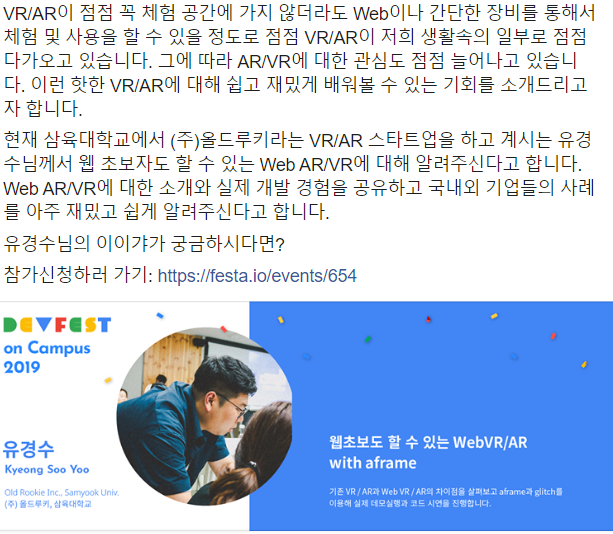
 

A. DSC - Developer Student Club

As I briefly mentioned above, you can think of DSC as bringing GDG activities to students.


The DSC program is sponsored by Google, 

and DSC's vision is to foster developer community activities among students.

It started from the idea of "How can we get all students to participate in Google's programs?!"

So a DSC Lead is someone who guides and joins students in Google's programs or activities aimed at improving development skills.


DSC Lead Activities

1. Establish and expand a Developer Student Club at each university

2. Participate in Onboarding MeetUps held in Korea

3. Hangouts meetings with Googlers

4. Host Hands-on workshops to provide students with various development learning opportunities

5. Opportunity to attend Google I/O for outstanding DSC Leads

6. Opportunity to participate in videos to share your story with the world


Benefits of DSC

1. Grow together with fellow DSC Leads

2. Various opportunities to meet professional developers

3. Opportunities to connect with DSC Leads worldwide

4. Collaborate with Google and lead developer communities

5. Development study materials provided

6. Participate as a member of Google's Developer Ecosystem

7. Invitations to Google events and conferences


So this year's DSC KR Lead cohort consists of a total of 12 people.


Together with DSC Leads from all over the country, including myself from Ewha Womans University, I'm looking forward to creating Clubs where we can grow as developers — whether through programs tailored to each university or nationwide programs planned together — and having opportunities to meet many student developers!


On top of that, since you can meet professional developers and make requests to Google through DSC Leads, I think participating in DSC activities at your university or region and improving your personal skills could be a great opportunity for many students.


That's why I plan to diligently learn various tech stacks beyond my school studies, and gain insights from professional developers at various conferences and seminars to grow my DSC!


Everyone, make the most of your local or university DSC Lead and squeeze out every opportunity you can get


For more details about DSC activities in other countries, check out the official page below!!

https://developers.google.com/community/dsc/


Developer community programs | Students  |  DSC  |  Google Developers

Find, connect, build. Join a developer community today.

developers.google.com


B. GDG - Google Developer Groups

This is a community group for people working in the development industry. They bring together people interested in various Google-related technologies like Android, apps, Chrome, and web, and facilitate communication among professional developers.


Beyond just Google-related technologies, from what I've seen on Facebook, they also host algorithm study groups, hackathons, developer conferences, and various other activities.


The DSC managers mentioned that "Developer" here doesn't just mean computer science majors — non-majors can be developers too, and even designers, marketers, and others who create services for people can all be called Developers.

This reminded me of when I attended the Smilegate Winter Dev Camp, where I heard that in the gaming industry, "game developer" doesn't only refer to programmers like client and server developers — it also includes the art team handling illustrations and game graphics and visual effects, the audio team creating fitting BGMs, voice actors, story writers, and basically everyone who creates any element of the game.


They said that being a DSC Lead would make it easier to get in contact with GDG! I really want to meet the people leading GDG and create opportunities to collaborate beyond just hosting conferences.


For more details about GDG, check out the official page below!

https://developers.google.com/community/gdg/


Developer community programs | Professionals  |  Community Groups Programs  |  Google Developers

Find, connect, build. Join a developer community today.

developers.google.com


C. GDE - Google Developer Experts

Unlike GDG's community and group-oriented nature, GDE members are individuals who work independently! Think of them as single players who've mastered their respective fields of development. They typically contribute their specialized knowledge to the developer and community ecosystem through things like technical translations and translation reviews. 


So in short, GDEs are engineers recognized by Google,

which means they're talented individuals with deep and broad development knowledge, English proficiency, awareness of recent tech trends — not just technical expertise, but networking skills as well! The interview process for GDE is quite rigorous, but

they get the advantage of being able to get their hands on Google's new technologies before they're released to the public! They get to be early adopters of the latest trends.


For more details about GDE, check out the official page below!!

https://developers.google.com/community/experts/


Experts  |  Google Developers

A global program to recognize individuals who are experts and thought leaders in one or more Google technologies. These professionals actively contribute and support the developer and startup ecosystems around the world, helping them build and launch highl

developers.google.com


D. Women Techmakers

https://www.womentechmakers.com/


Women Techmakers

Just applied to attend a Women Techmaker's International Women's Day summit! Learn more and apply here #WTM19 https://goo.gl/1L0Loy

www.womentechmakers.com


E. Study jam

I think many of you are probably already familiar with Study Jam.

I also signed up for the Cloud and Machine Learning studies, but... around that time I was crushed by finals and couldn't complete them...

It's a Google program where they provide Coursera courses and give you a mission to complete the courses over 3-4 weeks, encouraging self-development by forming study groups. 


I heard a lot of interesting things during the Study Jam section.


First, Coursera!

When you complete a Study Jam, you get a certificate proving you finished the Coursera course. Since Coursera is an officially recognized platform, Coursera certificates can actually be submitted as qualification documents when applying for jobs.

In Korea, neither companies nor students are well aware that these certificates are recognized, so they don't really use them. But in other countries, they're widely used for employment.


And Korea's Study Jam format!

In other countries, GDG and DSC play a very proactive role in Study Jam by arranging venues and forming groups. But in Korea, people tend to form study groups online or with school friends and watch the lectures on their own.

In other countries, asking questions during class is so common that sometimes the entire session ends up being just Q&A — not just for Coursera but for lectures in general. In Korea, however, most people ask individual questions after the speaker's session ends rather than during the class.

Since we started DSC in August 2019, and considering Korea's unique characteristics compared to other countries, they said the strategy is to first spread awareness of developer community activities like Study Jam, and then form developer communities through GDG and DSC afterward.


And self-introductions...

After hearing about Google and DSC activities, and before lunch,

we started our self-introductions using a single slide we had prepared in advance!

Self-introductions are always nerve-wracking... Everyone was amazing except me

My presentation slide focused on tech stacks and development activities, but I talked about what I felt from all these experiences combined.

Personally, seeing how even strangers quickly bond when they talk about development and how they all strive to improve each other's skills,

I gave a short speech about how that motivated me to apply — wanting to lead DSC activities that build developer communities!


After watching all 12 DSC Leads' presentations, I realized that DSC Leads are spread all across the country, from Jeju to Busan!


4. Lunch @Google Cafe Maru

And then it was meal time!!! They said the cafeteria was under renovation so it wasn't great, but wow... for something "not great," it was super delicious.

But I'm sad I couldn't take prettier photos!!

Macarons, cake, fruit, sweet and sour pork — love them all!!!

When I asked what the food is usually like, they said lobster, steak, and stuff like that — I was shocked..ㅠㅜ

Please hire me!!! They said the menu is designed with employees' health in mind.


5. Google Korea Office Tour

The office tour was really great!! I took so many photos 

and it was nice to feel Google's atmosphere through the interior design of Google Korea!


Google logo!!

Snap a photo with the Google logo!!

They said each Google office is designed to reflect the unique characteristics of its country.

And the front design of the office changes for special occasions like Halloween or Lunar New Year, which was really fun to hear.


How is the office interior this aesthetic

The left photo looks like just a decorative hallway, but they actually put tables in the spaces between so you can stop by and work as you walk past lol. Google is amazing... They don't force you to work, but they make it possible to work anywhere!!


Colorful vibes everywhere
The Android on the wall is so cute
Snap with Google!

The locations in these two photos were impressive because Google's culture of respecting diversity was meaningfully reflected in the interior design. There was also a wallpaper designed by visually impaired individuals that carried beautiful meaning, but I forgot to take a photo of it ㅜㅠ


The name of the meeting room we used!

And one of the fun things was that the meeting room names were all uniquely themed like this!!

The meeting rooms near ours had names like VECTOR, TANGENT, and so on,

and other meeting rooms had cute names like GA, NA, DA, etc.


Looking back now, every little detail of the interior design had meaning, which made the office tour feel genuinely amazing and fun the whole time.


6. Networking & Icebreaking + DSC Workshop 

After that, we returned to our meeting room and had a short icebreaker among the DSC KR Leads.

It was a quiz where we had to look at Google Product logos and guess their names. I didn't know anything besides Firebase, so I Googled hard.


Here are the Android figurines we received for getting quiz answers right!

You can separate the head, body, and legs and mix them with other figurines to create combinations — so cute ㅠㅠ

Android figurines

After that, each Lead shared the various DSC events they had in mind and we had a brainstorming session,

and that wrapped up the DSC KR Lead First Meet Up!!


+ Something Fun That Happened

While I was writing this blog post yesterday, I got a DM on Instagram from a DSC Lead in Pakistan.

She was also a woman, and we talked a lot about wanting to try Women Tech and GDG in the future.

I even showed off my DSC KR t-shirt, and thanks to her I installed WhatsApp and we chatted for about 3-4 hours. 

It was great being able to share our activities and exchange ideas!!

I was grateful that DSC gave me the opportunity to connect with a student developer from another country.


+ Facebook Group

After finishing all the activities, we DSC KR Leads decided to communicate going forward through a KakaoTalk group chat or Slack.

And a Facebook group called DSC Korea has already been created.

https://www.facebook.com/groups/2210738235883893/


Security Check Required

Press alt + / to open the menu

www.facebook.com

Going forward, I hope we can share DSC activities in Korea and communicate through this group.

If you're interested, please join the group!


Please look forward to the upcoming activities of the DSC KR Leads, and of DSC Ewha Womans!

댓글

Comments